
Our Marketing Team at PopaDex
Master Your Loans with an Amortization Schedule Calculator

An amortization schedule calculator is a surprisingly powerful tool. It does more than just spit out a monthly payment number; it pulls back the curtain on the entire life of a loan, showing you exactly where every single dollar goes—how much chips away at the principal balance versus how much gets eaten up by interest charges.
Seeing that breakdown is the key to understanding the true cost of borrowing money and making smarter financial moves.
Your Guide To Mastering Debt With An Amministrazione Schedule Calculator
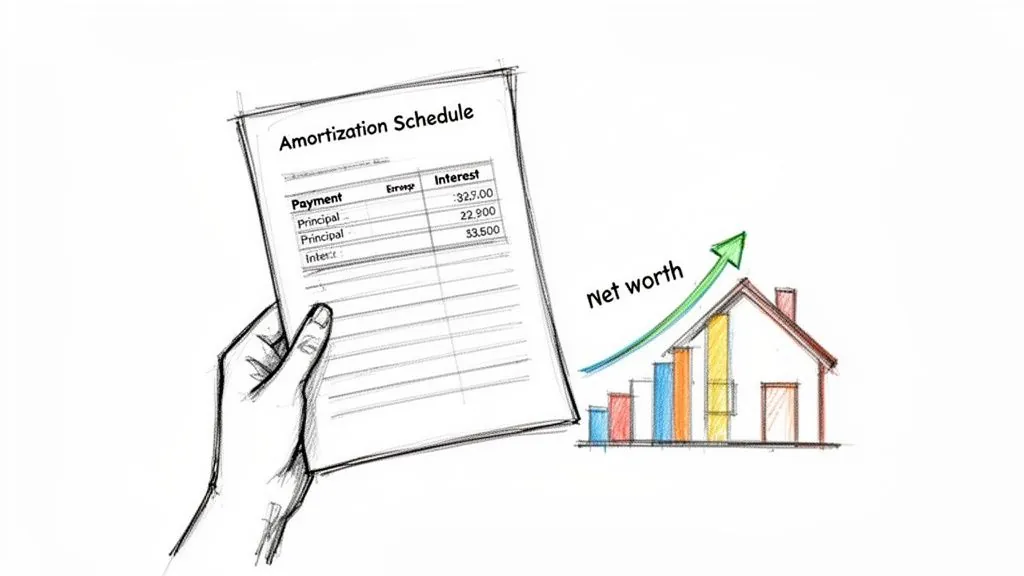
Knowing your debt is the first step to owning it. While there are plenty of basic online calculators that give you a quick answer, this guide is about going deeper. I’ll walk you through how to build and truly understand a personalized amortization schedule using tools you probably already have, like Excel or Google Sheets.
This isn’t just a numbers game. It’s about empowerment. A detailed schedule is your financial roadmap, showing the total cost of your loan and, most importantly, the exact date you’ll be debt-free. It transforms a vague, intimidating liability into a concrete plan you can control.
The Real Cost of Borrowing
One of the most eye-opening things a schedule reveals is how dramatically the loan term impacts the total interest you pay. A longer-term loan might feel more manageable with its lower monthly payments, but that comfort comes at a very steep price.
Let’s look at a real-world example. For a $250,000 U.S. mortgage at a 3.5% interest rate, a 15-year term results in $68,847 in total interest. Stretch that same loan out to 30 years, and the interest paid skyrockets to a staggering $223,000. That’s a 70% saving just by choosing the shorter term.
This principle isn’t just for mortgages; it applies to any installment loan, from your car payment to a personal loan. To get a better handle on this, it helps to be familiar with the various types of mortgage loans and how their structures influence your repayment journey.
An amortization schedule is more than a table of numbers. It’s a financial narrative that shows you the past (what you’ve paid), the present (your current balance), and the future (your path to zero debt).
Why a Personalized Calculator Matters
Building your own calculator in a spreadsheet gives you a massive advantage over those generic online tools. You’ll gain a much deeper understanding of how your loan works and gain the flexibility to play with different “what-if” scenarios.
- Scenario Planning: What happens if you start paying an extra $100 a month? What if you put that year-end bonus toward the principal? A custom calculator lets you see the immediate impact.
- Goal Setting: Seeing your debt-free date move closer is an incredible motivator. It turns a long-term goal into something tangible and encourages you to stick with your plan.
- Financial Control: With this data at your fingertips, you can make proactive decisions. You’ll know when it makes sense to refinance or how to adjust your budget to kill that debt faster.
When you take control of the numbers, you stop being a passive borrower and become an active manager of your financial future.
Build Your Own Amortization Calculator from Scratch
Why settle for a generic online tool when you can build a far more powerful and personalized amortization calculator yourself? When you create your own in Google Sheets or Microsoft Excel, you gain total control and a much deeper understanding of how your loan actually works.
Let’s walk through building one from the ground up. It’s easier than you think.
First things first, you need to lay the foundation with your core inputs. Set up clean, clear labels for these four essential data points:
- Loan Amount: The total principal you’re borrowing (e.g., $350,000).
- Annual Interest Rate: The yearly rate your lender charges (e.g., 6.5%).
- Loan Term (Years): The total length of the loan (e.g., 30).
- Payments Per Year: This is almost always 12 for monthly payments.
Calculating Your Monthly Payment
With your inputs ready, the next step is to figure out that fixed monthly payment. Luckily, spreadsheets have a built-in function that does the heavy lifting for us: the PMT (Payment) formula. It’s designed specifically to calculate a loan payment based on a constant interest rate and consistent payments.
The syntax for the formula is pretty simple: =PMT(rate, nper, pv)
Here’s what each part means, using our example numbers:
- rate: This isn’t your annual rate; it’s the interest rate per period. You’ll need to divide your annual rate by the number of payments per year. For a 6.5% annual rate paid monthly, the formula piece would be
(6.5%/12). - nper: This stands for the total number of payment periods. Just multiply the loan term in years by the payments per year. For a 30-year loan, that’s
(30*12). - pv: This is the “present value,” which is just your starting loan amount. You need to enter it as a negative number (like
-350000) because it represents cash you received (an inflow).
Assuming your inputs are in cells B1 through B4, your complete formula would look like this: =PMT(B2/B4, B3*B4, -B1). The result is your exact monthly payment, covering both principal and interest.
Constructing the Amortization Table
Now for the main event: the full schedule. Create a table with these column headers: Payment Number, Beginning Balance, Payment, Principal, Interest, and Ending Balance.
The first row is your starting line. The Beginning Balance for payment #1 is simply your total loan amount. The real magic happens with the formulas you’ll set up in the second row, which you can then drag down to populate the rest of the schedule.
A custom-built calculator isn’t just a project; it’s a dynamic financial planning tool. It allows you to instantly see the impact of extra payments or changing interest rates, giving you a level of insight that static web calculators can’t match.
For those looking to expand their financial modeling skills beyond amortization, learning how to build a powerful rental property calculator XLS from scratch offers an excellent opportunity to apply similar principles to broader financial analysis.
Here’s how to structure the formulas for each column, starting from the second row of payments:
- Beginning Balance: This is always the Ending Balance from the previous month. Just reference that cell.
- Interest: Calculate this by multiplying the Beginning Balance for the current month by your periodic interest rate (your Annual Rate / 12).
- Principal: This is your fixed monthly Payment minus the Interest you just calculated for this month.
- Ending Balance: Simply subtract the Principal paid this month from the month’s Beginning Balance.
Once these formulas are locked in for that first calculated row, grab the fill handle (that little square in the bottom-right of the cell) and drag it down for all 360 periods of your 30-year loan. You’ll see your loan balance shrink with every payment until it finally hits zero.
Seeing Where Your Money Really Goes
One of the most eye-opening moments when you use an amortization schedule is seeing the raw breakdown of your principal and interest payments. With long-term loans like a mortgage, it’s not a 50/50 split. Not even close.
Early on, a huge chunk of every single payment gets eaten up by interest. Only a tiny fraction actually goes toward chipping away at the principal—the actual money you borrowed. It can be a bit demoralizing, honestly.
This “front-loaded” interest is why it feels like you’re barely making a dent in your loan balance for the first few years. It’s a standard practice, but seeing it laid out visually brings the true cost of borrowing into sharp focus.
This is where the core inputs of your loan come into play, dictating the entire payment structure.
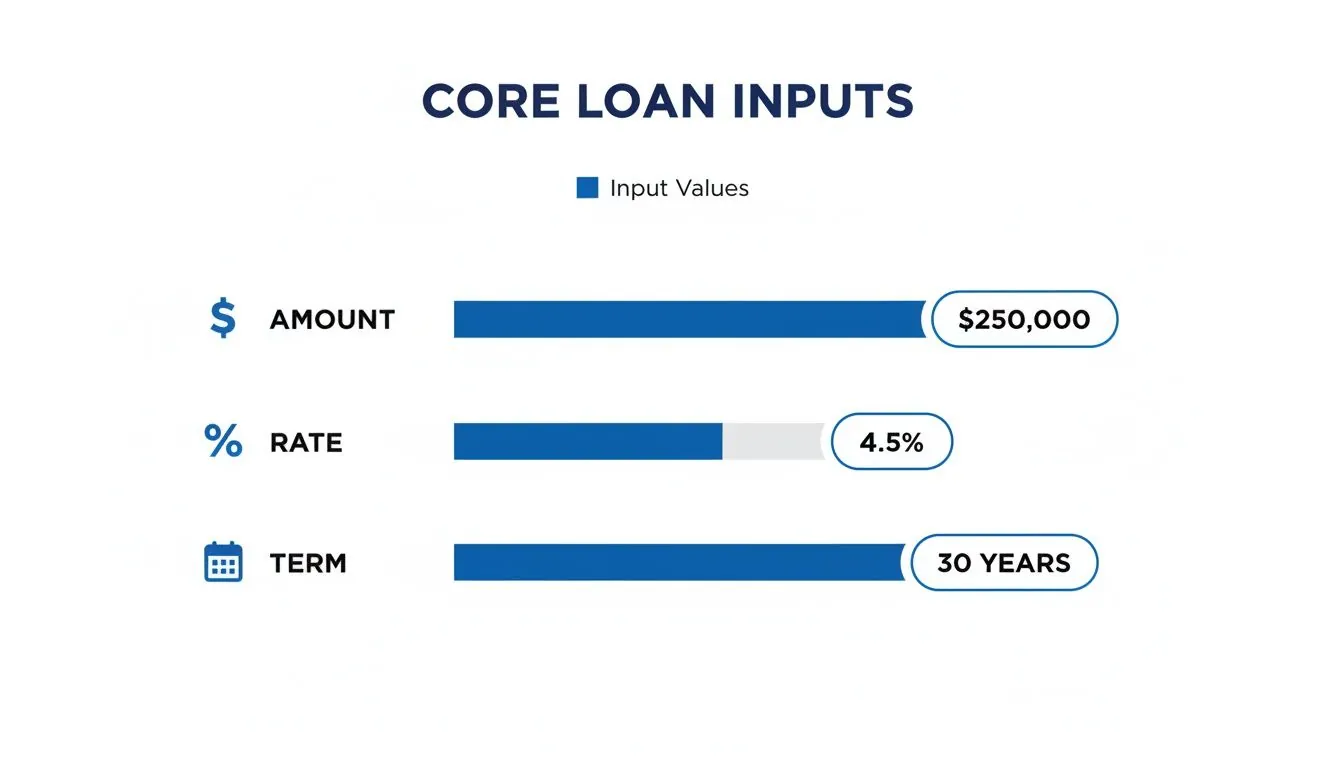
The loan amount, interest rate, and term are the three levers that determine how quickly you shift from paying the bank to paying yourself in the form of equity.
The Principal vs. Interest Divide
Let’s ground this in a real-world example. Imagine a standard 30-year fixed-rate mortgage for $200,000 at a 4% interest rate.
In the very first year, a staggering 83% of your payments (that’s about $9,440!) goes directly to interest. The needle on your principal barely moves. It isn’t until year 15—halfway through the loan—that the portion going to interest finally dips to 37%. This is why financial advisors are always talking about making extra payments early. Every extra dollar attacks the principal when interest is at its peak, saving you a small fortune and shaving years off your loan.
A visual amortization chart does more than just display numbers; it tells the story of your financial journey. It reveals that critical turning point where your payments finally start working for you, not just for the lender, by aggressively building your equity.
This kind of visual insight is incredibly motivating. Instead of staring at a massive, intimidating debt, you can see the exact month when your principal payment will finally be larger than your interest payment. Hitting that crossover point is a huge milestone on the road to being debt-free.
Turning Data Into Smarter Decisions
Seeing this breakdown isn’t just a “nice-to-know” exercise; it’s what empowers you to make smarter financial moves. It makes the benefits of strategies like bi-weekly payments or adding a little extra to each monthly payment crystal clear.
- Early Impact: An extra $100 paid toward your principal in year one is far more powerful than the same $100 paid in year 25. Why? Because that first $100 stops decades of future interest from ever accumulating.
- Accelerated Equity: As you watch the principal slice of your payment pie get bigger each month, you’re literally watching your net worth grow in real time.
Ultimately, getting a handle on these numbers helps you visualize your financial data in a way that transforms an abstract liability into a concrete, manageable plan for building wealth. You can directly connect your actions to your financial future.
Advanced Strategies To Get Out of Debt Faster
Once you have a working amortization schedule, you can stop just tracking your loan and start actively attacking it. This is where the real magic happens—where you can find huge savings and shave years off your repayment timeline. Your calculator becomes a powerful simulator, letting you test-drive different payoff scenarios to see what works best for your financial life.
Instead of being a passive observer, your spreadsheet transforms into an interactive financial planning tool. You’ll see instantly how even small adjustments can have an outsized impact, shifting your mindset from simply “making payments” to strategically demolishing your debt.
Modeling Extra Monthly Payments
One of the most powerful moves you can make is to throw a little extra money at your loan each month. It’s simple to model this in your amortization calculator. Just create a new input cell—let’s call it “Extra Monthly Payment”—and add that amount to the “Principal” portion of your payment calculation.
The results are almost always staggering. For instance, adding just $150 extra per month to a $300,000, 30-year mortgage at 5% interest can wipe out nearly five years of payments. Even better, it saves you over $53,000 in total interest over the life of the loan. Your calculator shows this happening in real-time as the ending balance drops faster and faster.
This strategy works so well because every extra dollar you send goes straight to the principal balance. This shrinks the amount that future interest is calculated on, creating a compounding effect that works for you, not against you.
Your amortization schedule is a financial lever. By adjusting inputs—like adding an extra payment—you directly control the outcomes, like your debt-free date and total interest paid. It puts you in charge of the loan, not the other way around.
The Impact of Bi-Weekly Payments
Another popular tactic is to switch from monthly to bi-weekly payments. The idea is to pay half your monthly payment every two weeks. Since there are 26 bi-weekly periods in a year, you end up making one full extra monthly payment annually, but it’s broken down into smaller, less noticeable chunks.
This has a dual effect: you make that extra payment each year without feeling it as much, and you chip away at the principal more frequently. On a $300,000, 25-year loan at 5%, switching from monthly to bi-weekly payments can cut 3.5 years off the term and save $28,000 in interest. This happens because the more frequent payments lower the principal balance faster, giving interest less time and less principal to compound on. You can explore alternative payment frequencies to see how this works with different loan types.
Planning for Lump Sum Payments
Your amortization calculator is also the perfect tool for seeing what a one-time, lump-sum payment can do. Think bonuses, tax refunds, or an inheritance. To model this, just subtract the lump-sum amount from the “Ending Balance” in the specific month you plan to make the payment.
The schedule will automatically re-crunch the numbers for all the remaining months, revealing a much shorter path to a zero balance. Applying a $10,000 lump sum in year three of that same $300,000 mortgage could save you over $20,000 in interest and shorten your loan by more than a year. These are the kinds of foundational strategies that anchor a solid financial plan. To go deeper, check out our guide on how to pay off debt effectively.
Connecting Loan Data To Your Financial Big Picture
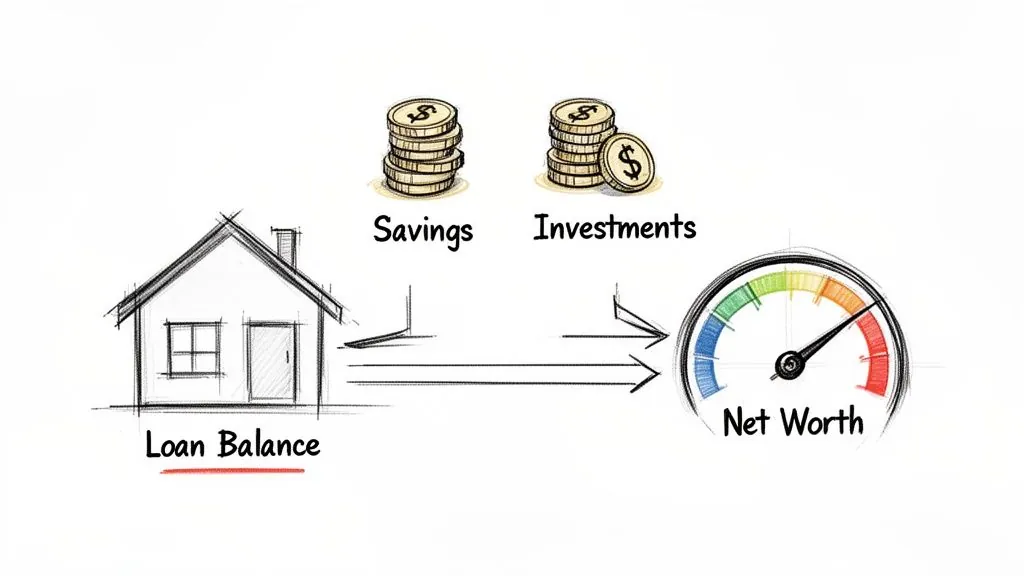
An amortization schedule is far more than a dry list of payment dates. Think of it as a detailed map of your largest liabilities. But a map only tells part of the story. The real magic happens when you integrate this loan data into your complete financial picture—specifically, your net worth.
Your net worth is the ultimate financial scorecard: what you own (assets) minus what you owe (liabilities). The numbers from your amortization schedule give you the most accurate, up-to-the-minute figure for the liability side of that equation. This is where your financial plan starts to feel real.
By placing this debt data alongside your assets—the value of your home, your savings accounts, your investment portfolios—you turn a static schedule into a living, breathing measure of your financial health. You get to see the real-time impact of every single mortgage payment.
From Loan Payment To Wealth Creation
Every payment you make is doing double duty. It’s chipping away at your liability, of course, but with a mortgage, it’s also increasing your home equity. This dual effect is a powerful wealth-building engine that’s easy to miss if you only see your loan in isolation.
Your amortization schedule isn’t just a countdown to being debt-free. It’s the active blueprint showing how you convert a liability into an asset, one payment at a time. Tracking this conversion is the key to understanding your true financial progress.
When you track this interplay, you’re not just paying a bill; you’re actively watching your financial position get stronger. It’s a clear, motivating visual of how responsible debt management directly pumps up your net worth. This clarity is exactly what you need to make confident decisions about everything else, from ramping up retirement savings to planning your next big investment.
A Holistic View of Your Finances
Keeping all this straight by manually updating spreadsheets is a grind. The key to maintaining this holistic view is to pull all your accounts into one unified dashboard.
This process, often called financial data aggregation, is what lets you see the whole story without the headache. PopaDex offers solutions for financial data aggregation that can pull everything together seamlessly.
By automating this, your net worth statement will always reflect the latest data from your amortization schedule. You’ll have an accurate, at-a-glance understanding of where you stand, empowering you to make smarter, more informed moves every step of the way.
Your Amortization Questions, Answered
Even with a great calculator in hand, amortization can throw a few curveballs. It’s one of those financial topics where a little clarity goes a long way. Let’s dig into the questions that come up most often, so you can feel more confident about your loan strategy.
People often get stuck wondering what kind of tool they really need. Is a simple online calculator good enough, or do you need to fire up a spreadsheet? The truth is, it depends entirely on what you’re trying to figure out.
What Is The Best Amortization Schedule Calculator?
The “best” calculator is the one that fits your specific goal. If you just need a quick reality check on a potential loan, the free online calculators you find on major financial websites are perfect. They’ll give you a monthly payment and total interest cost in seconds, no setup required.
But if you want to get serious about planning—say, figuring out how to pay off your mortgage five years early—then building your own calculator in Excel or Google Sheets is the way to go. A custom spreadsheet gives you the freedom to game out different scenarios. What if I make an extra $200 payment every month? What happens if I put my entire bonus toward the principal? A static web tool just can’t offer that level of personalized insight.
How Do Extra Payments Affect My Amortization Schedule?
This is where you see the real magic happen, and it’s the number one reason to use a detailed amortization schedule. Any money you pay over your required monthly amount goes straight to the principal balance.
That single action creates a powerful ripple effect. When you shrink the principal, you reduce the amount of interest that can be charged for every single month left on the loan. Even small, consistent extra payments can shave years off your loan term and save you thousands in interest. Just be sure to double-check with your lender that extra funds are applied directly to the principal, not just credited toward future payments.
The real power of an amortization schedule is its ability to show you the future. Modeling extra payments turns a “what-if” idea into a concrete plan, revealing a much shorter path to becoming debt-free.
Can I Use An Amortization Calculator For Any Loan Type?
Absolutely. The math behind amortization is the same for most common installment loans. A good amortization calculator is a versatile tool for tracking:
- Mortgages: This is the classic use case, perfect for mapping out a 15 or 30-year home loan.
- Auto Loans: It’s incredibly helpful for seeing the payoff journey for a new car over a typical 3 to 7-year term.
- Personal Loans: A schedule clearly shows you how the interest is stacked at the beginning and how you can attack the principal to clear the debt faster.
The only rule is that the calculator’s inputs—rate, term, and payment frequency—must match your loan agreement exactly. The main exception here is revolving debt like credit cards. Since they don’t have a fixed term or payment, a dedicated credit card payoff calculator is a much better fit for that job.
Why Do My Early Payments Go Mostly To Interest?
This is a classic “aha!” moment for many borrowers. It’s a concept called “front-loaded interest,” and it’s built into the very structure of amortization. Your interest charge is always calculated on your outstanding loan balance. At the beginning of the loan, your balance is at its absolute highest, which means the interest portion of your payment is also maxed out.
As you make payment after payment, you slowly chip away at the principal. With each payment, the balance drops, and so does the amount of interest calculated on it. This is why it can feel like you’re barely making a dent in a 30-year mortgage for the first few years, but in the final stretch, nearly every dollar of your payment is going straight to building equity.
Ready to see how your loans fit into your total financial picture? With PopaDex, you can import all your liabilities and watch your net worth grow with every single payment. Get the clarity you’ve been looking for. Visit PopaDex to get started.