
Our Marketing Team at PopaDex
Are online banks safe: A Practical Guide to Digital Security
Let’s cut right to it: Yes, federally insured online banks are just as safe as their traditional, brick-and-mortar counterparts. They’re built on a foundation of serious technology and strict government oversight.
Think of an online bank less like a flimsy app and more like a modern bank vault. Instead of steel doors and security guards, it’s protected by layers of sophisticated digital defenses.
Deconstructing Online Bank Safety
So, what actually makes an online bank safe? It’s not about a flashy website or a cool mobile app. Real security is a deep, multi-layered system designed to protect your money from every conceivable angle. This system stands on three core pillars that work in tandem to keep your finances secure.
The Three Pillars of Digital Trust
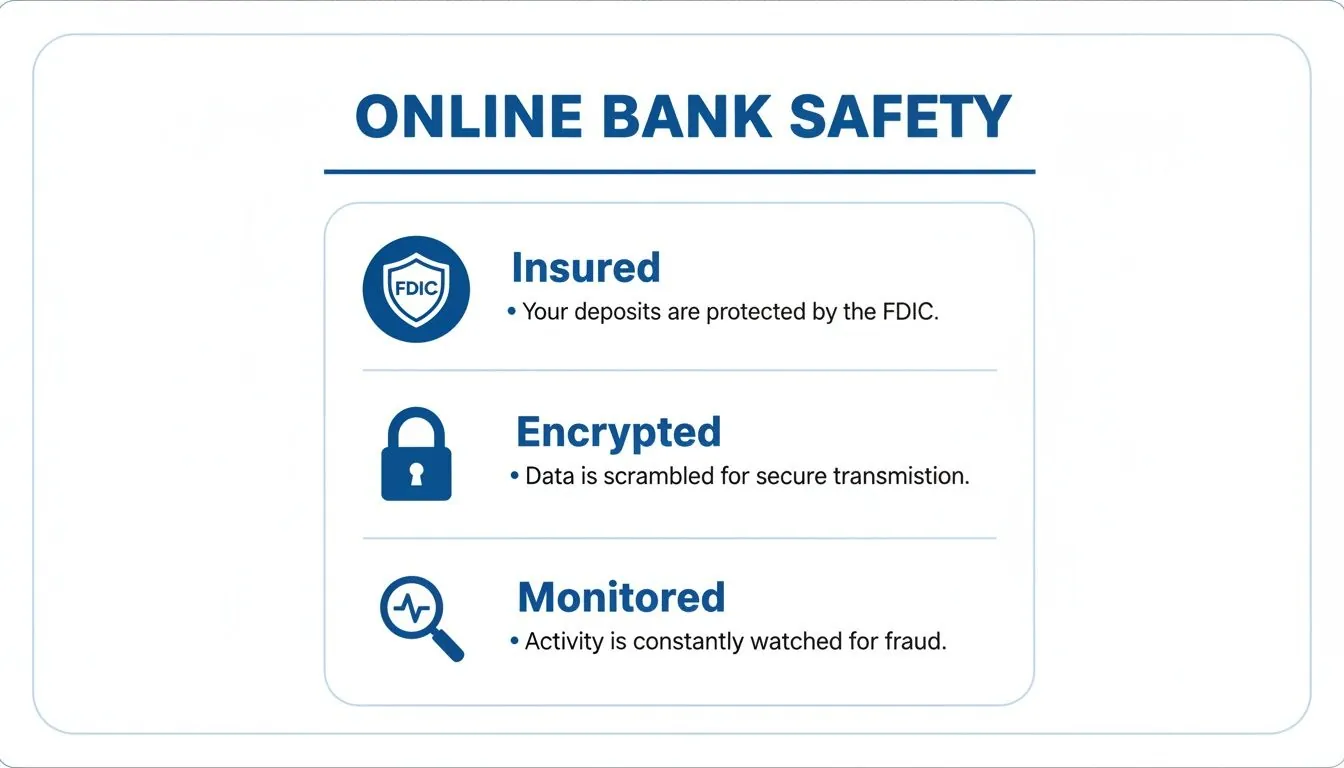
First, and most importantly, is government insurance. In the United States, this is the Federal Deposit Insurance Corporation (FDIC). The FDIC guarantees your deposits up to $250,000 per depositor, per insured bank. This is your ultimate safety net, ensuring your money is protected even in the highly unlikely event the bank itself fails.
The second pillar is advanced data encryption. This technology acts like a digital armored car. It scrambles your personal and financial information into an unreadable code as it travels between your device and the bank’s servers, making it completely useless to anyone who might try to intercept it.
Finally, there’s constant fraud monitoring. Banks use sophisticated AI systems that learn your spending habits. These systems are like a 24/7 security detail for your account, instantly flagging unusual activity—like a purchase in a city you’ve never visited—and alerting you to potential trouble.
This graphic breaks down these essential safety features you should look for in any trustworthy online bank.
These elements show that institutional security is a top priority for any legitimate digital bank. However, it’s also crucial to understand where the real vulnerabilities lie. While major bank breaches grab headlines, they aren’t always what they seem. Recent cybersecurity statistics show that a significant share of security incidents in the fintech sector comes from third-party integrations—the apps and services you connect to your bank—rather than a failure of the bank’s core systems.
This highlights an important truth: true security is a partnership between you and your bank.
Online vs Traditional Bank Safety At a Glance
To put things in perspective, here’s a quick comparison of the safety features and risks for both types of banks. You’ll notice the core protections are strikingly similar.
| Security Feature | Online Banks | Traditional Banks |
|---|---|---|
| Deposit Insurance | Typically FDIC insured up to $250,000 | Typically FDIC insured up to $250,000 |
| Data Security | Heavily reliant on advanced encryption, MFA, and secure servers | Also uses strong encryption, but adds physical document security |
| Fraud Monitoring | Sophisticated 24/7 AI-driven transaction monitoring | Robust monitoring, often combined with in-person verification |
| Primary Risks | Phishing scams, malware, insecure third-party apps, data breaches | Physical theft, check fraud, social engineering, data breaches |
At the end of the day, both models are subject to the same strict regulations and employ similar high-tech security measures to protect your money. The biggest difference isn’t the bank’s security, but the types of threats they—and you—need to watch out for.
Understanding Your Digital Bank’s Security Measures
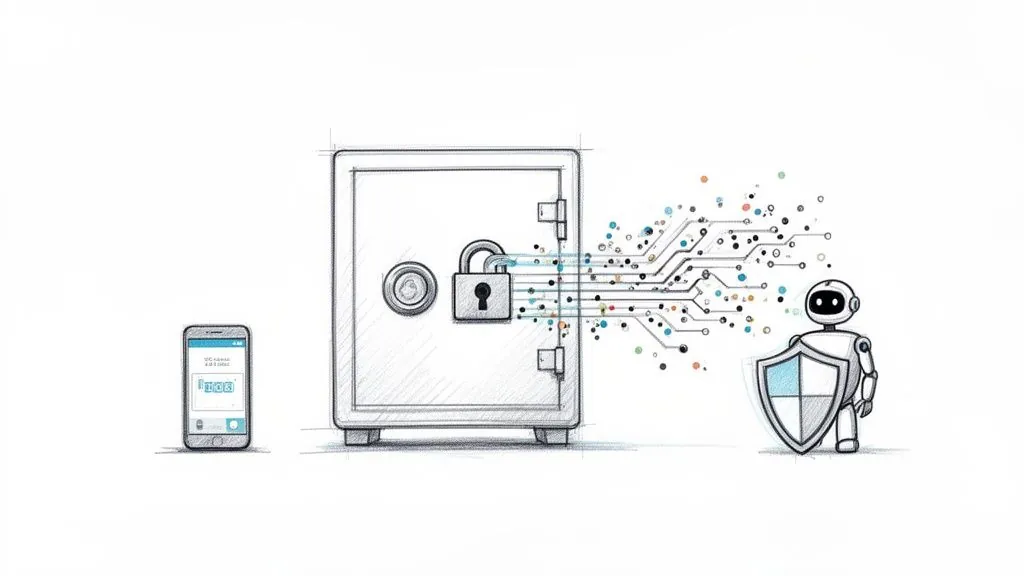 To really answer “are online banks safe?” you have to look under the hood at the tech that’s working 24/7 to protect your money. These aren’t just industry buzzwords; they’re layers of a digital fortress with multiple high-tech walls designed to keep bad actors out.
The first line of defense is data encryption. Think of it like sending a valuable package through a crowded public square. Instead of putting it in a clear box for everyone to see, encryption scrambles the contents into a secret code inside a locked container. Even if someone intercepts it, the information is completely unreadable without the unique key that only you and the bank hold.
This is exactly what happens when you see the little padlock icon and “https://” in your browser’s address bar. It’s a visual cue that this digital scrambling is active and your connection is private.
Verifying Your Identity in a Digital World
Scrambling data is one thing, but banks also need absolute certainty that the person logging in is actually you. This is where multi-factor authentication (MFA) comes in, a non-negotiable feature for any modern bank.
MFA is like having a two-key system for a vault. Your password is the first key, but it isn’t enough to open the door on its own. The second key is a temporary, one-time code sent to a device you trust—usually your phone. Without both keys, no one gets in. This simple step makes it incredibly difficult for a criminal to access your account, even if they somehow manage to steal your password.
Banks also add other layers to confirm it’s you:
- Biometric Authentication: This uses your unique physical traits, like a fingerprint or facial scan, to unlock your account on a mobile app. It’s one of the most secure methods because these markers are almost impossible to fake.
- Security Questions: While not as common for primary defense anymore, they can act as a backup if you forget your password or need to recover your account.
Key Takeaway: If a bank doesn’t offer or strongly push you to use multi-factor authentication, that’s a major red flag. It’s a foundational piece of modern account security.
Proactive Defense with Intelligent Monitoring
The best security doesn’t just react to threats; it sees them coming. Online banks use sophisticated, AI-powered fraud monitoring systems that act as vigilant digital guards for your account.
These systems learn your typical financial behavior by analyzing thousands of data points in real time. They know where you usually shop, how much you spend, and when you’re most active. If a transaction suddenly pops up that breaks your pattern—like a huge purchase in another country at 3 a.m.—the system flags it instantly.
This proactive monitoring might trigger an immediate text alert or even temporarily freeze the transaction until you confirm it’s legitimate. It’s all about catching fraud the moment it happens, not days or weeks down the line. To keep their defenses sharp, many online banks also rely on specialized assessments and employ security practices specifically tailored for financial services.
These technological layers—encryption, MFA, and AI monitoring—work together to create a secure banking environment. When you combine them with tools that give you a clearer view of your own financial data aggregation, you get a powerful and complete picture of your financial security.
How Government Insurance Protects Your Money
Beyond a bank’s digital fortress of encryption and fraud monitoring lies the ultimate safety net for your money: government-backed deposit insurance. This is the single most important feature that puts a legitimate online bank on the exact same secure footing as the biggest brick-and-mortar bank on the corner.
Think of it as a fireproof safe for your cash, but instead of being tucked away in your closet, it’s guaranteed by the full faith and credit of the government. This protection ensures that even if the bank itself runs into trouble, your money is safe.
This is what makes the answer to “are online banks safe?” a confident yes—provided they have this critical coverage. This insurance is the bright line separating legitimate financial institutions from unregulated, riskier ventures.
The Role of the FDIC and Similar Agencies
In the United States, this protection comes from the Federal Deposit Insurance Corporation (FDIC). It’s an independent agency of the U.S. government, created after the Great Depression to maintain stability and public confidence in the nation’s financial system.
When a bank is FDIC-insured, your deposits are automatically protected up to $250,000 per depositor, for each bank, in each account ownership category. In the extremely unlikely event that your online bank fails, the FDIC steps in and makes sure you get your insured money back. Period.
Other countries have their own versions of this safety net:
- United Kingdom: The Financial Services Compensation Scheme (FSCS) protects deposits up to £85,000.
- Canada: The Canada Deposit Insurance Corporation (CDIC) covers up to C$100,000.
- European Union: The Deposit Guarantee Schemes (DGS) Directive ensures protection up to €100,000.
These programs aren’t just for show; they’re designed to prevent financial panic and protect the life savings of everyday people, making them a cornerstone of modern banking safety.
The Ultimate Reassurance: FDIC insurance isn’t an optional add-on; it’s a fundamental requirement for legitimate U.S. banks. Its presence is a clear signal that the institution is subject to strict government oversight.
How to Verify a Bank Is FDIC Insured
Never just take a bank’s word for it. Verifying that an online bank is properly insured is a simple but non-negotiable step before you deposit a single dollar. It’s the difference between using a secure financial institution and putting your money somewhere it doesn’t belong.
Here’s a straightforward, three-step process to confirm an online bank’s FDIC status:
- Look for the FDIC Logo: Scroll down to the footer of the bank’s official website or check their “About Us” page. You should see the official FDIC logo or a clear statement like “Member FDIC.”
- Use the FDIC BankFind Tool: This is the most reliable method. Go to the official FDIC website and use their BankFind Suite. You can search by the bank’s name to see its official status and insurance history.
- Check for “Partner Banks”: Some fintech apps aren’t banks themselves. Instead, they partner with an FDIC-insured bank to hold customer deposits. In this case, the fintech’s website must clearly state which partner bank holds the funds and provides the FDIC coverage.
Taking a few minutes to do this transforms you from a passive user into an informed consumer who is actively securing their own financial future. This simple diligence helps you steer clear of uninsured platforms and ensures your money has the highest level of protection available.
Navigating the Real Risks of Banking Online
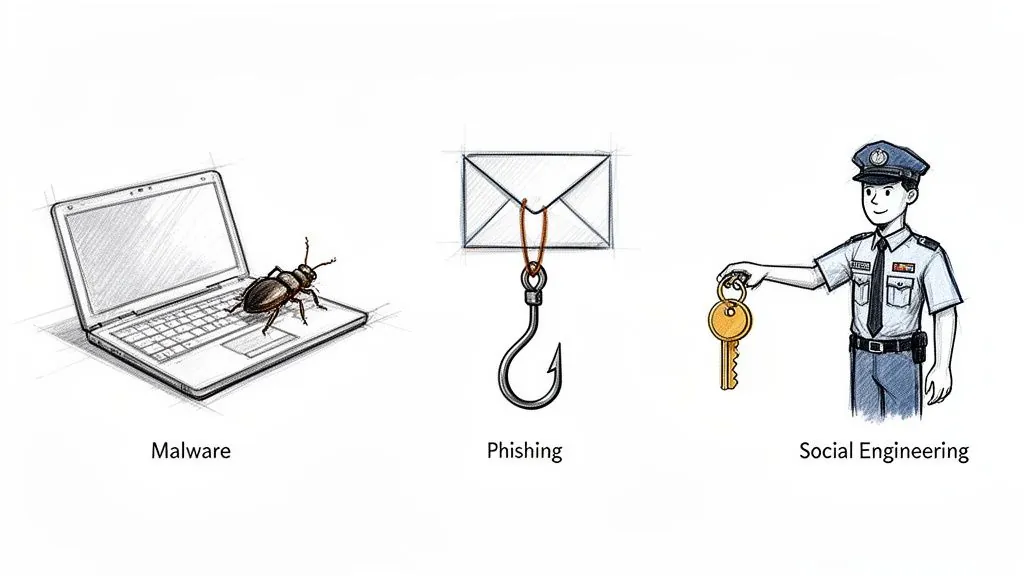
While your online bank has built a digital fortress to protect your money, the biggest threats rarely try to smash down the walls. Instead, they try to trick you into politely opening the gate for them. Understanding these user-focused risks is the key to truly safe online banking.
Let’s be clear: the institutional security of an insured online bank is incredibly robust. But criminals know that the most vulnerable point in any security system is often the person using it. They play on trust, urgency, and fear to bypass technology altogether.
Once you recognize these external threats, you become the strongest line of defense for your own accounts.
The Art of Deception: Phishing Scams
The most common threat you’ll face is phishing. Think of it like a con artist showing up at your door wearing a fake delivery driver uniform. They look official and carry a convincing clipboard, but their real goal is to get you to hand over the keys to your house.
In the digital world, this “uniform” is a fraudulent email or text that looks exactly like it’s from your bank. It will probably use the bank’s real logo, colors, and formal language. The message nearly always creates a sense of urgency—claiming your account has been compromised or that you need to verify your information immediately to avoid a penalty.
The goal is to panic you into clicking a link that leads to a fake website—a perfect replica of your bank’s login page. When you enter your username and password there, you’re not logging in; you’re handing your credentials directly to criminals.
To keep your accounts safe, you need to learn to spot these scams before you click. The table below breaks down the common threats and their tell-tale signs.
Common Online Banking Threats and How to Spot Them
| Threat Type | How It Works | Key Red Flags |
|---|---|---|
| Email Phishing | You receive an email that looks like it’s from your bank, asking you to click a link to verify your account or resolve a security issue. | - Creates a sense of extreme urgency or fear. - Generic greetings like “Dear Customer” instead of your name. - Poor grammar, spelling mistakes, or awkward phrasing. - The sender’s email address looks slightly off (e.g., [email protected]). |
| SMS Phishing (Smishing) | A text message arrives claiming to be from your bank, often with a link to “unfreeze your account” or check a “suspicious transaction.” | - The message comes from an unknown or strange number. - Uses link-shortening services (like bit.ly) to hide the true destination. - Asks for personal information via text reply. |
| Voice Phishing (Vishing) | You get a phone call from someone pretending to be a bank representative, asking for your PIN, password, or security codes to “fix a problem.” | - The caller pressures you to act immediately. - They ask for information your bank already has or would never request over the phone. - The caller ID might be spoofed to look legitimate. |
Always remember that your bank will never initiate contact and ask for your full password, PIN, or one-time security codes. Any message that pressures you into providing login details through a link is a massive red flag.
Malware: The Unseen Threat
Another major risk is malware, which is just short for malicious software designed to infect your computer or smartphone. If phishing is a direct trick, malware is like a bug planted in your home that secretly records everything you do.
You might accidentally download malware by clicking a shady link, opening a compromised email attachment, or even just visiting a hacked website. Once it’s on your device, it can run silently in the background.
There are several nasty types of malware to watch out for:
- Keyloggers: This software records every single keystroke you make—including your banking passwords and credit card numbers—and sends the log back to the attacker.
- Trojans: Disguised as legitimate software (like a free game or PDF reader), Trojans create a “backdoor” into your system, giving criminals remote access to your files.
- Spyware: Just like it sounds, this software spies on your online activity, collecting personal info, browsing habits, and login credentials without you ever knowing.
These threats show why it’s not enough to just secure your bank account; you also have to make sure the devices you use to access it are clean and protected.
Third-Party Integrations and App Security
Modern finance is all about connecting apps and services to your bank account for budgeting, investing, or making payments. While incredibly convenient, each connection introduces a potential vulnerability. Your online bank might have Fort Knox-level security, but the safety of your data also depends on the third-party apps you authorize.
If a less-secure budgeting app you use suffers a data breach, the credentials it uses to connect to your bank could be exposed. It’s crucial to be selective about which services you link to your primary financial accounts. For developers building these tools, understanding secure integration methods, such as those detailed when you learn about adding Plaid to a Rails app, is vital for keeping the entire financial ecosystem safe.
By understanding that the main risks often target you and your devices—not the bank’s core servers—you can shift your focus to your own security habits. This awareness transforms you from a potential victim into an active defender of your financial life.
Your Personal Security Checklist for Safe Online Banking
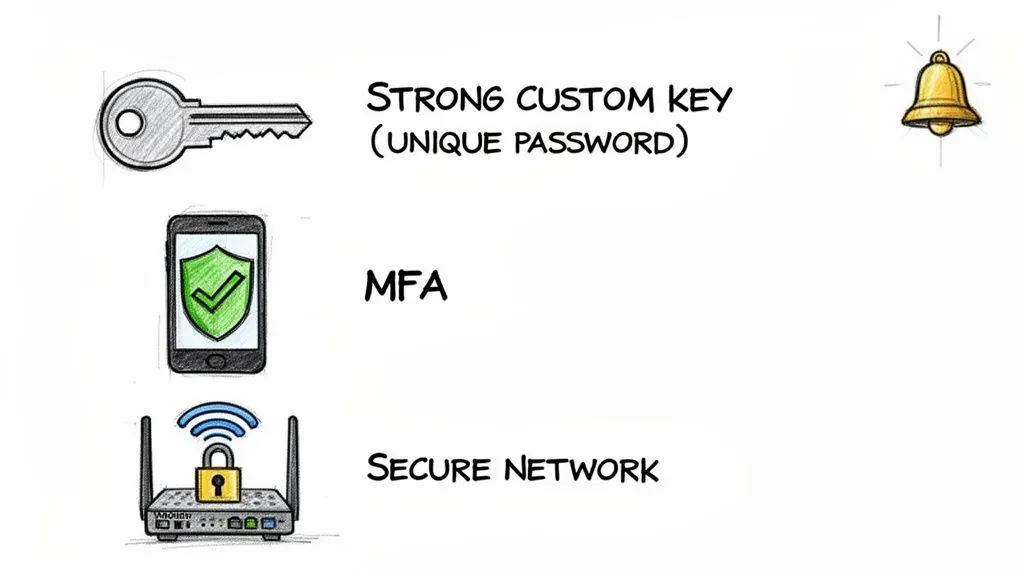
Knowing the threats is one thing, but turning that knowledge into action is what actually keeps your money safe. Your bank provides the vault, but you’re the one holding the keys. Adopting a few smart, consistent security habits turns you from a potential target into an active defender of your own finances.
This isn’t about becoming a cybersecurity expert. It’s about taking simple, practical steps that work alongside your bank’s own protections to create multiple layers of security.
Fortify Your First Line of Defense
Your password is the front door to your financial life. It’s not something to take lightly. A weak or reused password is like leaving that door unlocked—it’s just an open invitation for trouble.
The best way to create a strong password is to think in terms of a passphrase. Instead of a jumbled mess like P@ssw0rd1!, come up with a longer, more memorable phrase like MyFirstConcertWasLoudIn99!. This approach is far tougher for automated software to crack.
Here are the non-negotiable rules for your bank password:
- Go Long: Aim for at least 12-15 characters. Length is your best friend when it comes to password strength.
- Mix It Up: Throw in a combination of uppercase letters, lowercase letters, numbers, and symbols.
- Stay Unique: Never, ever reuse your banking password anywhere else. If a less secure website you use gets breached, criminals will try that password on your bank account.
Enable Multi-Factor Authentication Immediately
If you only do one thing from this guide, make it this: enable multi-factor authentication (MFA). Think of it as the deadbolt on your digital vault. Even if a thief somehow steals your password (the first key), they can’t get in without the second key—a temporary code sent only to a device you own.
Most banks offer a few MFA options:
- SMS Text Message: A code is sent to your phone. Simple, but not the most secure.
- Authenticator App: An app like Google Authenticator or Authy generates a constantly changing code. This is a much safer option than SMS.
- Biometrics: Using your fingerprint or face to log in is both fast and incredibly secure on modern smartphones.
Turning on MFA is the single most effective action you can take to stop unauthorized access. It’s a standard feature these days, and you should have it active on every single financial account.
Monitor Your Accounts Like a Hawk
One of the best things about online banking is the power to see your money in real time. Don’t wait for a paper statement to show up a month later. Make it a habit to glance at your transactions regularly.
Even better, set up automated alerts. This is like having your own personal fraud detection system working 24/7.
Pro Tip: Set up alerts for any transaction over a specific amount (say, $50), all international charges, and any login attempts from a new device. These instant pings can help you spot funny business the moment it happens, not weeks down the road.
This kind of vigilance means you can react instantly—freezing your card or calling the bank before a small issue spirals into a big one.
Secure Your Digital Environment
Your security isn’t just about the bank’s app or website. The devices and networks you use to access your account are just as important.
Start with your home Wi-Fi. It absolutely must be password-protected with a strong encryption standard like WPA2 or WPA3. An open network is like shouting your financial details across a crowded room. And please, change the default password that came with your router.
Being smart about security also means knowing how to spot scams. Adopting effective phishing prevention strategies is critical for recognizing fake emails and texts designed to steal your login info.
Here’s a final checklist to keep your devices and connections locked down:
- Keep Software Updated: Always install the latest updates for your computer, browser, and your bank’s mobile app. These updates often fix critical security holes.
- Avoid Public Wi-Fi for Banking: Never log into your bank at a coffee shop, airport, or hotel. These networks are notoriously insecure, making it easy for criminals to spy on your activity. Stick to your phone’s cellular data instead.
- Use Official Apps Only: Only download your bank’s app from the official Apple App Store or Google Play Store. Watch out for fake apps that look real but are built to steal your password.
- Log Out When Finished: When you’re done banking, manually log out. This is especially important if you’re using a computer that isn’t your own.
By following this checklist, you build a solid wall of personal security around your finances. It’s this partnership between you and your bank that creates real peace of mind.
Is Your Money Really Safe in an Online Bank?
So, let’s get straight to it: are online banks safe?
The short answer is a resounding yes, but with a crucial catch. Your money’s safety isn’t just the bank’s job; it’s a partnership between their high-tech defenses and your own smart habits.
When you understand how these banks protect you and take a few simple steps yourself, you can tap into all the perks of digital banking—like better interest rates and fewer fees—without losing a wink of sleep. This confidence opens the door to powerful tools, including the best high-yield savings accounts, that can make your money work a lot harder for you. The key is knowing what to look for and staying alert.
Trust Backed by Action
It turns out, most people already feel pretty good about their bank’s security. A recent study found that 74% of consumers believe banks do more than other businesses to protect them. This isn’t just wishful thinking; it’s a reflection of the heavy-duty regulations and security measures that have become standard in the industry.
Of course, no system is perfect. Threats like sophisticated phishing scams are always out there. But the combination of rock-solid bank security and a savvy, aware customer base creates a financial environment that’s tougher to crack than ever. If you’re curious about the latest threats, you can dig into these fintech security trends.
The future of banking is digital, no question about it. Armed with the right know-how and a commitment to your own security, you can be a part of it, building your wealth securely and on your own terms.
Ultimately, it comes down to this: you can trust your insured online bank to be the secure vault. Your role is to be the vigilant gatekeeper. That means using strong, unique passwords, switching on multi-factor authentication, and learning to spot a scam from a mile away.
When you embrace this partnership, you get to bank online not just with convenience, but with total peace of mind.
Got Questions About Online Bank Safety?
Even after you get the hang of how online banks operate, a few nagging questions might pop up. Let’s tackle the most common ones head-on, so you can bank online with total confidence.
What Happens if an Online Bank Goes Out of Business?
This is the big one, and the answer is the bedrock of safe banking everywhere. If your online bank is FDIC-insured (or covered by a similar government program like the FSCS in the UK), your deposits are protected up to the legal limit. In the U.S., that’s typically $250,000 per depositor.
Should the bank fail, the government’s insurance fund steps in and makes you whole. Your money isn’t just gone. The single most important thing you can do before opening any account is to confirm it has this government-backed insurance.
Is It Safe to Use My Online Bank on Public Wi-Fi?
Honestly? It’s a really bad idea. Public Wi-Fi networks are notoriously insecure, making it far too easy for a criminal to snoop on your connection and steal your information. Think of it like shouting your account number and password across a crowded coffee shop—you just don’t know who’s listening in.
For banking, always use a network you trust, like your home Wi-Fi or your phone’s cellular data (4G/5G). If you’re in a pinch and absolutely have to use a public network, a reputable VPN is non-negotiable. It encrypts your connection, making it unreadable to anyone trying to spy on you.
Crucial Tip: Treat public Wi-Fi as if someone is always watching. Your mobile data connection is a much safer bet for anything sensitive.
Are Mobile Banking Apps as Secure as Banking on a Computer?
Yes, and in some ways, they can be even more secure. A bank’s official app runs in its own self-contained environment on your phone. This sandboxed approach offers better protection against certain browser-based threats, like fake login pages or malicious pop-ups that can plague a desktop experience.
The key is to only download the official app from the Apple App Store or Google Play Store. And just as important: keep it updated. Those updates often contain critical security patches that shield you from the latest threats hackers have cooked up.
How Do I Report Fraud with an Online Bank?
Any legitimate online bank will have a clear, easy-to-find process for reporting fraud, available 24/7. Look for a dedicated fraud reporting phone number on their website. Many also let you send a secure message from within your account or use a reporting tool directly in their mobile app.
If you see anything suspicious, report it immediately. Time is your enemy here. The faster you alert the bank, the quicker they can act to lock down your account and limit your liability for any phony transactions. Quick action is your single best defense.
Ready to see your entire financial picture in one secure place? With PopaDex, you can track your net worth by connecting accounts from over 15,000 banks worldwide, giving you the clarity and confidence to reach your goals. Start your free trial today and take control of your financial future.