
Our Marketing Team at PopaDex
The 12 Best Financial Planning Software for Individuals in 2026

Navigating your financial life can feel like managing a complex business, where every dollar has a job and every decision impacts your future. The right software transforms this complexity into clarity, moving you from financial stress to a state of control and confidence. This guide is built to help you find the best financial planning software for individuals, cutting through the noise to match you with a tool that fits your specific needs, whether you’re a young professional starting out, a retiree managing a portfolio, or a self-employed individual with fluctuating income.
We’ve done the deep-dive research for you. This article provides a comprehensive comparison of the top platforms available, including PopaDex, Quicken Classic, Monarch Money, and YNAB. We go beyond simple feature lists, offering a detailed analysis of what makes each tool unique. You’ll find a clear breakdown of pricing, bank integration quality, net worth tracking capabilities, and whether the software relies on automated or manual data aggregation. To truly benefit from financial planning software, it helps to first understand fundamental financial concepts. For instance, understanding and implementing effective strategies for positive cash flow is crucial for any personal financial plan.
Each review is structured for quick scanning and includes screenshots, direct links, and practical insights to show you how the software works in real-world scenarios. We identify the best-fit user for each platform, from expats needing multi-currency support to tech-savvy users who want advanced analytics. This resource is designed to be your final stop in choosing the perfect tool to build wealth, manage debt, and achieve your long-term financial goals. Let’s get started.
1. PopaDex
Best Overall Financial Planning Software
PopaDex earns its top spot as the best financial planning software for individuals by offering an exceptional balance of comprehensive features, robust security, and user-centric design. Built in Switzerland with a privacy-first ethos, it provides a powerful, consolidated dashboard for tracking every asset and liability. This makes it an ideal command center for anyone serious about building wealth, from young professionals and investors to expats managing complex international finances.
Its core strength lies in its expansive connectivity, supporting over 15,000 banks in more than 30 countries. This, combined with its multi-currency support and multilingual interface, sets it apart for users with a global financial footprint. The platform translates complex financial data into clear, interactive visualizations, allowing you to monitor net worth trends, analyze cash flow, and track progress toward your goals with precision.
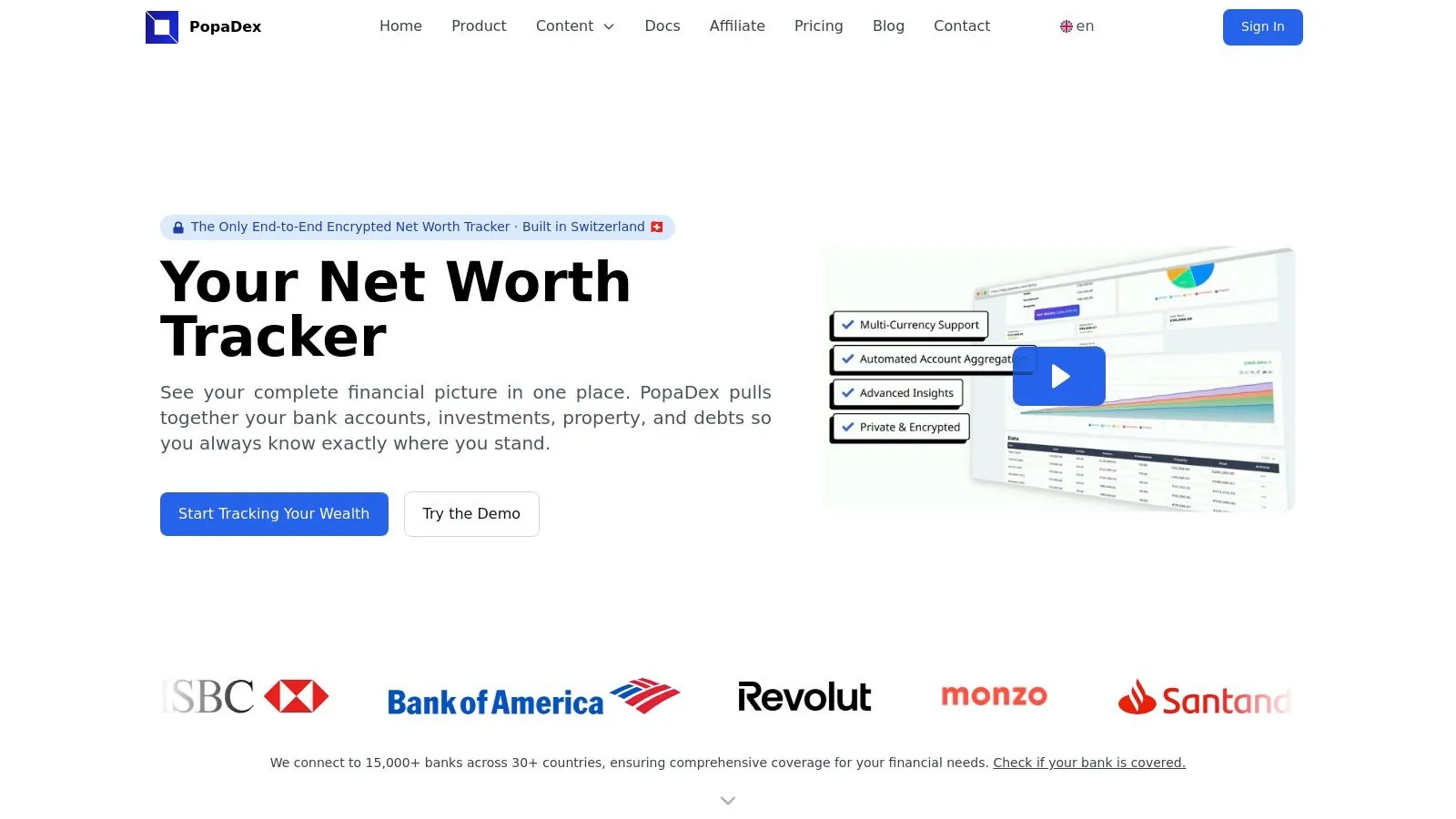
Why PopaDex Stands Out
What truly distinguishes PopaDex is its commitment to both accessibility and advanced functionality. The platform is more than a passive tracker; it is an active planning tool. Users can leverage built-in calculators for disposable income, salary comparisons, and Financial Independence, Retire Early (FIRE) projections to make informed decisions. Furthermore, its planned integration of an AI co-pilot and 1:1 coaching signals a forward-thinking roadmap focused on providing deeper, personalized guidance.
Pricing and Plan Tiers
PopaDex offers a straightforward and highly competitive pricing structure designed to scale with user needs.
- Standard (Free): This tier provides significant value at no cost. It includes manual account aggregation, monthly financial snapshots, and access to community resources and planning templates. It is an excellent starting point for users who prefer hands-on data entry or want to test the platform’s core features.
- Premium (€5/month): For a minimal monthly fee, the Premium plan unlocks the platform’s full potential. It automates the entire aggregation process with live bank integrations, provides advanced analytics and visualizations, and includes dedicated customer support. This tier is a must for anyone seeking a seamless, “set-it-and-forget-it” approach to financial tracking.
The company further reduces the barrier to entry with a free trial, a 30-day money-back guarantee, and occasional pre-sale discounts for early adopters.
Best for: Individuals seeking a secure, comprehensive, and privacy-focused platform to manage and visualize their entire financial world, especially those with international accounts.
2. Quicken Classic
Quicken Classic is a heavyweight in the personal finance space, evolving from its desktop-only roots into a comprehensive solution that remains a top choice for power users. It stands out by storing your financial data locally on your computer, offering a level of control and privacy that pure cloud-based services cannot match. This makes it one of the best financial planning software for individuals who prioritize data ownership.
The platform offers an extensive suite of tools far beyond basic budgeting. Users can manage everything from daily spending and bill payments to complex investment portfolios, including tracking cost basis, performance (ROI/IRR), and asset allocation. Its robust reporting engine can generate detailed summaries for tax planning, net worth over time, and cash flow analysis.
Core Features & Best Use Case
Quicken’s strength lies in its all-in-one approach. It is particularly well-suited for individuals or households with multifaceted financial lives, such as those managing investment properties, tracking small business expenses alongside personal ones, or planning for long-term goals like retirement and college savings. The dedicated planning tabs provide calculators and “what-if” scenarios to project future outcomes based on your current data.
Our Take: Quicken Classic is the undisputed champion for users who want granular control and deep-dive analytics. If you’re willing to navigate a steeper learning curve, its powerful, integrated planning and tracking capabilities are unparalleled.
Pricing and Platform Details
Access to Quicken Classic is via an annual subscription, with different tiers offering escalating features.
- Classic Deluxe: The most popular tier, ideal for comprehensive budgeting, planning, and investment tracking. Typically costs around $59.88/year.
- Classic Premier: Adds advanced investment features, including better portfolio analysis and tax planning tools. Typically costs around $83.88/year.
- Availability: Desktop software for Windows and Mac, with companion web and mobile apps for viewing data (not full-featured editing).
Pros & Cons
- Pros: Extremely powerful and feature-rich, local data storage for enhanced privacy, strong investment and tax reporting.
- Cons: Annual subscription model can be costly, bank connection syncing can sometimes be unreliable, interface can feel dated compared to newer apps.
3. Simplifi by Quicken
Simplifi by Quicken is the modern, cloud-based counterpart to its desktop-focused sibling, designed for individuals who crave clarity and simplicity over complexity. It excels at providing a real-time, forward-looking view of your finances, focusing on cash flow, upcoming bills, and progress toward savings goals. This approach makes it one of the best financial planning software for individuals who want an effortless, visual snapshot of their financial health without getting lost in excessive detail.
The platform’s strength is its intuitive dashboard that consolidates spending, income, and savings into an easy-to-understand “left to spend” figure. It also shines in its ability to automatically identify and track recurring bills and subscriptions, helping users spot unwanted charges and manage their monthly financial commitments effectively.
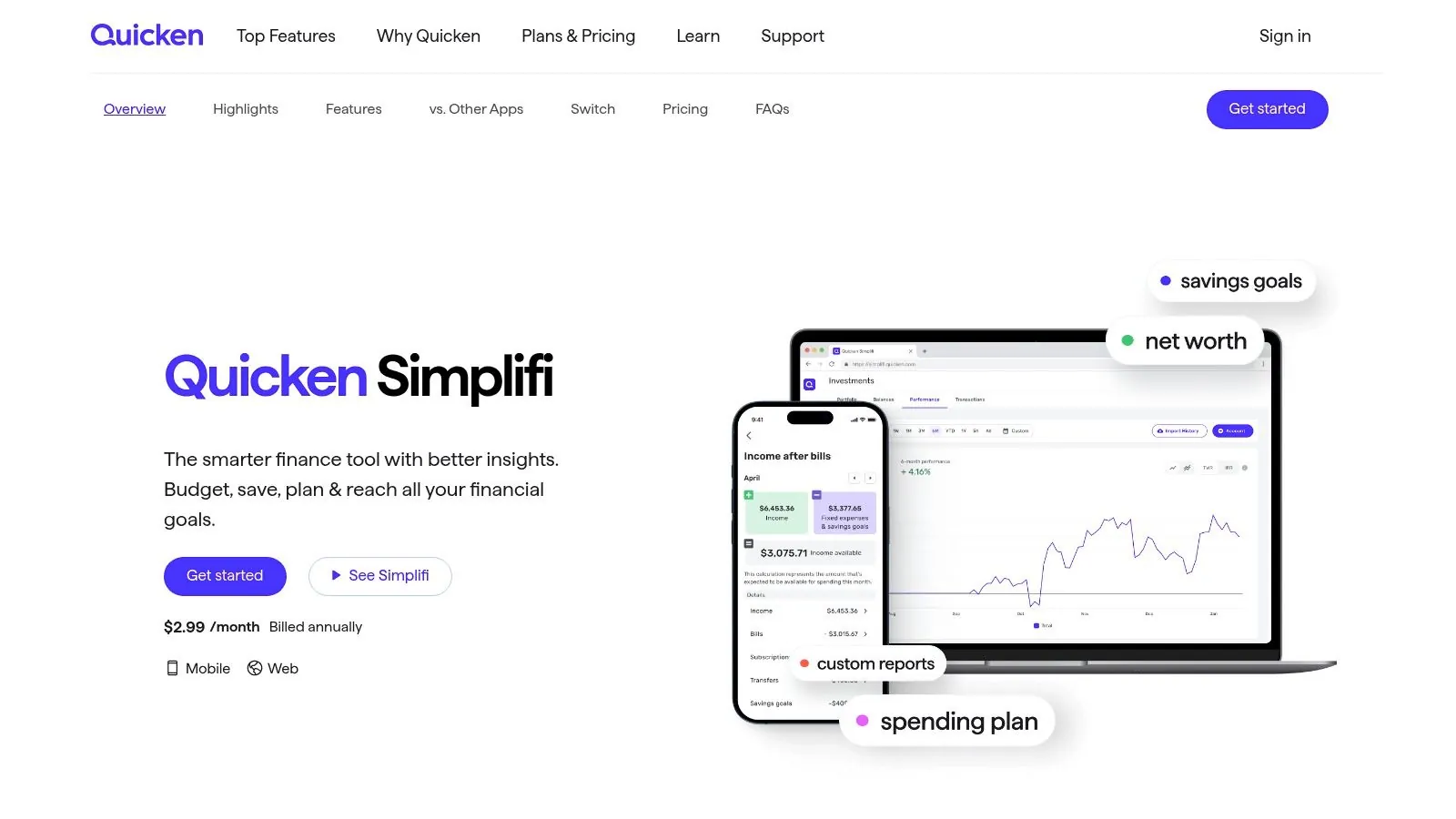
Core Features & Best Use Case
Simplifi is built for forward-looking financial management rather than historical deep-dives. It is ideal for young professionals, couples, and anyone who wants a clear, actionable plan for their money today. Its core features include a personalized spending plan, projected cash flow, and dedicated savings goals. This makes it perfect for managing day-to-day spending, saving for specific targets like a vacation or down payment, and keeping a close watch on subscription creep.
Our Take: Simplifi is a superb choice for the modern user who prioritizes a clean interface and immediate financial clarity. If you find traditional budgeting tedious, its automated cash-flow projections and subscription management offer a refreshing, low-effort way to stay on track.
Pricing and Platform Details
Simplifi operates on a straightforward annual subscription model, often with a significant discount for the first year to encourage new users.
- Annual Plan: Provides full access to all features, including account syncing, spending plans, investment tracking, and real-time alerts. Typically costs around $47.88/year (often priced at $2.99/month for the first year).
- Availability: A fully-featured web application and highly-rated mobile apps for both iOS and Android.
Pros & Cons
- Pros: Simple and highly visual interface, excellent for real-time cash-flow planning, strong subscription tracking tools, often has a discounted first-year price.
- Cons: Less feature-rich for complex investment analysis compared to Quicken Classic, bank sync reliability can vary, no permanent free tier.
4. Monarch Money
Monarch Money has quickly emerged as a top contender, positioning itself as a modern, premium alternative to apps like Mint. It focuses on a clean, ad-free user experience and collaborative features, making it an excellent choice for couples and households who want to manage their finances together. Its strength lies in its holistic approach, integrating budgeting, goal tracking, and investment monitoring into one intuitive platform.
, occasional app-store availability hiccups reported by users.
5. YNAB (You Need A Budget)
YNAB (You Need A Budget) is less a simple app and more a complete methodology for managing your money. It’s built around the zero-based budgeting principle of “giving every dollar a job,” forcing a proactive approach to spending and saving. This focus on behavior change, supported by extensive educational resources, makes it one of the best financial planning software for individuals seeking to gain firm control over their cash flow.
The platform excels at helping you break the paycheck-to-paycheck cycle, prioritize spending, and aggressively pay down debt. Instead of just tracking past transactions, YNAB makes you plan for future expenses, ensuring you are prepared for both regular bills and unexpected costs. It’s an intensely hands-on system that fosters deep financial awareness.

Core Features & Best Use Case
YNAB’s strength is its prescriptive, four-rule method. It is the ideal tool for individuals or couples who are committed to changing their financial habits and want a clear, actionable plan. It is particularly effective for managing irregular income, planning for large savings goals, and getting out of debt. The goal-setting and progress-tracking tools are powerful motivators.
While its net worth tracking is simpler than some competitors, its primary function is mastering cash flow. If you want to dive deeper into this, you can explore other ways of tracking net worth with YNAB and spreadsheets.
Our Take: YNAB is the undisputed leader for intentional, behavior-driven budgeting. If you’re ready to be hands-on with your finances and follow its proven method, it can be genuinely life-changing.
Pricing and Platform Details
YNAB is a premium subscription service, reflecting its comprehensive educational support and robust software.
- Monthly Plan: Typically costs around $14.99/month.
- Annual Plan: Offers a significant discount, usually around $99/year.
- Availability: A fully-featured web app, with excellent companion apps for iOS and Android that allow for on-the-go transaction entry and budget checking.
Pros & Cons
- Pros: Powerful for behavior change and debt reduction, excellent educational resources and community support, strong multi-device syncing.
- Cons: Subscription is more expensive than many competitors, the learning curve for the methodology can be steep, less focus on investment tracking.
6. Empower Personal Dashboard (formerly Personal Capital)
Empower Personal Dashboard, widely known by its former name Personal Capital, has carved out a unique space by offering a powerful suite of financial aggregation and planning tools completely free of charge. It excels at providing a holistic, 360-degree view of your entire financial life by linking your checking, savings, credit card, loan, and investment accounts in one place. This makes it one of the best financial planning software for individuals who want a sophisticated net worth and investment tracker without a subscription fee.
The platform’s standout feature is its Retirement Planner, a robust tool that allows you to run “what-if” scenarios, projecting your retirement readiness based on different spending habits, saving rates, and market conditions. While it offers basic cash flow and spending analysis, its primary strength lies in high-level wealth management and long-term goal planning rather than granular, day-to-day budgeting.
Core Features & Best Use Case
Empower’s free dashboard is ideal for investors and long-term planners who want to monitor their net worth and analyze their investment portfolio’s health. It is particularly useful for tracking asset allocation, identifying hidden fees in your investment accounts, and stress-testing your retirement strategy. The platform uses sophisticated financial data aggregation to pull all your information into one clear interface.
Our Take: Empower is the unbeatable free champion for investment tracking and retirement planning. While its budgeting tools are secondary, no other free platform offers this level of insight into your portfolio and long-term financial trajectory.
Pricing and Platform Details
The powerful financial dashboard, including all tracking and planning tools, is entirely free to use. Empower’s business model involves offering paid wealth management services to users with over $100,000 in investable assets, but there is no obligation to sign up for them.
- Empower Personal Dashboard: Free. Includes net worth tracking, budgeting, portfolio analysis, and the Retirement Planner.
- Empower Personal Wealth™: A paid advisory service for personalized wealth management. Fees are a percentage of assets under management.
- Availability: Accessible via a full-featured web platform and highly-rated mobile apps for iOS and Android.
Pros & Cons
- Pros: Robust investment and retirement planning tools are completely free, excellent user interface for tracking net worth, strong portfolio analysis features.
- Cons: Budgeting tools are less detailed than dedicated apps, can feel like an upsell for their paid wealth management service, some users report occasional account syncing issues.
Visit Empower Personal Dashboard
7. Tiller
Tiller merges the familiarity of spreadsheets with the power of automation, creating a unique niche for those who crave total control over their financial data. Instead of a traditional app interface, Tiller automatically feeds your daily transactions and balances from all your bank accounts directly into a Google Sheet or Microsoft Excel file. This makes it one of the best financial planning software for individuals who are comfortable in a spreadsheet and want to build a completely custom dashboard.
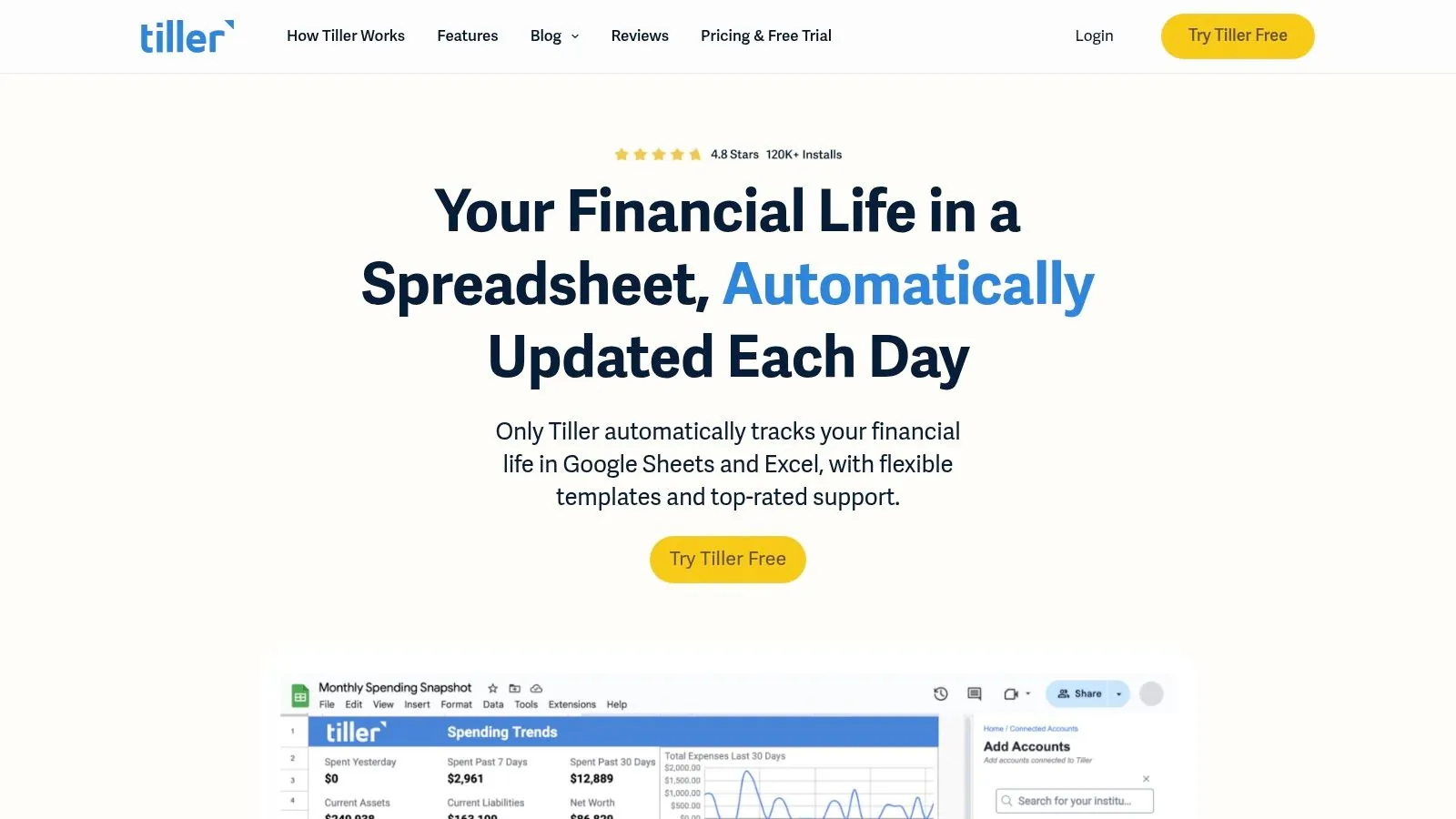
The platform provides a powerful “Foundation Template” to get you started, which includes tabs for budgeting, net worth tracking, and transaction analysis. From there, the possibilities are nearly endless. You can modify existing templates or leverage the active user community to find solutions for everything from debt-snowball tracking to small business expense management. A detailed comparison of Tiller and other spreadsheet options highlights its unique advantages in financial tracking.
Core Features & Best Use Case
Tiller’s core strength is its unparalleled customizability powered by automated data feeds. It is the perfect solution for spreadsheet aficionados, data analysts, or anyone who finds traditional budgeting apps too restrictive. You can create your own rules, build custom charts, and integrate your financial data with any other spreadsheet function. It’s ideal for tracking irregular income, managing detailed project budgets, or building a bespoke net worth dashboard.
Our Take: Tiller is the ultimate sandbox for DIY financial planners. If you think in rows and columns and want to escape the black box of traditional apps, Tiller gives you the raw data and the tools to build your financial system exactly the way you want it.
Pricing and Platform Details
Tiller operates on a simple, all-inclusive subscription model that prioritizes user privacy (they don’t sell your data).
- Tiller Subscription: Includes automated bank feeds for both Google Sheets and Microsoft Excel, access to all templates, and community support. Costs $79/year after a 30-day free trial.
- Availability: Works within your existing Google or Microsoft account on any device that can access Google Sheets or Microsoft Excel.
Pros & Cons
- Pros: Extremely flexible and customizable, full data ownership and privacy, works within familiar Google and Microsoft ecosystems, strong community support.
- Cons: Requires a good understanding of spreadsheets, no dedicated mobile app or conventional UI, setup can be more involved than with other apps.
8. Rocket Money (formerly Truebill)
Rocket Money, which acquired the popular app Truebill, carves out a unique niche by focusing on eliminating wasteful spending. It excels at automatically identifying and tracking all your recurring subscriptions and bills, making it easy to see where your money is going each month. This core function helps users plug financial leaks they might not even know they have, which is a foundational step in any solid financial plan.
Beyond simple tracking, its standout feature is the ability to cancel unwanted subscriptions directly through the app. Rocket Money also offers a bill negotiation service where their team attempts to lower your monthly bills, like cable or internet, on your behalf. This focus on cutting costs makes it one of the best financial planning software for individuals looking for immediate, tangible savings.
Core Features & Best Use Case
Rocket Money’s strength lies in its automated expense reduction tools. It is ideal for individuals who feel overwhelmed by “subscription creep” or suspect they are overpaying on recurring bills. The platform automatically creates budgets based on your spending, tracks your net worth, and monitors your credit score, providing a clear financial overview centered on optimizing cash flow.
Our Take: Rocket Money is a financial “cleanup crew.” It’s the perfect starting point for anyone whose primary goal is to trim expenses and cancel forgotten subscriptions before moving on to more complex investment planning.
Pricing and Platform Details
Rocket Money operates on a freemium model with an interesting twist for its premium features.
- Free Version: Includes budgeting, spending categorization, and subscription tracking.
- Premium: Unlocks features like automated subscription cancellations, smart savings accounts, and unlimited budgets. Pricing is a “pay-what-you-think-is-fair” model, typically ranging from $4 to $12 per month.
- Bill Negotiation: This service is separate and charges a percentage (35% to 60%) of the first year’s savings if they successfully lower your bill.
- Availability: Available via web browser and on iOS and Android mobile apps.
Pros & Cons
- Pros: Excellent at finding and canceling unwanted recurring charges, flexible premium pricing model, simple and intuitive user interface.
- Cons: Bill negotiation service takes a significant cut of savings, premium features can vary by platform, some users prefer to cancel subscriptions themselves to avoid a fee.
9. PocketSmith
PocketSmith moves beyond simple historical tracking to become a forward-looking financial calendar and forecasting tool. It excels at answering the question, “What will my finances look like in the future?” by using your current spending habits, bills, and income to project your cash flow weeks, months, or even years ahead. This focus on forecasting makes it one of the best financial planning software for individuals who need to manage irregular income or plan for large, future expenses.
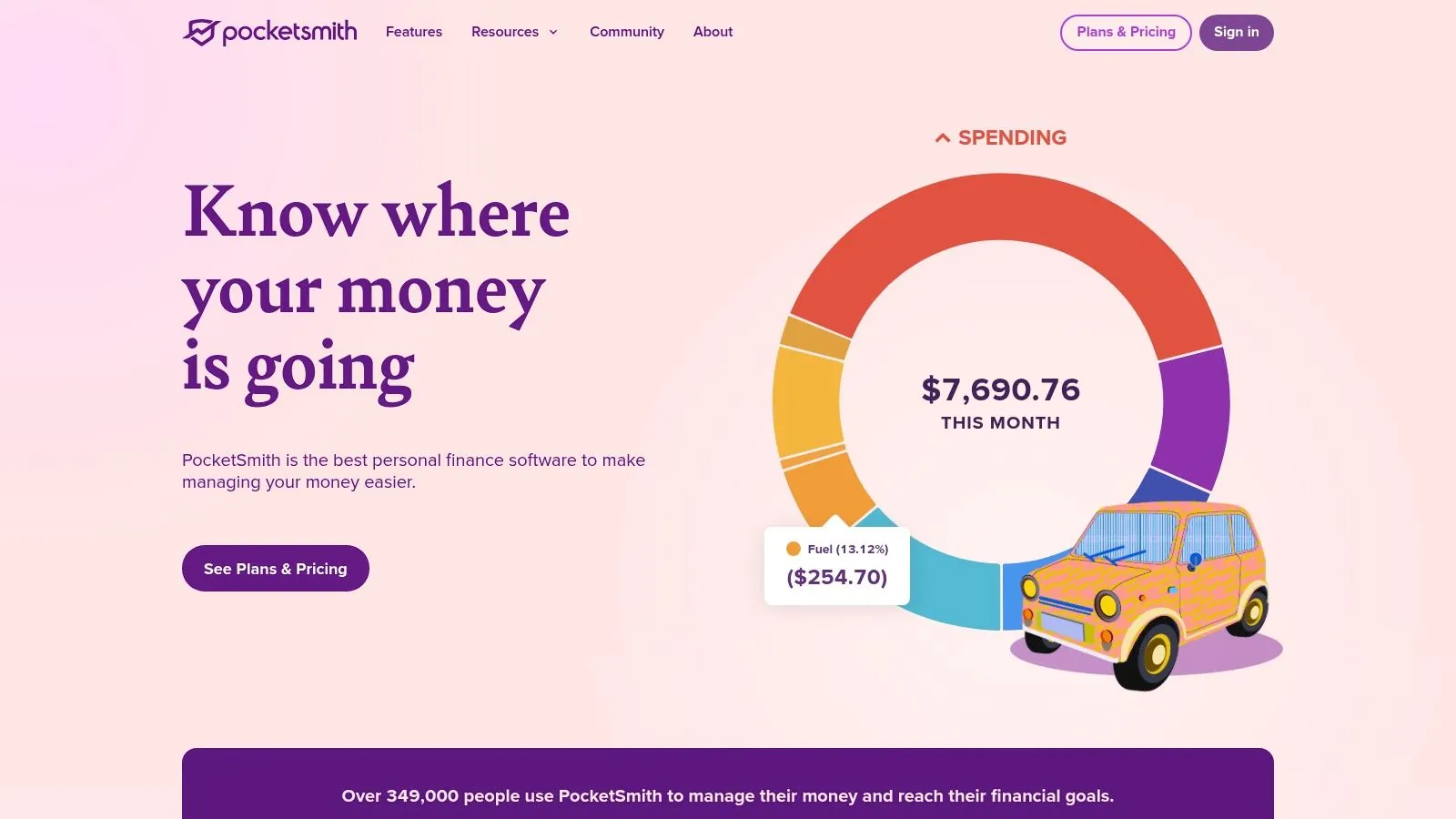
The platform is also a standout for users with international financial lives, offering robust multi-currency support that automatically converts and tracks assets held in different currencies. Combined with its detailed budgeting and scenario-planning features, PocketSmith empowers users to see the long-term impact of today’s financial decisions.
Core Features & Best Use Case
PocketSmith’s core strength is its powerful cash flow forecasting engine. It’s ideal for freelancers, gig economy workers, or anyone with a variable income who needs to ensure they have enough cash on hand for future bills. It is also exceptionally well-suited for expats or digital nomads managing finances across multiple currencies and countries, providing clarity that many other tools lack.
Our Take: PocketSmith is the ultimate “what-if” machine for your finances. If you value detailed, calendar-based forecasting and need to manage multiple currencies, its predictive capabilities are top-tier.
Pricing and Platform Details
PocketSmith offers a free tier with limited features (manual imports only) and several premium subscription tiers that unlock its full power.
- Foundation: Provides automatic bank feeds and 6-month projections. Typically costs around $14.95/month or $99.96/year.
- Flourish: Extends forecasting to 10 years and adds unlimited budgets. Typically costs around $24.95/month or $169.92/year.
- Fortune: Offers 30-year forecasting, ideal for long-term retirement planning. Typically costs around $39.95/month or $290.04/year.
- Availability: Primarily a web-based application with companion iOS and Android mobile apps.
Pros & Cons
- Pros: Exceptional future-planning and cash flow forecasting, flexible and highly detailed budgeting tools, excellent multi-currency support for international users.
- Cons: The most powerful features are locked behind the more expensive paid plans, and app-store subscriptions can have different pricing than buying directly from their website.
10. CountAbout
CountAbout is a straightforward, no-frills financial tool designed for users who prioritize simplicity and data portability. It carves out a unique niche by offering direct import capabilities from Quicken and Mint, making it a go-to choice for individuals migrating from those platforms. Its commitment to an ad-free experience, combined with a low-cost subscription, makes it a compelling alternative to more complex or expensive services.
The platform focuses on the core tenets of personal finance: budgeting, transaction tracking, and generating basic financial reports. While it doesn’t offer the deep investment analysis or advanced forecasting of its higher-priced competitors, its clean interface and reliable bank syncing cover the essentials effectively. This makes it one of the best financial planning software for individuals seeking a clean, functional budgeting environment without distractions.
Core Features & Best Use Case
CountAbout’s primary strength is its simplicity and directness. It is best suited for budget-conscious individuals or families who want a clear view of their income and expenses without a steep learning curve. The ability to import historical data gives users a seamless transition, allowing them to maintain years of financial records. Its optional invoicing feature also provides a simple solution for freelancers or small business owners.
Our Take: CountAbout is the ideal “get it done” tool for budgeters who want functionality without the bells and whistles. It’s the perfect choice for former Mint users or anyone looking for an affordable, private, and ad-free platform to manage their daily finances.
Pricing and Platform Details
CountAbout offers a simple, tiered subscription model.
- Basic: Allows for manual transaction entry. Costs $9.99/year.
- Premium: Adds automatic downloading of bank transactions. Costs $39.99/year.
- Availability: Web-based platform with companion apps for iOS and Android.
Pros & Cons
- Pros: Very low annual cost and completely ad-free, direct data import from Quicken and Mint, straightforward budgeting and tracking.
- Cons: Utilitarian interface feels dated, mobile apps are less functional than the web version, limited advanced planning and investment features.
Visit CountAbout
11. Moneydance (The Infinite Kind)
Moneydance carves out a unique niche for users who prioritize privacy and dislike the mandatory subscription model common in modern financial software. It operates primarily as a desktop application where your data is stored locally and encrypted on your machine, not in the cloud. This emphasis on data ownership and control, combined with a one-time purchase option, makes it a compelling choice.
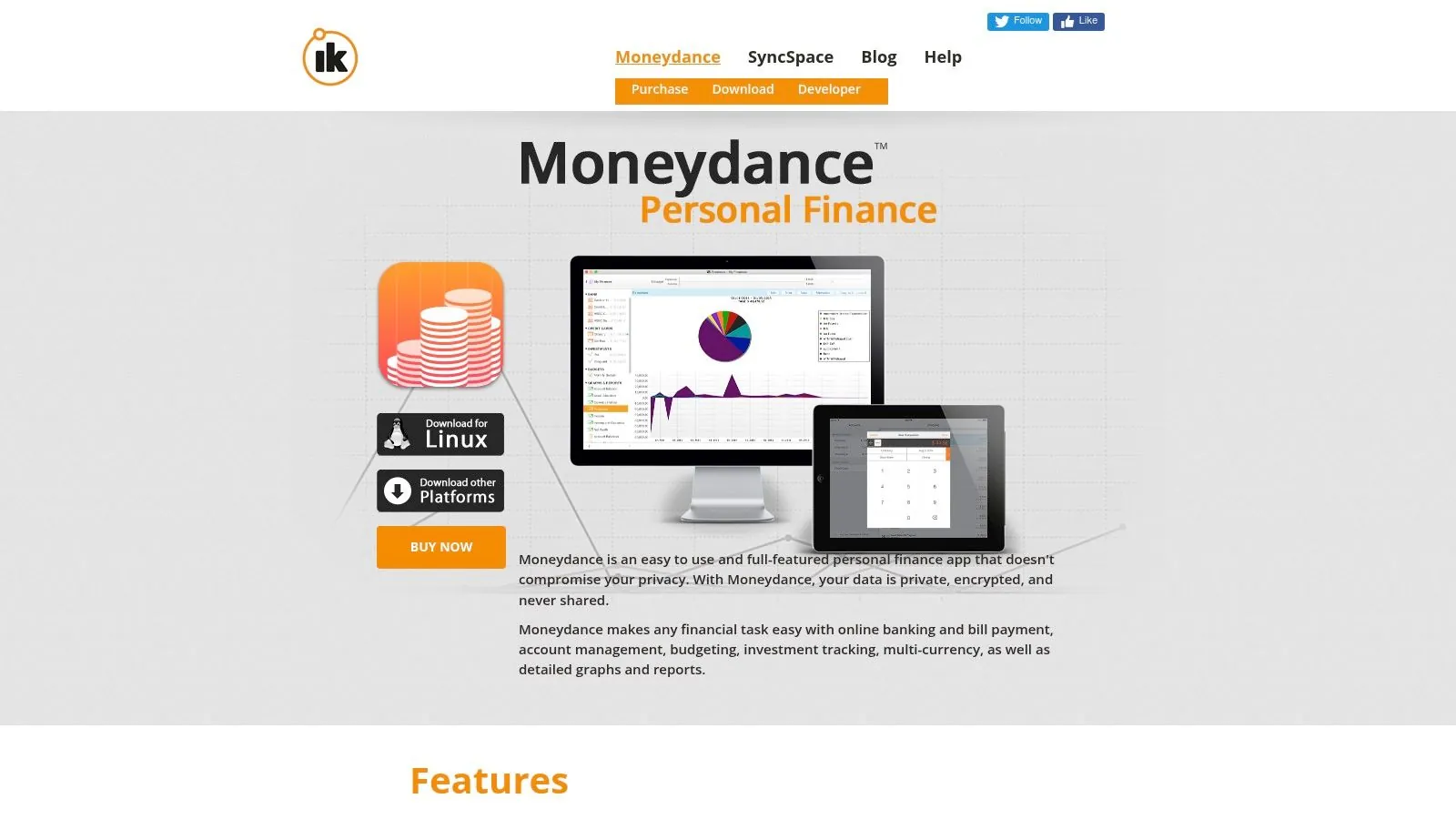
The platform provides a comprehensive suite of tools for managing your entire financial life. You can handle budgeting, track spending, manage investment portfolios (including stocks, bonds, and mutual funds), set up bill reminders, and generate detailed reports and graphs. Its interface is clean and functional, resembling a classic desktop application rather than a sleek web app, which appeals to users who prefer function over form.
Core Features & Best Use Case
Moneydance excels for individuals seeking a powerful, offline-first financial management tool without recurring fees. It’s particularly well-suited for those comfortable with manual data entry or who only need occasional bank syncing. The optional Moneydance+ subscription provides a bridge for users who want automated transaction downloads from thousands of banks, offering flexibility that few competitors match. This makes it one of the best financial planning software for individuals who want to choose how they manage their data.
Our Take: Moneydance is a fantastic “buy-it-once” alternative to subscription-heavy services. It’s perfect for the privacy-conscious user who wants robust features and the freedom to decide whether to pay for ongoing bank connection services.
Pricing and Platform Details
Moneydance offers a straightforward, one-time purchase model with an optional subscription for enhanced services.
- Moneydance License: A one-time purchase of $64.99 gives you a perpetual license for the current version and free upgrades for the next major version.
- Moneydance+ Subscription: An optional add-on for reliable, automated bank syncing, costing around $2/month.
- Availability: Desktop software for Windows, Mac, and Linux, with free companion mobile apps for iOS and Android for data viewing and transaction entry.
Pros & Cons
- Pros: One-time purchase option avoids subscription fatigue, strong privacy with local data storage, cross-platform support (including Linux).
- Cons: Interface can feel dated, requires an optional paid subscription for reliable automatic bank syncing, steeper learning curve than simple web apps.
12. Best Buy — Quicken Classic Deluxe (Digital code)
While not a software platform itself, Best Buy is a notable retail channel for purchasing one of the most powerful financial tools, Quicken Classic. It offers a legitimate and often discounted way to acquire a one-year subscription via a digital code. This alternative purchasing route is ideal for deal-savvy consumers looking for better pricing than might be available directly from the software publisher, especially during major sales events.
This method is particularly useful for gifting a subscription or for renewing an existing plan when retailer promotions are active. The process involves purchasing a digital code from Best Buy’s website, which is then emailed to you and can be redeemed on Quicken’s official site to activate or extend your subscription. This makes it a strategic option for anyone already committed to using this best financial planning software for individuals.
Core Features & Best Use Case
The primary use case is cost savings. Shoppers can leverage Best Buy’s promotional calendar, including Black Friday or back-to-school sales, to purchase Quicken Classic Deluxe at a reduced price. It is best for new subscribers or existing users who are comfortable managing their subscription renewals through a third-party retailer to save money over the long term. The digital delivery is instant, making it a convenient way to get started without delay.
Our Take: For committed Quicken users, checking Best Buy before renewing directly is a smart financial move. The potential savings can be significant, making an already powerful tool more affordable.
Pricing and Platform Details
Pricing is variable and depends on current promotions, but it often undercuts the direct-from-publisher price.
- Quicken Classic Deluxe (New Subscriber): This SKU is for first-time users. Prices fluctuate, but can be found significantly lower than the standard $59.88/year.
- Availability: The purchase is made on BestBuy.com, with a digital code delivered via email. The code is then redeemed on the official Quicken website to download the software for Windows or Mac.
Pros & Cons
- Pros: Potential for significant cost savings on an annual subscription, convenient and instant digital delivery, purchase is backed by Best Buy’s customer support.
- Cons: Pricing is not always lower than direct promotions, requires careful selection of the correct SKU (new vs. renewal), subject to retailer’s digital goods return policy.
Visit Best Buy — Quicken Classic Deluxe
Top 12 Personal Financial Planning Software Comparison
| Product | Core features | UX / Quality | Price / Value | Best for | Unique selling points |
|---|---|---|---|---|---|
| PopaDex | Net‑worth dashboard, 15,000+ bank connectors, multi‑currency, templates & calculators | Free standard; Premium €5/mo (automated integrations) | Expats, privacy‑conscious savers & investors | Privacy‑first (E2E encryption), multilingual, planned AI co‑pilot | |
| Quicken Classic | Desktop budgeting, advanced investment tracking, tax reports | Annual subscription (tiered) | Power users & desktop preferrers | Deep reporting & local data control | |
| Simplifi by Quicken | Real‑time cash‑flow, goals, subscription & bill alerts | Annual (no permanent free tier) | Users wanting fast visual snapshots | Simple, visual UI with quick onboarding | |
| Monarch Money | Unlimited accounts, collaboration, integrations (Coinbase, Zillow) | Paid (trial available) | Couples, households & advisors | Clean ad‑free UX + unlimited collaborators | |
| YNAB (You Need A Budget) | Zero‑based budgeting, goal tools, extensive education | Subscription (34‑day trial; student offers) | Hands‑on budgeters focused on behavior change | Best-in-class budgeting education & workshops | |
| Empower Personal Dashboard | Net‑worth, cash‑flow, portfolio tracker, retirement scenarios | Free core tools (advisory services paid) | Investors planning retirement & long‑term goals | Robust free retirement scenario testing | |
| Tiller | Automated bank feeds to Google Sheets/Excel, templates & rules | Subscription (spreadsheet‑centric) | Spreadsheet power users & customizers | Full transparency & spreadsheet flexibility | |
| Rocket Money (Truebill) | Subscription detection, cancelation help, spend tracking | Free + premium (fee‑based services) | Users trimming recurring costs | Strong subscription discovery & cancellation tools | |
| PocketSmith | Cash‑flow forecasting (years), multi‑currency, scenario planning | Freemium; pay for advanced forecasting | Future‑planning & multi‑currency users | Detailed long‑term forecasting tools | |
| CountAbout | Simple budgeting, Quicken/Mint imports, optional downloads | Very low annual fee | Low‑cost, ad‑free budgeters | Straightforward, import‑friendly & no ads | |
| Moneydance (The Infinite Kind) | Local encrypted data, investment tracking, rich reports | One‑time license + optional Moneydance+ subscription | Privacy‑focused desktop users | One‑time purchase option; strong privacy controls | |
| Best Buy — Quicken Classic Deluxe (Digital code) | Retail digital delivery of Quicken subscription code | Retail pricing varies; deals possible | Deal hunters, gift buyers, renewals | Convenient digital delivery & retailer protections |
Final Thoughts
Navigating the landscape of personal finance tools can feel overwhelming, but making an informed choice is the first, most critical step toward mastering your financial destiny. We’ve explored a diverse range of platforms, from the comprehensive, old-school power of Quicken Classic to the modern, automated dashboards of Monarch Money and Empower Personal Dashboard. The core takeaway is that there is no single “best” solution; the ideal choice is deeply personal and depends entirely on your unique financial situation, goals, and habits.
The journey to find the best financial planning software for individuals begins with a clear self-assessment. Are you a meticulous budgeter who thrives on manual control, or do you need a set-it-and-forget-it system that automates tracking and categorization? Your answer will guide you toward very different tools. A zero-based budgeter might find their perfect match in YNAB, while a data-driven investor focused on net worth and retirement projections will gravitate toward Empower.
Key Takeaways and Making Your Decision
Reflecting on our detailed analysis, several key themes emerge. Automation is a powerful ally, but it’s not foolproof. Tools like Monarch Money and Simplifi excel at syncing accounts, but you must still commit to reviewing transactions and ensuring accuracy. Flexibility is another crucial factor. If your financial life doesn’t fit a standard mold, perhaps due to multi-currency needs or freelance income, platforms like PocketSmith and Tiller offer the customizable frameworks necessary to build a system that truly works for you.
To select the right tool, consider these final action steps:
- Define Your Primary Goal: Is it debt reduction, investment tracking, simple budgeting, or a holistic net worth overview? Prioritize one or two main objectives. For instance, if your goal is to plug spending leaks, Rocket Money’s subscription management is a standout feature.
- Assess Your Technical Comfort: Be honest about how much time you’re willing to invest. A spreadsheet-based solution like Tiller offers infinite customization but requires a learning curve. In contrast, a platform like Simplifi is designed for immediate, intuitive use.
- Utilize Free Trials: Almost every software on our list offers a free trial or a free version. Use this period to connect your primary accounts, test the user interface, and see if the workflow genuinely fits your lifestyle. This hands-on experience is invaluable and will prevent you from committing to a system that causes more friction than it resolves.
Implementation and Security Considerations
Once you’ve made your choice, the implementation phase is just as important. Be prepared for an initial setup period where you’ll need to link accounts, categorize historical transactions, and establish your budget or financial goals. This initial investment of time pays significant dividends in clarity and control down the line.
Furthermore, as you centralize access to your sensitive financial data, security becomes paramount. You are entrusting these platforms with a complete view of your financial life, so using a unique, complex password for your chosen software is non-negotiable. It’s also wise to enable two-factor authentication (2FA) wherever it’s offered. In the unfortunate event you lose access, understanding effective password recovery strategies are essential for protecting your financial data and regaining control swiftly. Your financial data is a valuable asset; treat its security with the seriousness it deserves.
Ultimately, the right financial planning software is a tool that empowers you, reduces anxiety, and transforms abstract financial goals into a concrete, actionable plan. It should feel less like a chore and more like a trusted partner on your journey to financial well-being.
Ready to take control with a tool designed for modern, global financial management? See why PopaDex is the top choice for individuals who need powerful multi-currency support, robust net worth tracking, and a beautifully simple interface. Start your journey to financial clarity and explore PopaDex today.