
Our Marketing Team at PopaDex
The 12 Best Investment Tracking Apps for 2026: A Deep Dive
Managing your investments across multiple brokerage accounts, 401(k) plans, and crypto wallets can feel like assembling a puzzle in the dark. While individual brokerage dashboards offer a glimpse into one piece of your portfolio, they fail to provide a holistic view of your total net worth, asset allocation, and overall performance. A manual spreadsheet might work initially but quickly becomes a cumbersome and error-prone chore to maintain. This is the precise problem that the best investment tracking apps are designed to solve. They aggregate your financial data automatically, offering a single, unified dashboard to monitor your progress and make informed decisions.
This guide moves beyond surface-level reviews to deliver a comprehensive analysis of the top investment tracking solutions available today. We dissect each platform’s real-world usability, from its account syncing capabilities to the depth of its analytical tools. You’ll find detailed breakdowns of each app’s unique strengths, potential limitations, and ideal user profile. Whether you are an expat juggling multi-currency assets, a young professional building wealth, or a seasoned investor seeking advanced portfolio analytics, this resource will help you find the right tool for your specific needs. Each entry includes direct links and screenshots to give you a clear look at the user experience before you commit. To further broaden your search for the ideal tool, you might also explore more excellent investment tracking applications to see an even wider range of options. Let’s find the platform that will bring clarity to your financial universe.
1. PopaDex
Best For: Privacy-conscious individuals and expats needing a unified, multi-currency financial dashboard.
PopaDex establishes itself as a premier choice among the best investment tracking apps by delivering a powerful combination of security, international versatility, and user-centric design. Developed in Switzerland with end-to-end encryption, it provides a secure haven for your complete financial picture. The platform excels at consolidating disparate accounts, including savings, investments, properties, and liabilities, into a single, intuitive dashboard, offering a level of clarity that is often hard to achieve.
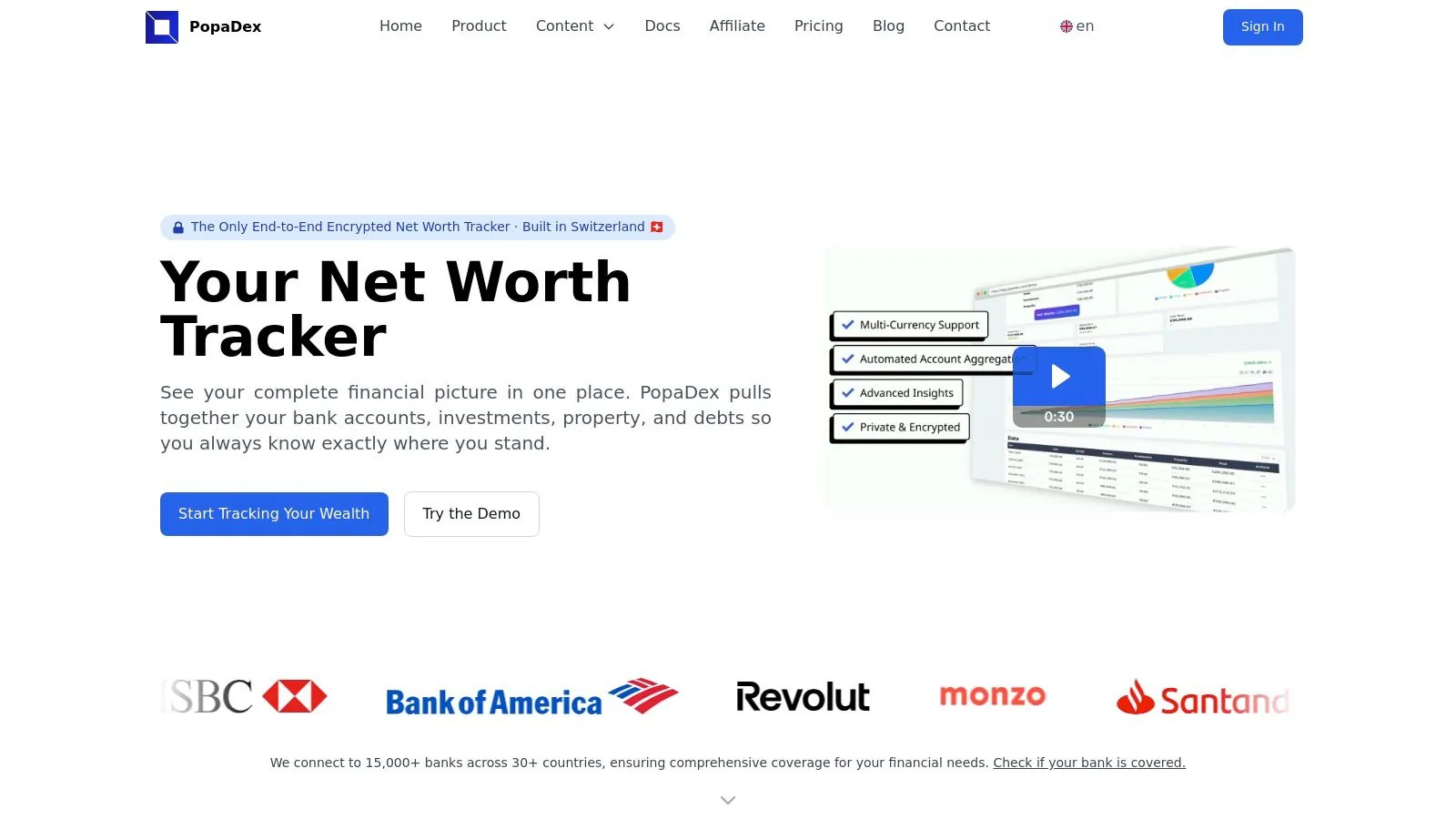
Its standout feature is its robust support for international users. With connectivity to over 15,000 banks across more than 30 countries and a multi-currency, multilingual interface, PopaDex is uniquely positioned to serve expats and global citizens who manage assets across borders. This international capability, combined with its privacy-first ethos, makes it a formidable tool for those who prioritize data security without sacrificing functionality.
Key Features & User Experience
The platform offers a clean, modern interface with interactive visualizations that make tracking net worth and portfolio performance straightforward. Users can leverage monthly snapshots to monitor progress, set financial goals, and utilize practical tools like downloadable Google Sheets or Excel templates for deeper, offline analysis.
- Comprehensive Aggregation: Connects to a vast network of financial institutions for a holistic view.
- Privacy & Security: Swiss-based development and end-to-end encryption ensure your data remains private and protected.
- Global-Friendly: Multi-currency and multilingual support is ideal for users with international financial interests.
- Practical Tools: Features like a FIRE calculator and salary comparison tools add value beyond simple tracking.
Pricing and Plans
PopaDex operates on a freemium model that provides exceptional value at both tiers.
- Standard (Free): Includes manual account aggregation, full privacy features, and access to community resources. This is a great starting point for users comfortable with manual data entry.
- Premium (Approx. $5.50/month): Unlocks automated bank integrations, advanced analytics, enhanced visualizations, and dedicated customer support. This tier transforms the platform into one of the most efficient investment tracking apps available for its price point.
A free trial and a 30-day money-back guarantee lower the barrier to entry, allowing you to test its full capabilities.
| Feature | Standard Plan (Free) | Premium Plan (≈$5.50/mo) |
|---|---|---|
| Account Aggregation | Manual Entry | Automated Syncing |
| End-to-End Encryption | Yes | Yes |
| Multi-Currency Support | Yes | Yes |
| Advanced Visualizations | Limited | Yes |
| Dedicated Support | No | Yes |
Pros:
- Exceptional privacy and security with its Swiss-based infrastructure.
- Extensive international bank connectivity and multi-currency features.
- Highly affordable Premium plan with a functional free tier.
- Clean interface with practical tools and reporting.
Cons:
- Automated syncing is exclusive to the paid Premium plan.
- Bank coverage, while extensive, may not include every smaller institution.
Website: https://popadex.com
2. Empower Personal Dashboard (formerly Personal Capital)
Best for: Free, holistic wealth management and retirement planning.
Empower Personal Dashboard, the platform that evolved from Personal Capital, remains a dominant force among the best investment tracking apps, primarily because its powerful core features are completely free. It excels at providing a comprehensive 360-degree view of your entire financial life by aggregating data from virtually all your accounts: banking, credit cards, loans, mortgages, and, most importantly, investments like your 401(k), IRAs, and brokerage accounts.
Where Empower truly differentiates itself is in its sophisticated, no-cost analytical tools. Users gain access to a detailed retirement planner that allows for “what-if” scenario modeling, helping you visualize how different saving rates or market conditions could impact your future. The platform’s standout Investment Checkup tool analyzes your portfolio for hidden fees, historical performance, and asset allocation, offering actionable insights that are often reserved for paid services.
Key Considerations & User Experience
While the dashboard is free, Empower’s business model involves offering paid advisory services. If your linked assets exceed a certain threshold (typically around $100,000), you may receive calls or emails from their financial advisors. This can be a drawback for users strictly seeking a DIY tool without sales outreach. Recent updates to the UI and occasional syncing issues have also been noted by some long-time users.
- Pricing: Free for the dashboard and all tracking tools.
- Pros: Robust retirement and fee analysis tools, wide-ranging account aggregation, strong mobile app.
- Cons: Potential for unsolicited advisory sales pitches, some users report occasional account connectivity bugs.
Get started at: Empower Personal Dashboard
3. Monarch Money
Best for: Households seeking a premium, ad-free experience combining budgeting with investment tracking.
Monarch Money has carved out a niche as a modern, all-in-one financial platform designed for users who prioritize a clean user interface and robust account connectivity. While it offers comprehensive budgeting and savings goals, its capabilities as one of the best investment tracking apps are strong, providing clear performance insights across all your connected brokerage, 401(k), and IRA accounts. It’s an excellent choice for couples or families who want to collaborate on financial planning, as it supports shared household access.

What sets Monarch Money apart is its commitment to a premium, ad-free user experience and technical resilience. The platform connects to over 13,000 institutions using multiple data aggregators, which means if one connection fails, it can often switch to another, reducing syncing headaches. This focus on a smooth, uninterrupted experience and its strict no-ads, no-data-selling policy justifies its subscription model for users tired of the drawbacks of “free” platforms.
Key Considerations & User Experience
The primary trade-off with Monarch Money is the cost. Unlike some competitors, it does not offer a perpetual free tier, operating on a subscription basis after a free trial. Its investment analysis tools, while effective for tracking performance and allocation, are not as deeply specialized as platforms dedicated solely to institutional-grade portfolio analytics. The focus remains on providing a holistic financial overview rather than deep-dive factor analysis or complex modeling.
- Pricing: Subscription-based after a free trial.
- Pros: Clean user interface and strong connectivity, no ads or data selling, supports unlimited accounts and household collaboration.
- Cons: No perpetual free tier, its investment tools are more general than those of specialized portfolio analyzers.
Get started at: Monarch Money
4. Quicken Classic Premier
Best for: Detailed desktop-based portfolio management and long-term record keeping.
For investors who prefer the power and security of desktop software, Quicken Classic Premier remains a titan among the best investment tracking apps. Unlike purely web-based platforms, Quicken provides an unmatched level of detail, allowing users to track individual lots, calculate Internal Rate of Return (IRR), and analyze performance down to the specific transaction. It’s a comprehensive personal finance suite that goes beyond investments, integrating budgeting, bill pay, and tax planning features into one robust application.
Quicken truly shines for meticulous investors who want granular control and a permanent, local record of their financial history. Its ability to handle complex scenarios like employee stock options, bond ladders, and “what-if” portfolio analysis sets it apart. While it offers cloud syncing for its companion mobile app, the core strength lies in its desktop-grade functionality, making it ideal for those who want to do deep-dive analysis without relying on an internet connection.
Key Considerations & User Experience
Quicken’s depth is also its biggest challenge; the interface has a steeper learning curve than modern, streamlined web apps. The software operates on a subscription model, which is a departure from its old perpetual license. Users should also be aware that while it stores data locally, its account aggregation features depend on connectivity with financial institutions, which can sometimes be inconsistent. For those seeking even more detail, it’s worth noting that Quicken offers a viable alternative to maintaining a custom investment tracking spreadsheet.
- Pricing: Annual subscription required, starting around $77.88/year for Premier.
- Pros: The most in-depth investment tracking tools available for consumers, local data storage provides added security and control.
- Cons: Desktop-centric experience feels dated to some, annual subscription fee, steeper learning curve.
Get started at: Quicken
5. Morningstar Investor (Portfolio Manager + Research)
Best for: DIY investors who prioritize deep research and analysis alongside portfolio tracking.
Morningstar has long been a gold standard for institutional-grade investment research, and its Investor platform brings that analytical power directly to individual investors. It stands out by seamlessly integrating its renowned fund and stock analysis with robust portfolio tracking tools. Instead of just showing you what you own, Morningstar helps you understand why you own it, offering deep dives into your holdings, from asset allocation and sector exposure to its proprietary analyst ratings and factor analysis.

The platform’s signature “Portfolio X-Ray” tool is a major differentiator, providing a consolidated look-through view of all your underlying holdings within mutual funds and ETFs. This prevents unintended over-concentration in specific stocks or sectors. For those who enjoy active research, Morningstar’s powerful screeners, comprehensive analyst reports, and detailed security data make it one of the most powerful research-integrated investment tracking apps available for serious investors willing to pay for premium insights.
Key Considerations & User Experience
The primary drawback is that the most powerful features are locked behind the “Investor” subscription paywall. While a basic portfolio tracker exists, the core value proposition, including the X-Ray tool and full analyst reports, requires payment. The user interface is incredibly data-rich, which can feel dense and overwhelming for beginners. Some users have also noted that advertisements can still appear on the site even with a paid subscription, which can detract from the premium experience.
- Pricing: Basic portfolio tracking is free. Morningstar Investor subscription is required for premium features (approx. $249/year).
- Pros: Best-in-class fund and stock research integrated with tracking, powerful screening tools, deep portfolio analytics with the X-Ray feature.
- Cons: Full functionality is paywalled, the interface can be overwhelming for new users, some ads may persist on the paid tier.
Get started at: Morningstar Investor
6. Yahoo Finance (My Portfolio)
Best for: A lightweight, news-integrated portfolio tracker for beginner to intermediate investors.
Yahoo Finance has been a staple for market news for decades, and its integrated “My Portfolio” feature makes it a surprisingly effective, free tool among the best investment tracking apps. It offers a straightforward approach: you can either link major brokerage accounts for an automated, consolidated view or manually input your holdings lot by lot. This flexibility makes it accessible for those who prefer not to share their login credentials.
The platform’s key advantage is its seamless integration of your portfolio with its powerful news and data ecosystem. You can create unlimited watchlists and set price alerts, and the app will surface relevant news and analysis specifically for the companies you own. This combination is ideal for investors who want to stay informed about their holdings without jumping between different apps for tracking and research.
Key Considerations & User Experience
The user experience can sometimes feel inconsistent, with certain features and data visualizations varying between the mobile app and the desktop website. While the core tracking is free, many of the more advanced analytical tools, such as detailed portfolio performance charting, advanced technical analysis, and data exporting, are locked behind the Yahoo Finance Premium subscription. This makes the free version excellent for at-a-glance tracking but less suitable for deep-dive performance analysis.
- Pricing: Free for core portfolio tracking and news integration. Premium subscriptions unlock advanced analytics.
- Pros: Excellent combination of portfolio tracking with real-time news and alerts, easy to start with manual entry, wide market coverage.
- Cons: Advanced analytics and data exports require a paid subscription, user experience can differ between the app and web versions.
Get started at: Yahoo Finance
7. Kubera
Best for: Privacy-focused individuals and households with complex, diverse asset portfolios.
Kubera positions itself as a premium, modern net worth tracker, making it one of the best investment tracking apps for users who prioritize privacy and have a diverse array of assets. It goes far beyond typical stock and bond tracking by seamlessly aggregating traditional brokerage accounts with cryptocurrency wallets, real estate holdings (via Zillow integration), domain names, and even collectibles like cars or art. Its clean, minimalist interface is a significant draw, presenting a clear, uncluttered view of your complete financial picture without overwhelming you with data.
What sets Kubera apart is its staunch commitment to user privacy; it operates on a subscription model, meaning it doesn’t sell your data or push advisory services. This focus extends to its functionality, providing a secure “beneficiary” feature that allows you to designate someone to receive access to your financial information in case of an emergency. For those with intricate financial lives, Kubera’s spreadsheet-like flexibility and broad asset support offer a powerful solution, which you can learn more about by exploring a detailed investment portfolio tracker.
Key Considerations & User Experience
The platform is explicitly not free, which is a core part of its value proposition and business model. The user experience is polished and intuitive, a stark contrast to some of the more dated interfaces in the finance space. However, the cost can be a significant barrier for those who only need basic tracking. The higher-tier “Kubera Black” plan adds sophisticated features like nested portfolios and granular access controls, but at a price point that clearly targets ultra-high-net-worth individuals or family offices.
- Pricing: Paid subscription only; no free tier available. Tiers range from a standard annual plan to a much more expensive “Black” plan.
- Pros: Exceptional privacy policies, beautiful and clean user interface, supports a vast range of traditional and alternative assets.
- Cons: Relatively expensive compared to free alternatives, lacks the advanced retirement planning tools of competitors like Empower.
Get started at: Kubera
8. Sharesight
Best for: Self-directed investors focused on detailed dividend and tax-aware performance reporting.
Sharesight has carved out a niche as one of the best investment tracking apps for investors who need meticulous, automated tracking of their portfolio’s true performance. It excels at tasks that many other trackers struggle with, such as automatically incorporating dividends, stock splits, and dividend reinvestment plans (DRIPs) into your overall return calculations. This provides a far more accurate picture of your investment performance beyond simple capital gains.
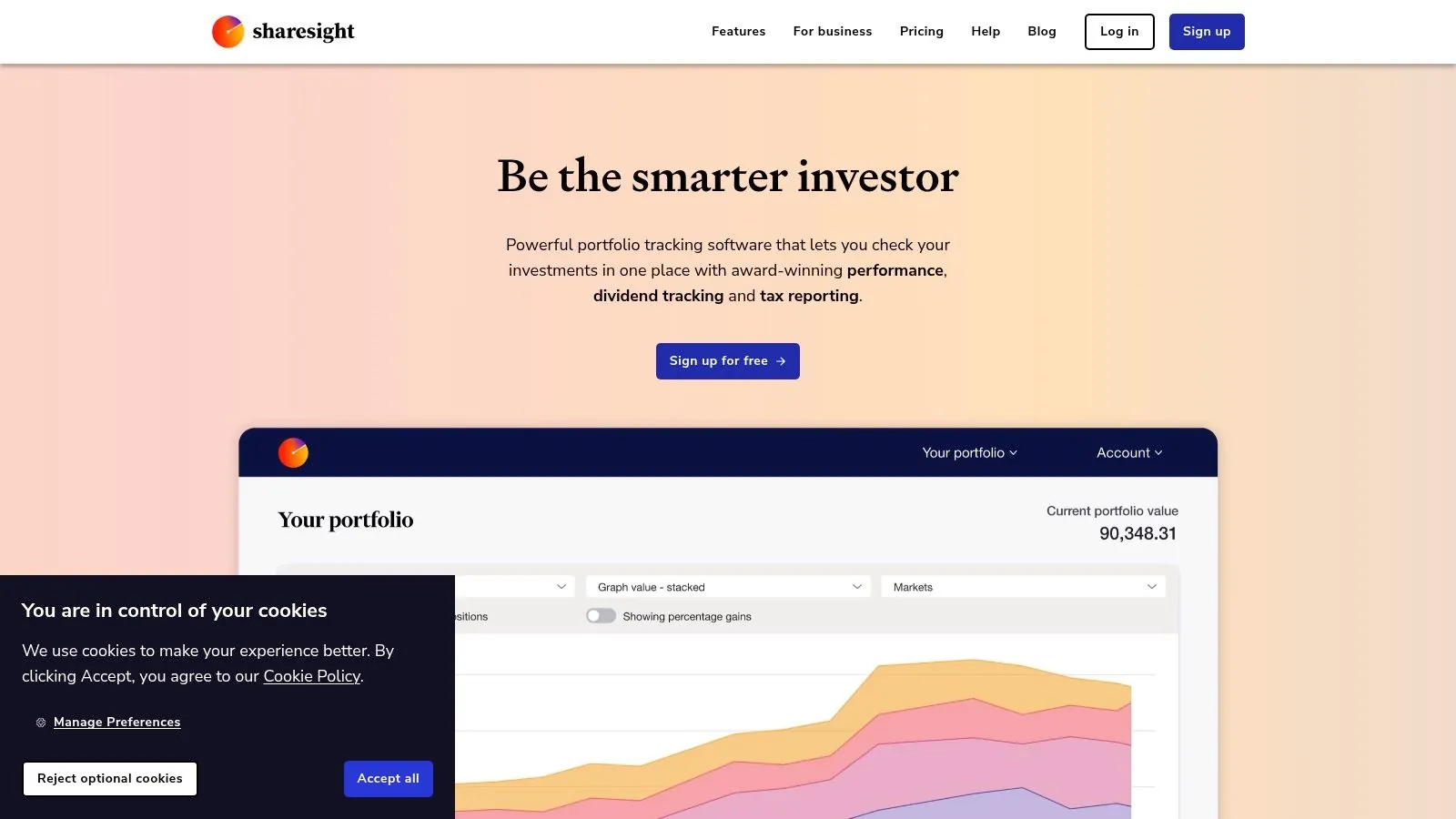
The platform supports a vast number of global markets and integrates with hundreds of brokers, allowing for automatic syncing of trades. Its key strength lies in its powerful reporting features, which can generate detailed reports for tax purposes, breaking down capital gains, dividend income, and currency exchange impacts. This makes it an invaluable tool for DIY investors managing their own tax obligations, especially those holding international stocks.
Key Considerations & User Experience
Sharesight operates on a freemium model. The free plan is quite generous, allowing you to track up to 10 holdings, which is perfect for new investors or those with a concentrated portfolio. However, to unlock the full suite of tax reports, unlimited holdings, and more advanced features, you’ll need to subscribe to one of their paid tiers. The user interface is clean and data-focused, prioritizing function over flash, which appeals to serious investors who want to get straight to the numbers.
- Pricing: Free for up to 10 holdings; paid plans start from $15/month for more holdings and advanced features.
- Pros: Exceptional dividend and corporate action tracking, robust tax reporting capabilities, broad international market and broker support.
- Cons: Many of the most powerful reporting tools are behind a paywall, tax features are optimized for specific countries.
Get started at: Sharesight
9. SigFig Portfolio Tracker
Best for: A simple, free, and consolidated view of investment accounts.
SigFig has long occupied a space among the best investment tracking apps by offering a straightforward, no-cost solution for consolidating your portfolio. It allows users to link accounts from a wide range of U.S. brokerages, including Fidelity, Schwab, and Vanguard, to create a single, unified dashboard. This provides a clear, at-a-glance view of your overall performance, holdings, and asset allocation across all connected accounts.
The platform’s primary strength lies in its simplicity. It doesn’t overwhelm users with overly complex analytics, instead focusing on core essentials like portfolio analysis and performance tracking. While SigFig also offers an optional robo-advisory service for managed accounts, its free portfolio tracker remains a valuable tool for investors who simply want to see all their investments in one place without the high-powered (and often high-cost) features of more advanced platforms.
Key Considerations & User Experience
SigFig’s business model includes its paid managed accounts, but unlike some competitors, its free tracker feels like a complete product rather than just a sales funnel. The user experience is clean and easy to navigate, making it ideal for beginners or those who prioritize simplicity. However, advanced investors may find the analytical tools lacking in depth. It’s also worth noting that the company’s focus has increasingly shifted towards B2B partnerships, though the consumer-facing tracker remains fully functional.
- Pricing: The portfolio tracking tool is completely free.
- Pros: Truly free tracking and analysis, simple setup process, provides a great consolidated view of multiple brokerage accounts.
- Cons: Lighter on features compared to more robust analytical platforms, corporate focus has shifted partially away from the direct-to-consumer product.
Get started at: SigFig
10. Seeking Alpha (Portfolio + Premium)
Best for: Active investors who want portfolio tracking integrated with deep research and idea generation.
Seeking Alpha stands apart from typical investment tracking apps by deeply weaving portfolio management with an extensive investment research and community platform. While you can track your holdings for free, its true power is unlocked with a Premium subscription, transforming a simple tracker into an analytical engine. The platform connects your portfolio to a constant stream of relevant news, expert analysis, and actionable data tailored to the stocks and ETFs you own.
Where Seeking Alpha truly differentiates itself is through its proprietary “Quant Ratings” and factor grades (e.g., Value, Growth, Profitability). These tools provide an instant, data-driven assessment of your holdings, helping you quickly identify strengths and weaknesses. For investors focused on discovering new opportunities, the platform’s advanced stock screeners and “Alpha Picks” model portfolio provide a rich source of well-researched investment ideas, making it a comprehensive tool for both tracking and active management.
Key Considerations & User Experience
The core value of Seeking Alpha is behind its subscription paywall; the free portfolio tracker is functional but basic. The platform is geared towards idea flow, so users seeking a simple, passive portfolio overview might find the constant stream of content and analysis overwhelming. Additionally, some users have noted that the platform frequently updates its product offerings and maintains a strict refund policy on its subscriptions.
- Pricing: Free basic portfolio tracking; Premium subscriptions are required for Quant Ratings, advanced data, and premium content (often has promotional pricing).
- Pros: Integrates tracking with powerful research and idea flow, robust Quant Ratings and factor analysis, active investor community.
- Cons: Most valuable features require a paid subscription, can be overwhelming for passive investors, strict refund policies.
Get started at: Seeking Alpha
11. Delta Investment Tracker (by eToro)
Best for: Investors seeking a powerful, mobile-first experience for tracking a mix of stocks and cryptocurrencies.
Delta Investment Tracker stands out as one of the best investment tracking apps for users who prioritize a seamless mobile interface and hold a diverse portfolio of traditional assets and crypto. Acquired by eToro, Delta excels at aggregating data from an extensive list of crypto exchanges and wallets alongside traditional stock brokerages. This makes it an ideal central hub for the modern investor who splits their capital between equities, ETFs, and digital assets.
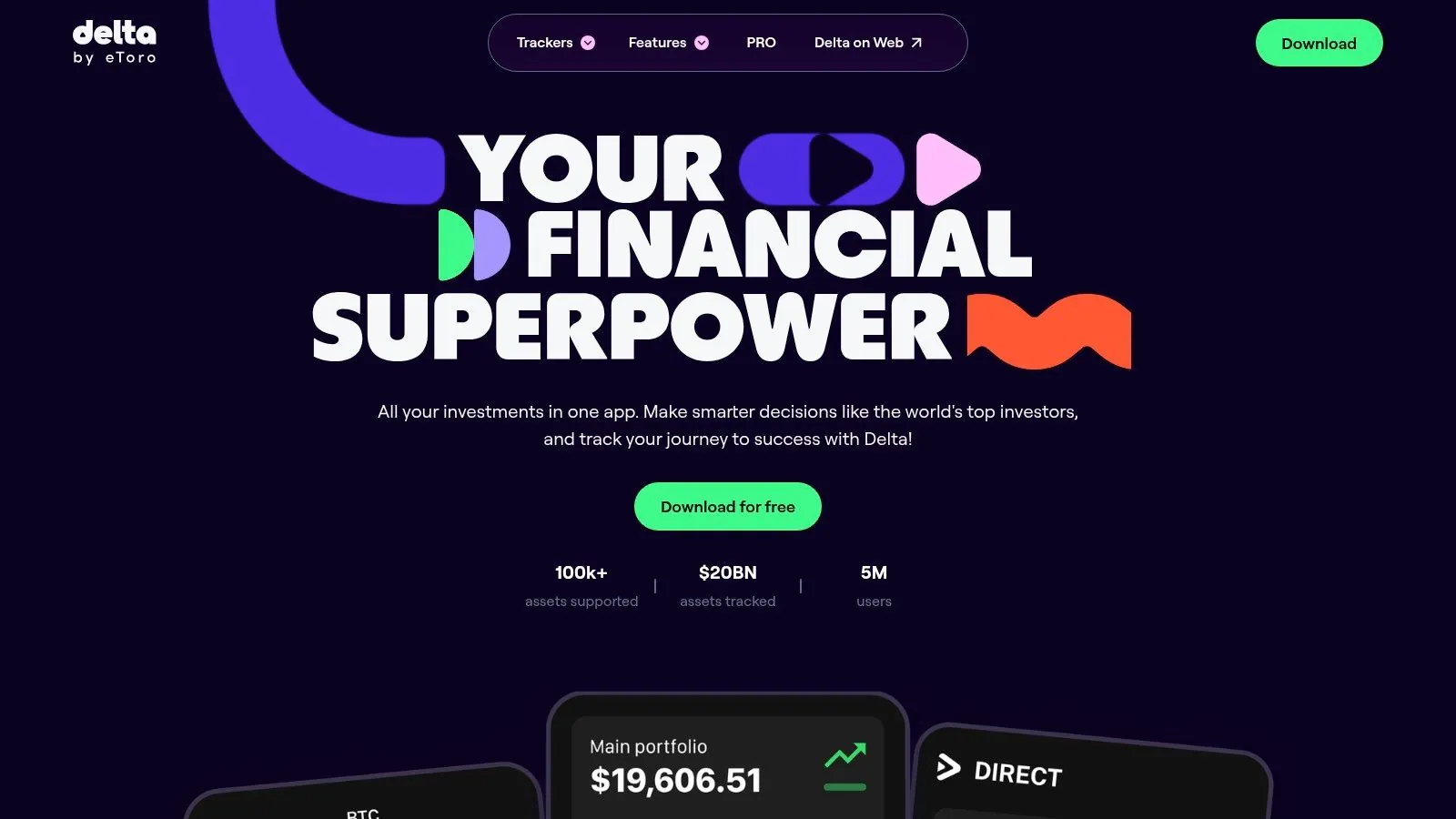
The platform provides a clean, intuitive view of your total portfolio value, realized and unrealized gains, and individual asset performance. One of its unique features is the “Why Is It Moving?” tool, which offers contextual news and market analysis to help you understand significant price fluctuations in your holdings. While the free version is quite capable, the Delta PRO subscription unlocks advanced metrics, unlimited account connections, and deeper analytics for serious investors.
Key Considerations & User Experience
Delta is undeniably built for mobile-first users; its app is slick, responsive, and a pleasure to use. The web or desktop experience, while functional, feels like a secondary priority and lacks the full feature set of the mobile version. The free tier is generous but limits you to two broker and two exchange connections, pushing more active investors towards the paid PRO plan. Syncing can occasionally require manual refreshing, but overall connectivity is reliable for its supported platforms.
- Pricing: Free tier available; Delta PRO starts at around $8.99/month (or less with annual billing).
- Pros: Excellent mobile UI for combined crypto and stock tracking, insightful “Why Is It Moving?” feature, flexible and useful free version.
- Cons: Desktop experience is less developed than mobile, unlimited connections and advanced metrics require a PRO subscription.
Get started at: Delta Investment Tracker
12. Portfolio Visualizer
Best for: Deep portfolio backtesting, strategy analysis, and advanced statistical modeling.
Portfolio Visualizer isn’t a typical day-to-day investment tracking app; it’s a powerful analytical engine designed for serious investors who want to rigorously test and understand their strategies. Instead of just showing you what your portfolio is worth today, this platform allows you to backtest your chosen asset allocation against decades of historical data. It provides institutional-grade tools like factor analysis, Monte Carlo retirement simulations, and efficient frontier optimization to fine-tune your approach for risk and return.
Where Portfolio Visualizer stands apart is its focus on “why” your portfolio behaves the way it does. You can analyze its exposure to different investment factors (like value, growth, or momentum), see how it would have performed during historical market crashes, and compare it against various benchmarks. It’s an indispensable tool for DIY investors who want to move beyond simple tracking and engage in sophisticated, evidence-based portfolio construction, making it one of the best investment tracking apps for in-depth research.
Key Considerations & User Experience
This is a research and analysis tool, not a live aggregator. While you can save portfolios for ongoing analysis, you will need to manually update your holdings or pair it with another app for real-time performance tracking. The user interface is data-dense and functional rather than aesthetically polished, catering to users who prioritize analytical power over a sleek design. The free version is incredibly robust, but some advanced features and deeper historical data are reserved for paid tiers. For those interested in similar platforms, you can find a good overview of other portfolio analysis tools to compare options.
- Pricing: Free tier with significant functionality; paid tiers (Basic and Premium) unlock more features.
- Pros: Provides deep analytics beyond most consumer trackers, invaluable for strategy evaluation and backtesting, powerful and free core toolset.
- Cons: Not a real-time portfolio tracker, user interface can be intimidating for beginners, requires manual portfolio updates.
Get started at: Portfolio Visualizer
Top 12 Investment Tracking Apps — Feature Comparison
| Product | Key features | UX/Quality () | Pricing & Value () | Target audience () | Unique selling points () |
|---|---|---|---|---|---|
| PopaDex | Consolidated net‑worth (savings, investments, property, liabilities); multi‑currency; 15k+ banks; dashboards & templates | — privacy‑first, E2E encrypted | Free Standard; Premium ≈€5/mo; trial + 30‑day guarantee | Expats, multi‑currency & privacy‑conscious users | Swiss‑based E2E encryption, wide bank coverage, Sheets/Excel templates, AI co‑pilot roadmap |
| Empower Personal Dashboard | Broad account linking, portfolio performance, retirement planner | — robust investment tools | Free tracker; optional paid advisory services | Investors wanting free planning & portfolio views | Fee analyzer + retirement what‑if modeling |
| Monarch Money | 13k+ institutions, budgeting, shared household access | — polished, ad‑free UX | Trial then subscription (no perpetual free tier) | Households seeking polished UX & collaboration | Clean UI, resilient connectivity, unlimited accounts |
| Quicken Classic Premier | Desktop lot‑level tracking, IRR/ROI, tax & retirement tools | — powerful desktop feature set | Subscription; desktop‑centric pricing | Long‑term investors needing detailed records | Deep lot‑level analytics & transaction history |
| Morningstar Investor | Portfolio X‑Ray, fund research, screeners & analyst reports | — research‑heavy, info‑dense | Paid tiers for full research access | Investors needing best‑in‑class fund research | Industry‑leading fund research & screening |
| Yahoo Finance (My Portfolio) | Manual or linked portfolios, alerts, news & watchlists | — lightweight, widely accessible | Free core; Premium for deeper data/exports | Casual investors & news followers | Integrated news + alerts; easy to start |
| Kubera | Multi‑asset aggregation (crypto, real estate, collectibles), nested portfolios | — premium, privacy‑forward UX | No free tier; annual pricing (higher) | High‑net‑worth & multi‑asset households | Granular access controls, concierge onboarding |
| Sharesight | Dividend/DRIP tracking, tax‑aware performance, broker integrations | — focused for income investors | Tiered plans; free for small portfolios | Dividend & tax‑sensitive investors | Best dividend tracking & tax‑aware reports |
| SigFig Portfolio Tracker | Sync holdings across multiple brokers; consolidated performance | — simple & reliable | Free tracker; optional managed accounts | Users wanting a free consolidated view | Truly free tracker + optional robo advisory |
| Seeking Alpha (Portfolio + Premium) | Holdings + news, quant ratings, advanced screeners (Premium) | — research + community heavy | Subscription tiers (Premium/PRO) | Research‑driven investors seeking idea flow | Community insights, quant ratings & alerts |
| Delta Investment Tracker | Mobile‑first stocks/ETF/crypto tracking; multi‑device sync | — excellent mobile UX | Free tier; Delta PRO for advanced analytics | Mobile & crypto investors | Mobile UX + exchange/wallet integrations |
| Portfolio Visualizer | Backtests, Monte Carlo, factor & optimization analyses | — deep analytics (less live agg) | Free tier with limits; paid for full features | Quant/strategy investors & advisors | Advanced backtesting, simulations & optimizers |
From Tracking Data to Making Smarter Decisions
Navigating the landscape of the best investment tracking apps can feel overwhelming, but the journey to financial clarity is well worth the effort. We’ve explored a dozen powerful platforms, from the comprehensive, privacy-focused dashboard of PopaDex to the robust, free analytics of Empower Personal Dashboard and the specialized, research-driven tools of Morningstar and Seeking Alpha. The core purpose of adopting any of these tools transcends simple data aggregation; it’s about transforming raw numbers into actionable intelligence.
The ultimate goal is to move from passive observation to active, informed decision-making. A consolidated view of your assets is the first step. It allows you to finally see your complete financial picture, cutting through the noise of multiple logins and fragmented statements. This holistic perspective is the foundation for asking and answering the most critical questions about your wealth-building journey.
Turning Insights into Action
Once you have your data centralized, the real work begins. Your chosen app should empower you to:
- Assess Your True Asset Allocation: Are you unknowingly over-concentrated in a single stock or sector because of overlapping ETF and mutual fund holdings? A good tracker will reveal your true exposure, allowing you to rebalance according to your risk tolerance and long-term strategy.
- Uncover Hidden Fees: The small percentages charged by expense ratios and advisory fees can compound into significant amounts over decades. Tools like Empower are exceptional at highlighting these costs, showing you exactly how much of your return is being eroded by fees you might not have even known you were paying.
- Track Performance Against Benchmarks: Are your investment choices outperforming, underperforming, or simply matching the market? Comparing your portfolio’s performance against relevant benchmarks (like the S&P 500) provides crucial context and helps you evaluate the effectiveness of your strategy.
- Stress-Test Your Retirement Plan: How close are you to reaching your financial independence goals? Many of the best investment tracking apps include retirement planners and calculators that use your real-time data to project future outcomes, helping you determine if your current savings rate is sufficient.
Choosing Your Co-Pilot: A Final Framework
Selecting the right app is a personal decision, deeply rooted in your specific financial situation and technical comfort level. There is no single “best” app for everyone. Instead, focus on the best fit for you.
- For the Privacy-Conscious All-Rounder: If you need a comprehensive view of everything from stocks and crypto to real estate and collectibles, all while maintaining absolute data privacy, PopaDex is an unparalleled choice.
- For the Cost-Conscious Analyzer: If your primary goal is to get powerful portfolio analysis, fee breakdowns, and retirement planning without a subscription fee, Empower Personal Dashboard remains the gold standard.
- For the Multi-Currency Global Citizen: Expats and international investors managing assets in different countries will find the specialized features of Sharesight or the broad currency support in Kubera essential.
- For the Hands-On Researcher: If you thrive on deep-dive analysis, fundamental research, and expert commentary to guide your stock-picking, integrating your portfolio with Morningstar Investor or Seeking Alpha is a powerful combination.
Beyond just tracking data, understanding your investment portfolio is crucial for making informed decisions and for holistic financial planning. For those seeking broader financial assistance and expert guidance, exploring comprehensive financial services can provide valuable insights into tax optimization, estate planning, and overall financial strategy that an app alone cannot provide.
The most sophisticated tool is useless if it gathers digital dust. The key to success is commitment. Choose your platform, dedicate the time to link your accounts, and schedule a recurring “financial check-in” on your calendar. Whether it’s weekly, monthly, or quarterly, this regular review cadence is what transforms a static dashboard into a dynamic guide on your path to financial freedom. Start today, and take confident control of your financial narrative.
Ready to build a truly complete and private picture of your net worth? PopaDex offers a secure, all-in-one dashboard to track everything you own, from stocks and crypto to real estate and collectibles, without selling your data. Take control of your financial overview by visiting PopaDex to learn more.