
Our Marketing Team at PopaDex
Create Your Debt Payoff Calculator Spreadsheet Today

A custom debt payoff spreadsheet is more than a file on your computer; it’s a powerful, personalized roadmap that gives you total command over your financial strategy. Unlike generic apps, a spreadsheet you build yourself is perfectly tailored to your unique debts and income, giving you real clarity and motivation on the journey to becoming debt-free.
Why A Custom Spreadsheet Beats Any App
In a world overflowing with slick financial apps, going back to a simple spreadsheet might feel a bit old-school. But when it comes to crushing debt, the control and insight you get from a custom-built tool are unbeatable. This is more than a list of numbers—it’s an active, hands-on plan that puts you squarely in the driver’s seat of your financial future.
This direct involvement is surprisingly effective. Financial behavior studies have found that households using a structured plan, like a debt payoff calculator, tend to pay down credit card balances 20-25% faster than those without a clear strategy. The very act of building and maintaining your own calculator forces you to define your priorities and keeps you disciplined. You can dive deeper into stats on national and personal debt over at World Population Review.
The Power Of Total Control
A one-size-fits-all app forces you to fit its mold. Your own spreadsheet, on the other hand, adapts to your life. This flexibility is critical for navigating the messy, real-world financial situations that apps just can’t handle well.
With your own calculator, you can:
- Model complex scenarios: Instantly see how a year-end bonus, a new side hustle, or an unexpected car repair affects your debt-free date.
- Handle unique loan terms: Easily account for things like 0% APR promotional periods on a credit card or the irregular income that comes with freelance work.
- Switch strategies on the fly: Toggle between the Debt Snowball and Debt Avalanche methods to see which approach saves you more money or, just as importantly, which one keeps you more motivated.
Building your own debt calculator forces you to confront your numbers head-on. This hands-on process creates a level of ownership and understanding that passively tracking your debt in an app can never replicate.
Ultimately, your custom spreadsheet becomes more than just a calculator. It evolves into a dynamic dashboard for your financial life, offering a clear, visual report of your progress and empowering you to make smarter, more confident decisions every single month.
Laying the Foundation for Your Debt Dashboard
Alright, let’s get our hands dirty and build the core of your debt payoff calculator. It doesn’t matter if you’re a die-hard Excel fan or a Google Sheets loyalist; the goal here is the same: create a simple, clean dashboard that puts all your debt information in one place. This first step is the bedrock for everything else we’re going to build.

To make this feel real, let’s work with a common scenario. Imagine you’re juggling a few different debts: a pesky high-interest credit card, a personal loan, and maybe a car payment. The very first thing you need to do is open a blank spreadsheet and start labeling your columns.
Setting Up the Core Columns
We’ll start by creating four essential headers in that first row. Think of these as the backbone of your entire dashboard. Getting this right from the beginning ensures your data is organized and ready for the formulas we’ll add later.
- Debt Name (Column A): Keep it simple and clear. Something like “Visa Credit Card” or “Honda Car Loan” works perfectly.
- Current Balance (Column B): This is the total amount you owe on that debt right now.
- Interest Rate / APR (Column C): The Annual Percentage Rate for each specific debt.
- Minimum Monthly Payment (Column D): The absolute lowest amount your lender requires you to pay each month.
With your headers in place, start plugging in the details for each of your debts in the rows below. Your first line might look something like this: “Visa Credit Card,” “$4,500,” “21.99%,” and “$120.”
To make sure your new dashboard is actually useful, it’s smart to follow some basic data analysis best practices right from the get-go. This just means formatting your cells properly so everything is easy to read and works correctly.
Pro Tip: Do this one small thing now to save headaches later. Format the “Current Balance” and “Minimum Monthly Payment” columns as Currency ($). Then, format the “Interest Rate” column as a Percentage (%). It makes the sheet look clean and helps prevent formula errors down the road.
This initial setup gives you a powerful, at-a-glance snapshot of your total liabilities. As you start paying things down, this dashboard becomes a fantastic companion to other financial tools, much like a good net worth tracking spreadsheet. Now that the foundation is solid, you’re ready for the fun part: adding the formulas that will power your payoff plan.
Choosing Your Debt Payoff Strategy
Alright, you’ve built your debt dashboard. Now for the fun part—actually putting it to work. The spreadsheet is a powerful tool, but a tool is useless without a solid plan. This is where you decide how you’re going to tackle your debt. The two most popular and proven methods are the Debt Snowball and the Debt Avalanche.

Choosing between them is a classic head-versus-heart decision. It’s a personal call that balances pure math against human psychology. There’s no single “right” answer here, just the one that’s right for you and keeps you fired up for the long haul.
The Debt Snowball Method
The Debt Snowball is all about building momentum. Fast.
With this strategy, you throw every extra penny you have at the debt with the smallest balance first, completely ignoring the interest rate. You’ll keep making the minimum payments on all your other debts to keep them current.
Once that smallest debt is history, you take its entire payment—the minimum plus whatever extra you were paying—and “roll” it over to the next-smallest debt. This creates a bigger and bigger payment amount, like a snowball rolling downhill, that helps you knock out debts faster and faster.
The real magic of the Snowball isn’t in the numbers; it’s the psychological boost. Paying off an account, even a tiny one, feels amazing. Those quick wins can give you the motivation you need to stay in the fight.
The Debt Avalanche Method
If you’re the kind of person who wants the most mathematically efficient path, the Debt Avalanche is your best friend.
This approach focuses on wiping out the debt with the highest interest rate (APR) first. From a purely financial standpoint, this method will always save you the most money in interest over the life of your loans. It’s the cheapest way out of debt.
You’ll make minimum payments on everything, but every spare dollar is aimed squarely at that high-APR monster. Once it’s defeated, you redirect that entire payment amount to the debt with the next-highest interest rate, and so on.
Using a structured method in a spreadsheet like this is incredibly effective. In fact, studies show that 65% of people who use a clear payoff plan shorten their debt-free date by an average of 18 months. The clarity it provides is a game-changer. For a broader look at how debt works on a larger scale, you can find more insights on government debt and personal finance management.
Automating Your Plan with Smart Formulas
This is where the magic happens. Your static list of debts is about to transform into a dynamic, automated planning tool. With just a few smart formulas, your spreadsheet will map out your entire repayment journey, pinpointing the exact month you’ll finally be free from debt. It’s time to bring your payoff strategy to life.
We’ll focus on the essential calculations: monthly interest, the portion of your payment that actually reduces your principal, and your new running balance. These formulas will chain together, with each month’s numbers building on the last to create a full amortization schedule.
Think of it this way: your inputs are the fuel, and the formulas are the engine that powers your payoff timeline.
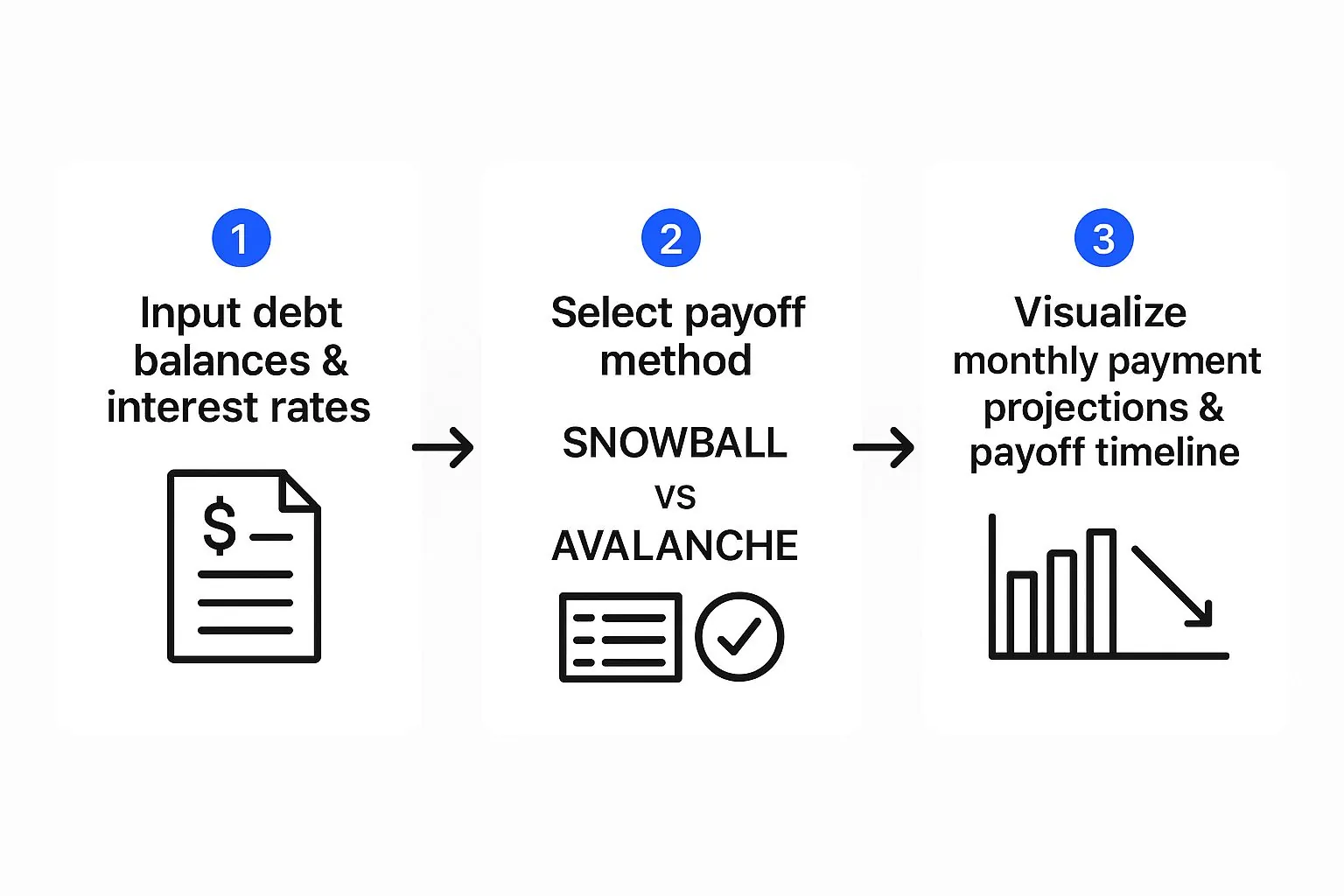
Once this foundation is set, the spreadsheet takes over all the heavy lifting for you.
Calculating Monthly Interest and Principal
Let’s start with the most critical calculation—the interest that adds up each month. This is the number you’re trying to crush. In a new column, you can figure this out by taking your current balance, multiplying it by your annual interest rate (APR), and then dividing by 12.
If your debt balance is in cell B2 and its APR is in C2, the formula in both Google Sheets and Excel is the same: =(B2*(C2/12)). Simple.
Once you know the interest, you can see how much of your payment is actually making a dent in your debt. Just subtract that monthly interest from your total payment. The leftover amount is your principal reduction for the month.
Building Your Amortization Table
Now you can create a running monthly log. Your starting balance for the next month is simply the previous month’s balance minus the principal you just paid down. By dragging these formulas down the sheet, you’ll project your payments month after month until the balance hits zero. This creates a powerful, visual timeline of your progress.
The most powerful feature of a custom debt payoff spreadsheet is the ‘Extra Payment’ column. Adding a cell where you can input any extra cash instantly shows how much faster you’ll be debt-free and how much interest you’ll save. It turns your spreadsheet from a simple tracker into a motivational what-if scenario machine.
This automation is what makes your custom spreadsheet so valuable. Once the formulas are in place, the system practically runs itself, updating your entire plan with every payment. For those looking to take this concept even further, you can explore other ways to automate finances to save even more time and effort.
To see just how big of a difference this can make, let’s look at an example. A $400,000 loan at a 7% APR requires a $5,000 monthly payment to be paid off in about 9 years. But if you can bump that payment up to $7,187, you’ll slash the timeline down to just 5 years. That’s the massive impact of getting aggressive with extra payments.
Visualizing Your Progress to Stay Motivated
Let’s be honest, a spreadsheet packed with numbers and formulas is powerful, but it’s not exactly inspiring. To really keep the momentum going on your debt-free journey, you need to see your hard work paying off. This is where we transform your functional calculator into a powerful visual motivator.
Creating charts and graphs that actually show your progress gives you the positive feedback loop you need to stick with the plan. Seeing a bar get shorter or a line trend downward provides a tangible sense of accomplishment that a shrinking number on a screen just can’t match.
Creating Key Visuals
Start with something simple but incredibly effective: a pie chart. This chart will instantly show you the composition of your total debt, breaking it down loan by loan. You’ll see exactly which debt makes up the biggest slice of the pie, reinforcing where your focus needs to be.
Another fantastic tool is a line or bar graph that tracks your total debt balance over time. It’s my personal favorite for visualizing the big picture.
- Set up your data: Just create a small table with two columns: “Date” and “Remaining Balance.”
- Update it monthly: Each month, pop in a new row with the current date and your new total debt balance.
- Generate the chart: Highlight your table and insert a line chart. This visual becomes a powerful record of your journey, with each downward point marking a small victory. You can learn more about how to effectively visualize financial data in our detailed guide.
A powerful addition is a “Debt-Free Date” tracker. Use a formula to project your final payment date based on your current payment plan. Seeing this date get closer with every extra payment is one of the biggest motivators you can create.
On a global scale, debt has reached historic highs. The IMF reported total global debt rocketing past USD 251 trillion. This just underscores how vital personal debt management tools—like the one you’re building—are for financial stability. You can discover more insights about these global economic trends.
Advanced Tips and Customizations
So, you’ve got the basic debt payoff calculator running. That’s a huge first step! But now it’s time for the fun part—turning that simple tracker into a powerful financial command center. These next few tweaks will give you much deeper insights and help you make strategic payoff decisions on the fly.

One of my favorite upgrades is using conditional formatting. This feature automatically changes how a cell looks based on what’s inside it. For example, you can set a rule to highlight an entire row in green the moment its balance hits zero. It’s a small thing, but trust me, seeing that green row pop up is an incredibly satisfying and motivating reward for knocking out a debt.
Beyond the visuals, we can build a much more robust summary dashboard. This is a small, dedicated section right at the top of your sheet that pulls in the most important numbers from your amortization tables, giving you an instant overview.
Building Your Summary Dashboard
A great dashboard means you don’t have to scroll through years of data to see where you stand. It takes all those detailed calculations and boils them down into actionable insights.
Try adding these key metrics to your dashboard:
- Total Interest Saved: Set up a formula to calculate the difference between the total interest you’ll pay with your accelerated plan versus just making minimum payments. Seeing this number grow is a huge motivator.
- Current Debt-to-Income (DTI) Ratio: Lenders live and die by this number, and you should keep an eye on it, too. A simple formula that divides your total monthly debt payments by your gross monthly income keeps this critical figure front and center.
- Projected Payoff Date: Just pull the final date from your amortization schedule to display the exact month and year you’ll officially be debt-free.
A truly game-changing customization is a “What-If” scenario modeler. Create a few separate input cells where you can test things out. What happens if you get a tax refund or a bonus? How much faster could you pay everything off with a permanent increase to your extra payment? This transforms your spreadsheet from a simple tracker into a powerful decision-making engine.
For example, you could run the numbers to see if a massive $7,187 monthly payment could wipe out a $400,000 debt in five years, compared to the nine years it would take with your current $5,000 payment. Modeling these scenarios gives you the hard data you need to make aggressive financial moves with total confidence.
Got Questions About Your Debt Spreadsheet?
As you start building out your own debt payoff calculator, you’re bound to run into a few tricky spots. Don’t worry, it happens to everyone. Let’s walk through some of the most common questions that pop up so you can fine-tune your new financial tool.
One of the first hurdles people face is dealing with variable interest rates, especially with credit cards. The beauty of your own spreadsheet is its flexibility. Just create a specific cell for that loan’s APR. When the rate changes (and you know it will), you only have to update that one cell. Boom—your entire amortization schedule recalculates instantly.
Handling Specific Scenarios
But what about the really messy stuff, like a pile of student loans with different repayment plans or trying to make bi-weekly payments to get ahead? Your spreadsheet can handle that, too, with a few tweaks.
- Student Loans: The best way to tackle this is to list each loan individually on your dashboard. You can enter its unique minimum payment based on its specific plan (like IBR or PAYE) and track it as a separate line item. This keeps things clean while still rolling everything up into your total debt picture.
- Bi-Weekly Payments: If you want to see the impact of making bi-weekly payments, you’ll need to adjust your formulas. Instead of calculating interest monthly (dividing the APR by 12), you’ll divide the APR by 26 (the number of pay periods in a year). This requires a more detailed amortization table, but it’s a fantastic way to see just how much you can save in interest.
If you’re just getting started and want a broader perspective, understanding what a debt repayment calculator can do gives a great overview of their core functions and benefits.
Is Google Sheets or Excel better for this? Honestly, both are fantastic choices, and the formulas are virtually identical. Google Sheets is amazing for its accessibility—you can pull it up on any device. Excel has more horsepower for really complex data analysis, but for most people’s debt-tracking needs, either one will work perfectly.
At the end of the day, these questions highlight the single biggest advantage of a DIY tool: its unmatched ability to adapt to your unique financial life. That’s a level of personalization most pre-built apps just can’t offer.
Take control of your complete financial picture with PopaDex. Track your assets, debts, and investments all in one place to see your net worth grow in real time. Start your journey to financial clarity at https://popadex.com.