
Our Marketing Team at PopaDex
Net Worth Dashboard: Simplify Your Finances Today
Why Your Net Worth Dashboard Changes Everything
Many individuals believe they have a solid grasp of their financial situation until they use tools like the PopaDex net worth tracker spreadsheet or app for a comprehensive overview. These resources often reveal surprising insights. For instance, a user might discover they have been spending $800 per month on forgotten subscriptions. It’s common for people to manage their finances without having a full picture of their net worth.
This highlights a key point: small inefficiencies add up and have a big impact over time. Think about what someone could do with an extra $9,600 a year. Investing it, paying down debt faster, or just having more financial breathing room – it all becomes possible. A net worth dashboard gives you the clarity to find and fix these leaks.
This clarity also helps you see the bigger picture of wealth growth. It’s interesting to see how the rise of modern net worth dashboards coincides with the overall growth in high-net-worth individual (HNWI) wealth. The Capgemini World Wealth Report shows the global HNWI population grew by 2.6% in 2024, and their combined wealth jumped by 4.2%. This shows a growing awareness of actively managing and tracking wealth.
Unveiling Hidden Patterns and Breaking Down Barriers
A good net worth dashboard is more than a static spreadsheet; it’s your financial command center. It reveals patterns you might otherwise miss. Maybe you notice a regular spike in spending every quarter. That prompts you to dig deeper, understand why, and adjust your budget. Understanding your financial metrics is key, just like using tools like an options Greeks calculator can offer deeper insights into specific investments.
Overcoming Psychological Hurdles
Many people avoid creating a dashboard because they’re intimidated by the process or aiming for unrealistic perfection. It’s understandable to hesitate confronting your financial reality, especially if you anticipate problems. But a net worth dashboard isn’t about judgment; it’s about empowerment.
Think of it as a diagnostic tool, not a report card. The faster you pinpoint areas for improvement, the sooner you can take action. Don’t let the pursuit of perfection get in the way of progress. Start simple, focus on the basics, and refine your dashboard over time. The most important thing is simply to begin. Even a basic dashboard is better than none at all.
Finding Your Dashboard Platform Sweet Spot
Let’s be honest, picking a net worth dashboard platform can feel overwhelming. The fanciest, priciest options often end up neglected after a few months. I’ve seen it firsthand with clients across different income levels. We’ve tried everything from simple Google Sheets to premium apps costing $50/month. What I’ve learned is that it’s not about the tool itself, it’s about how well it fits your style. For instance, Marcus, a surgeon, thought he needed full automation, but actually preferred a custom Google Sheets setup tailored to his specific needs. Lisa, a tech founder, loved Mint’s automated feeds, even with its quirks.
So, how do you choose the right tool for you?
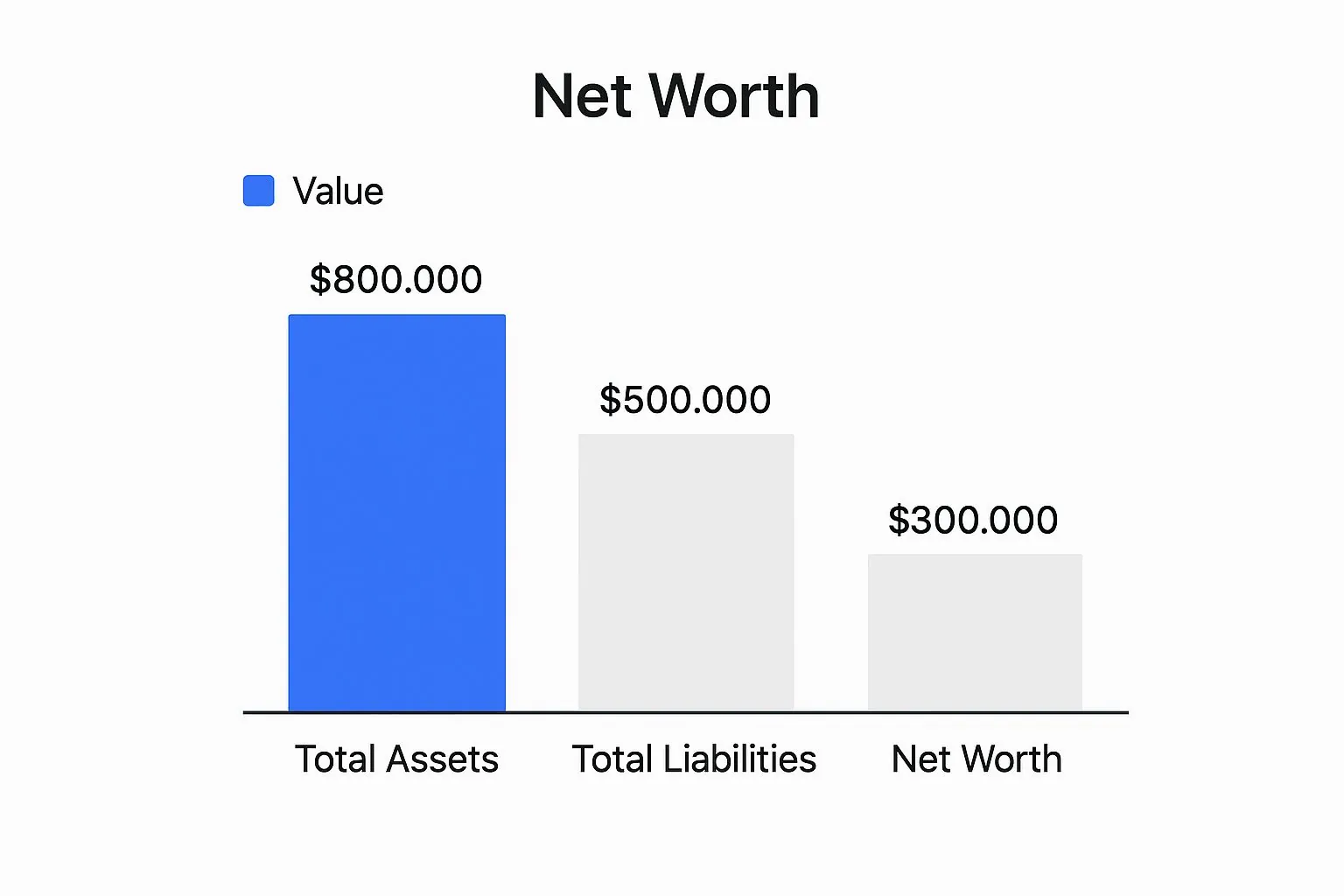
This infographic shows how a higher asset value compared to liabilities contributes to a strong net worth. This is exactly what a good net worth dashboard does: gives you a clear snapshot of your finances. For a deeper dive into platform comparisons, check out our guide: Assessing Your Wealth – A Comparative Study of Mint, Excel, and Premier Net Worth Applications.
Matching Your Needs to the Right Platform
The key isn’t chasing every feature, but figuring out which ones you’ll actually use. We’ll look at real user experiences with various platforms, including those hidden costs no one talks about. We’ll also cut through the marketing hype and discuss practical security considerations.
Want more in-depth info? Take a look at this: Master Your Stock Market Dashboard In Simple Steps
Why Free Can Be Better Than Paid
It might surprise you, but free options can often outperform expensive ones. A simple spreadsheet like Microsoft Excel can be incredibly powerful if you know how to use it. We’ll discuss when a free solution makes sense and when a premium platform might be worth the investment, looking at real-world integrations, not just slick demos.
To give you a better sense of what’s out there, I’ve put together a comparison table based on my own experience and feedback from clients.
Dashboard Platform Reality Check: Honest comparison of popular platforms based on real user experiences, including hidden costs and actual limitations
Platform | Real Cost | Perfect For | Standout Features | Deal Breakers |
|---|---|---|---|---|
Google Sheets/Excel | Free | DIYers, those who want full control | Customizable, powerful formulas | Requires manual updates |
Mint | Free (with ads) | Beginners, those who want automation | Automatic transaction importing, budgeting tools | Limited customization, privacy concerns |
Personal Capital | Free (with upsells) | Investors, those who want advanced planning tools | Investment tracking, robo-advisor integration | Aggressive upselling, data sharing |
Free tier, premium features available | Users focused on long-term wealth building, international users | Privacy-focused, multi-currency support, advanced scenario planning | Manual entry required for free tier |
This table highlights the trade-offs each platform presents. While free options offer flexibility and control, they require more hands-on management. Automated platforms offer convenience, but may compromise on privacy or customizability. Choosing the right platform depends on your priorities and how much time you’re willing to invest.
Organizing Assets Without Losing Your Mind
This is where a lot of people get tripped up when building a net worth dashboard: how to categorize everything. Should retirement accounts be by provider or account type? What about that forgotten crypto wallet? I’ve helped people manage everything from simple 401ks to complex trust funds, and I’ve learned what works. The secret? Organize based on how you think about your money, not some textbook definition.
The Essential Framework
Let’s start with the fundamentals. Most people find it helpful to split assets into broad categories like Liquid Assets (checking, savings), Investments (stocks, bonds, mutual funds), and Real Estate. Then, create subcategories. For example, under Investments, you might have “Retirement Accounts,” “Taxable Brokerage Accounts,” and “Crypto.” This is a solid foundation for almost anyone.
Handling Tricky Assets
Some assets need more thought. Where do employee stock options or collectibles fit? For employee stock options, I suggest putting them under “Investments” but in their own subcategory to track vesting. This helps you see their future value without mixing them with your current holdings. Cryptocurrency, often spread across wallets and exchanges, can be consolidated within “Crypto” under “Investments.” For things like collectibles, a separate “Other Assets” category works well to track value and associated costs.
Organizing Debt Strategically
Your net worth dashboard isn’t just about assets; it’s about managing liabilities too. Organizing your debt helps you prioritize payoffs and track progress. Categorize debt by type – mortgages, student loans, credit card debt – then list individual accounts within each category. Include interest rates and minimum payments to make smart decisions about what to tackle first. A teacher, for example, might group her pension under “Retirement Accounts” and side-hustle income under “Liquid Assets.” An entrepreneur with several businesses could create separate subcategories under a “Business Interests” category within “Investments” to keep things clean.
It’s interesting how important net worth dashboards have become for wealth management, especially in the US. The USA Wealth Report 2025 shows the US has over six million high-net-worth individuals, holding a whopping 34% of global liquid wealth. This just highlights how important organized financial tracking is. Learn more about wealth management trends here.
Automation That Actually Works Long-Term
Let’s be honest, manually updating your net worth dashboard can be a real drag. It’s often the reason these dashboards end up abandoned. But going completely automated isn’t always the answer either. I’ve seen people spend a fortune on complex software when a simple monthly update would do the trick. Finding the right balance, a hybrid approach, is often the key.
Bank Connections: The Truth About Automation
Bank connections can be a bit finicky. They can break, need re-authorization, and generally cause headaches. Even popular platforms like Mint have their connectivity quirks. Take a look at a typical Mint dashboard:
While Mint gives you a nice overview, it’s important to remember its limitations. Automated updates are fantastic in theory, but if those connections fail, you could end up with missing transactions or inaccurate data. A hybrid approach, blending automated updates with manual checks, tends to be the most reliable strategy.
Workarounds and Free Tools
For those financial institutions that just refuse to play nice with automation, there are some handy workarounds. Exporting transactions as CSV files and importing them into your net worth dashboard can be surprisingly effective. Honestly, for many people, free tools like Google Sheets or Microsoft Excel, combined with some clever formulas, are perfectly sufficient. You might also want to check out PopaDex’s net worth tracker; it offers a really useful mix of automated and manual tools.
Maintenance and Troubleshooting
Even with a degree of automation, your net worth dashboard still needs a little attention. Expect to spend some time each month checking connections, adding any manual entries, and making sure everything is accurate. The real trick is building a sustainable routine that fits your real life, not some idealized version. Maybe that means blocking out 30 minutes on the first Sunday of the month, or setting aside 15 minutes each week. Consistency is what matters.
A backup plan is crucial. What if your chosen platform suddenly disappears? Regularly exporting your data means you won’t be left high and dry. And when connections inevitably break (because they will!), having a troubleshooting plan can save you tons of frustration. Look for platform-specific help, check community forums, or even contact customer support. You’ll often find a simple solution that gets things back on track.
Creating Visuals That Motivate Action
Raw numbers in a spreadsheet? They tell a story, sure, but they rarely get you fired up. Think about it – have you ever felt a surge of motivation just staring at a balance sheet? I haven’t. A well-designed net worth dashboard, on the other hand, transforms those numbers into something you can connect with – it makes your progress clear and any potential problems impossible to ignore. Over the years, I’ve realized that we all connect with different things visually. Some people love seeing their debt shrink in a pie chart, while others get a kick out of watching their net worth climb on a line graph.
Visualizing for Different Personalities and Goals
The magic happens when you customize your net worth dashboard to your personality and goals. Are you driven by seeing progress over time? A line graph charting your net worth growth might be your thing. If you’re more motivated by tackling specific debts, focus on bar charts that visually shrink as you pay them down. For those who are visual learners, color-coding can highlight areas that need attention. The aim is to make your financial picture so clear that the right decisions become obvious. Don’t be afraid to play around with different visual styles to see what resonates with you. What works for one person might not work for another, even if their financial goals are similar.
Tracking Progress, Celebrating Milestones, and Catching Problems Early
A truly effective dashboard does more than just display data; it helps you actively manage your finances. Think about adding elements like progress trackers to show how close you are to a goal, or even little milestone celebrations that pop up when you hit a significant achievement. It adds a fun, game-like element to the process and keeps you engaged. Setting up alert systems is also a game-changer. Imagine getting a notification if your credit card balance goes over a certain limit – that kind of heads-up can prevent overspending before it gets out of control.
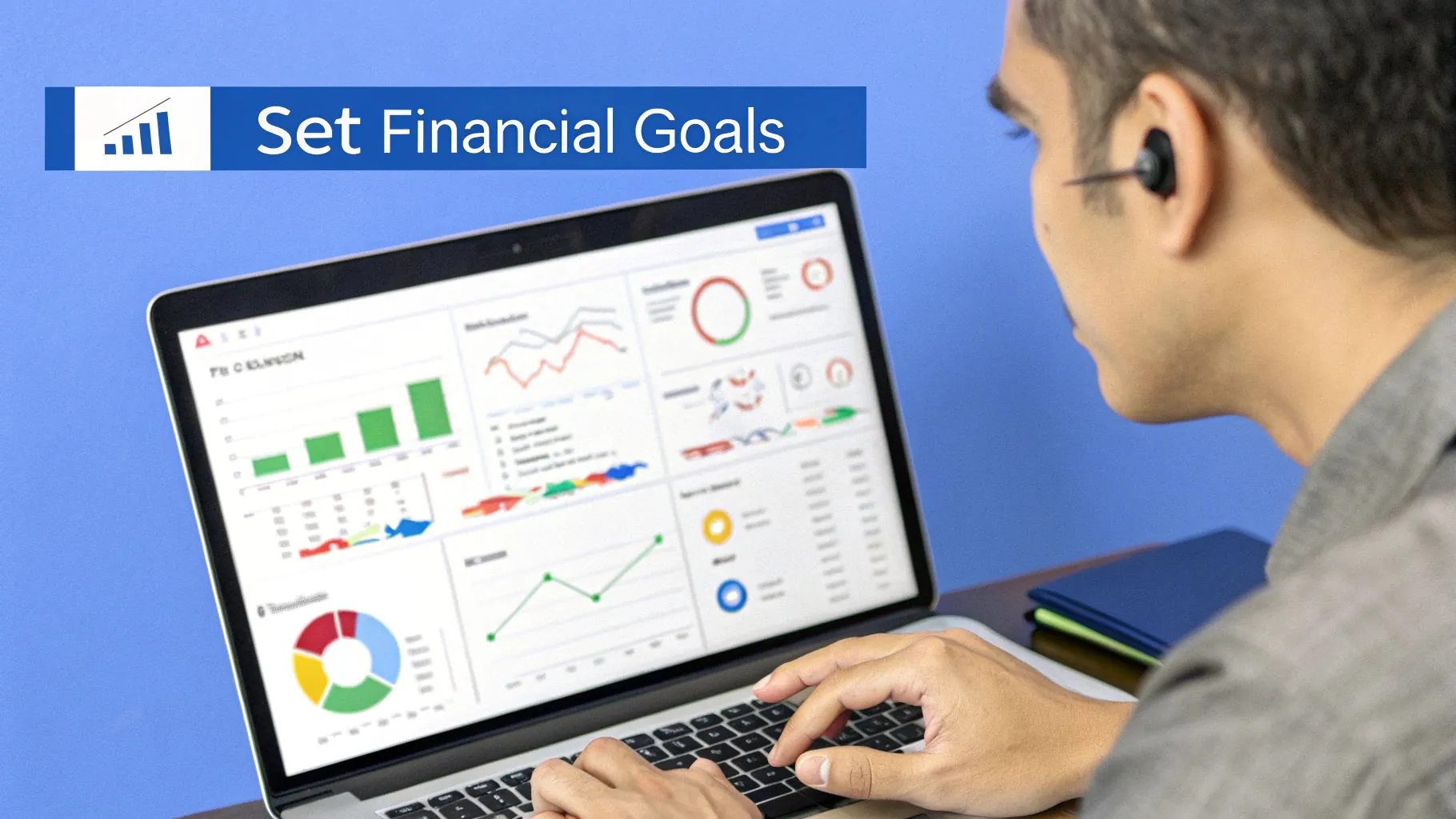
Mobile-Friendly Formats and Presentation-Ready Views
For long-term success, consider how your net worth dashboard can integrate with other financial tools, perhaps using some of these actionable business process automation examples. This can streamline your financial management and make your dashboard even more powerful. Think about accessibility, too. A mobile-friendly format means you can check in on your progress anytime, anywhere. And having presentation-ready views is invaluable for discussing your finances with a partner or advisor.
It’s interesting to see how net worth dashboards are even being used by the global elite, who are increasingly concerned with digital security and legacy planning. For example, The Wealth Report 2025 highlights that 44% of family offices are planning to increase their real estate investments – a definite shift in how high-net-worth individuals are managing their portfolios.
To help you choose the right visualization strategy, I’ve put together this table:
Visualization Strategies That Drive Results
Choosing the right charts and visual elements based on your goals and personality type
Visual Type | Best For | Psychological Impact | Common Mistakes | Complexity Level |
|---|---|---|---|---|
Line Graph | Tracking progress over time, identifying trends | Shows momentum, encourages long-term view | Using too much data, making it cluttered | Low to Medium |
Bar Chart | Comparing values, tracking debt reduction | Easy to understand, provides clear comparisons | Inconsistent scaling, unclear labeling | Low |
Pie Chart | Showing proportions, asset allocation | Visually appealing, highlights relative size | Too many segments, confusing colors | Low |
Progress Tracker | Visualizing goal completion | Motivating, provides sense of accomplishment | Setting unrealistic goals, inaccurate tracking | Low |
Alert System | Identifying potential problems, staying within budget | Promotes proactive management, reduces stress | Too many alerts, ignoring alerts | Medium |
This table summarizes some effective visual strategies and how they can impact your financial management. Remember, the key is to experiment and find what truly motivates you on your financial journey.
Advanced Features That Actually Pay Off
Once you’ve built a basic net worth dashboard, you might be tempted to add all sorts of bells and whistles. Trust me, I’ve seen it – dashboards so complex they practically require a PhD to operate. But here’s the thing: more isn’t always better. Let’s ditch the fluff and focus on the features that actually move the needle on your wealth-building journey.
Scenario Planning: Your Financial Crystal Ball
Think of scenario planning as a “what-if” simulator for your finances. Want to see how buying a house would impact your net worth five years down the line? Curious about the financial implications of a career change? Scenario planning lets you model these situations by tweaking key variables like income, expenses, and investment returns. It’s like having a financial crystal ball, helping you make big decisions with more confidence. For example, I recently used my own dashboard to compare the long-term effects of taking a lower-paying job with better benefits versus sticking with my current role. The insights were incredibly valuable.
Tax Optimization: Making Tax Season Less Taxing
Nobody loves tax season. But a well-designed net worth dashboard can turn it from a dreaded chore into a manageable (and even money-saving) process. Tracking tax-deductible expenses, capital gains, and investment income throughout the year simplifies tax preparation. You can even model different tax strategies to see their potential impact, helping you minimize your tax burden and keep more of your hard-earned cash.
Rebalancing Alerts: Staying Ahead of the Market
Markets go up, markets go down. It’s just the nature of the beast. But these fluctuations can significantly impact your investment portfolio. Rebalancing alerts notify you when your asset allocation drifts from your target, allowing you to rebalance and capitalize on market opportunities. I’ve seen firsthand how clients miss out on gains simply because they weren’t actively rebalancing. These alerts provide the timely nudges you need to stay on top of your investments.
The Unsung Heroes: Cost Basis, Cash Flow, and Goals
These features might not be as flashy as scenario planning or rebalancing alerts, but they’re just as important. Cost basis tracking helps you accurately calculate gains and losses when you sell investments, crucial for minimizing capital gains taxes. Cash flow analysis shines a light on your spending habits, revealing areas where you can cut back and save more. And finally, a goal-setting framework within your dashboard keeps you focused and motivated on your long-term financial objectives. Setting SMART goals (Specific, Measurable, Achievable, Relevant, and Time-bound) and tracking your progress can make a huge difference. For a deeper dive into net worth calculations, check out PopaDex’s Net Worth Calculator Tool.
Integration and Reporting: The Power of a Connected Dashboard
Connecting your net worth dashboard with other financial tools like tax software or budgeting apps streamlines your financial life and provides a more holistic view of your finances. The ability to generate professional reports is also a game-changer when working with financial advisors or discussing your finances with family. These reports offer a clear and organized overview of your situation, making those important conversations much smoother and more productive. These aren’t just bonus features; they’re practical tools that can significantly enhance your financial well-being.
Making Your Dashboard Habit Stick
Building a net worth dashboard is just the first step. The real magic happens when you actually use it consistently. I’ve seen so many people create these amazing spreadsheets, only to abandon them a few months later. The difference between success and failure here isn’t about willpower, it’s about building a system that fits your real life.
Maintenance Schedules for Busy People
Let’s be honest, nobody wants to spend hours updating spreadsheets. The trick is finding a rhythm that works for you. Maybe a quick 15-minute check-in every week works best. Or perhaps a deeper dive once a month is more your style. The key is consistency, not frequency. Even setting aside just 30 minutes a month to update your net worth dashboard is better than sporadic bursts of activity. Think of it like tending a garden – consistent, small efforts create the best results over time.
Troubleshooting and System Evolution
Even the best-laid plans need tweaking sometimes. Bank connections can break, unexpected life events happen, and your financial situation changes. Having a plan for these common issues can save you a lot of headaches down the road. For example, knowing how to manually import transactions if a bank feed fails will keep your dashboard accurate. And as your finances become more complex, so too might your tracking needs. A simple spreadsheet might be perfect when you’re starting out, but as your investments and assets grow, a more robust platform like PopaDex could be a better fit.
Life Changes and Staying Motivated
Life rarely goes exactly as planned. Job changes, market downturns, even starting a family – these things can all impact your finances (and your motivation). A net worth dashboard can be a real anchor during these times. If you lose your job, for example, your dashboard gives you a clear view of your financial runway, empowering you to make informed decisions. Remember, tracking your net worth isn’t just about the numbers; it’s about understanding the story they tell. Seeing your progress, even if it’s slow, is a powerful reminder of why you started tracking in the first place. Celebrate the small wins, acknowledge the setbacks, and adjust your goals as needed. The long game is what matters. For some real-world inspiration, check out Budgets Are Sexy, which chronicles one person’s 11+ year journey tracking their net worth – the ups, the downs, and everything in between.
Ready to take control of your financial future? PopaDex offers the tools and flexibility you need to build a net worth dashboard that truly works for you, whether you’re a beginner or managing a complex portfolio.