Manual assets · Original currencies on Premium · Supported connections
A net worth tracker for accounts, property and debts
Bring your savings, investments, property, pensions and debts into one dated balance sheet. Start with free manual records in one currency. Choose Premium when you need ongoing records across original currencies or connections for supported institutions and account types.
Try the demo with fictional sample data. No sign-up required. Standard supports manual records in one currency; Premium is €5/month or €50/year billed annually.
See the worked balance sheet · Check connection limits · Read the encryption scope
Start with one balance, not every account
You do not need to connect a bank or move your whole spreadsheet to try PopaDex. Use the free Standard plan to save one manual account first. Build the full picture once that first entry makes sense.
-
First visit: save one current balance
Choose a cash or savings account with a balance you can check. Add it manually in its original currency, using a label you recognize. A full bank account number is unnecessary.
How do I know the first entry is right?
Compare the saved balance and currency with your statement. This is only a starting snapshot, not your complete net worth. If you would rather look around first, open the sample dashboard without entering your own balances.
-
Next: reconcile what you own and owe
Add the remaining assets and debts before using the total for decisions. Choose your reporting currency and check assets minus liabilities against your own calculation.
What if I have a pension, home or foreign currency?
Keep each account in its original currency. Record property and its mortgage separately; do not add home equity as another asset. A pension balance may not be accessible spending money. Check the five-account example or use the FIRE balance-sheet worksheet.
-
Next review: understand what changed
Choose a monthly review date in your own calendar. Update manual balances from statements and compare the dated history. Check changes in the original currencies before treating a higher converted total as new savings.
When would paying for bank sync help?
If updating balances is the work you want to reduce, check your exact institution and account type before upgrading. Premium costs €5/month or €50/year billed annually; connections are optional and unsupported accounts still need manual updates. Read the plan details. You can keep using free manual tracking.
This guide does not collect balances or mark app tasks complete. Manual tracking is not offline storage or automatic bank syncing.
When is a paid net worth tracker worth it?
Choose the workflow you will use each month. A free manual record may be enough; paying makes sense when the extra currency or connection support solves a recurring problem.
| Your task | A useful starting point | Check before you choose |
|---|---|---|
| Keep a manual balance sheet in one currency | Free Standard, or the free Excel workbook if you prefer a file | You will enter and reconcile balances yourself. |
| Keep original currencies beside one planning total | Premium | Review the worked currency example. Exchange rates can change the total even when local balances stay the same. |
| Reduce manual updates for supported accounts | Premium, with manual entries for the rest | Check your exact institution and account type in the connection flow. Keep property, pensions and unsupported accounts manual. |
| Manage daily spending categories or specialist investment analysis | Compare tools built for those tasks | PopaDex is a net-worth-first record. It does not promise full budgeting, tax-lot analysis or transaction-history migration. |
A balance sheet you can check yourself
This fictional example uses five balances and fixed illustrative exchange rates. It is a calculation example, not a customer result, live exchange-rate quote or screenshot of an account.
| Account | Original balance | EUR per unit | EUR value |
|---|---|---|---|
| Cash | EUR 10,000 | 1.00 | 10,000 |
| Investments | USD 20,000 | 0.90 | 18,000 |
| Pension | GBP 30,000 | 1.15 | 34,500 |
| Home | EUR 300,000 | 1.00 | 300,000 |
| Mortgage | EUR −180,000 | 1.00 | −180,000 |
| Net worth: assets minus debts | EUR 182,500 | ||
Why the total can move without a deposit
If the USD rate changes from 0.90 to 0.95 EUR, the same USD 20,000 becomes EUR 19,000. Net worth rises by EUR 1,000 to EUR 183,500 even though you added no money. Separate currency movements from savings and investment returns when reviewing your progress.
For FIRE planning, this total is not all spendable: the home and pension may be unavailable to fund near-term expenses. Keep an accessible-assets view alongside total net worth.
The app demo uses its own sample portfolio. This worksheet does not claim to reproduce its changing balances or exchange rates.
Planning for financial independence? Use the free FIRE balance-sheet worksheet to separate total net worth from selected accessible assets and earmarked reserves.
Recurring workflow
One complete snapshot, then the same review each month
A useful history depends on repeatable dates and definitions. PopaDex stores records; it does not turn an unreconciled balance into a reliable result.
-
01 · Gather
Collect current balances
Enter them manually or use a Premium connection only when the exact institution and account type are supported. Keep a manual fallback.
-
02 · Reconcile
Use one review date
Check the displayed balance, date, sign, and currency against the source. Add omitted debts before calling the snapshot complete.
-
03 · Save
Record the dated result
Standard is intended for one consistent currency. Premium supports ongoing records across original currencies and a converted base-currency total.
-
04 · Repeat
Review on the same cadence
Repeat the reconciliation next month or quarter. A consistent cadence makes missing accounts and stale balances easier to spot.
-
05 · Explain
Investigate the change
Compare deposits, withdrawals, debt repayment, market movement and currency effects. A net-worth change alone is not investment-performance attribution.
-
06 · Preserve
Keep an independent archive
Export periodically and retain source statements. Review the export before relying on it for cancellation, migration, tax or legal records.
Coverage must be checked account by account
A country, provider directory or bank brand is not proof that every account type, balance field or historical period is available. Confirm the exact result in the live connection flow, compare one account with its source institution, and keep unsupported balances manual. There is no universal coverage or refresh-frequency promise.
Use the connection coverage checklistSecurity claims have a documented scope
Eligible flows encrypt some account names, balances and record amounts in the browser. Connection and integration data is also processed server-side, and metadata is not universally client-encrypted. We do not describe the whole product as zero-knowledge.
Evidence note: product source, published documentation and the public demo with fictional data were reviewed on 19 September 2026. No customer account, customer outcome or live institution directory was used for this review.
Inside the product
The financial overview you actually use
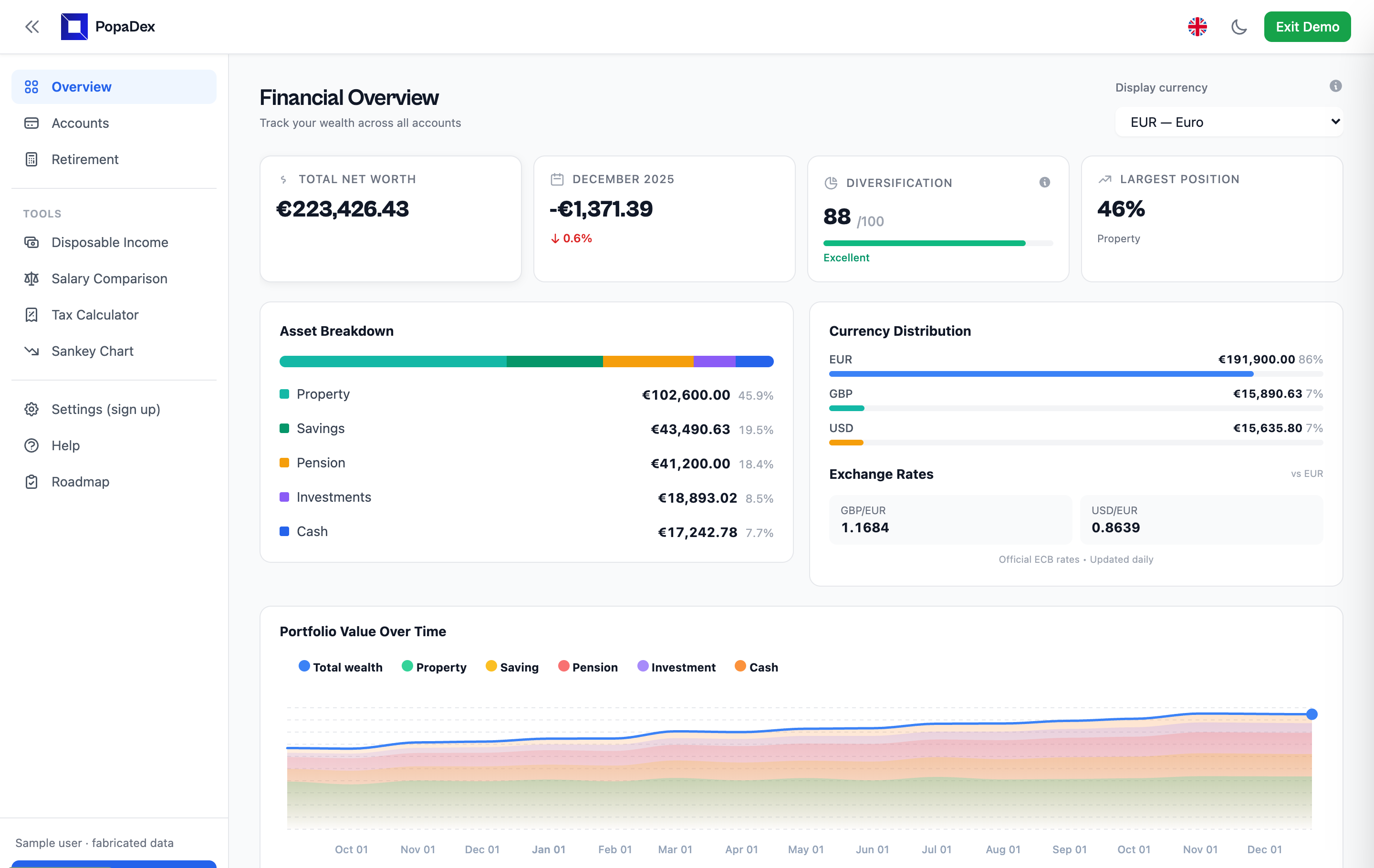
This PopaDex dashboard screenshot uses fictional sample data. It shows the same maintained dashboard view used in step 1 below, including account totals, allocation, currency exposure, and a reporting-currency net-worth figure.
Guided product walkthrough
Follow one net-worth review in six screenshots
The captures use fictional demo data and were first published on 4 April 2026. The exact capture date was not retained, so controls and wording may differ from the live product. The images show a workflow, not customer balances, results or guaranteed account coverage.
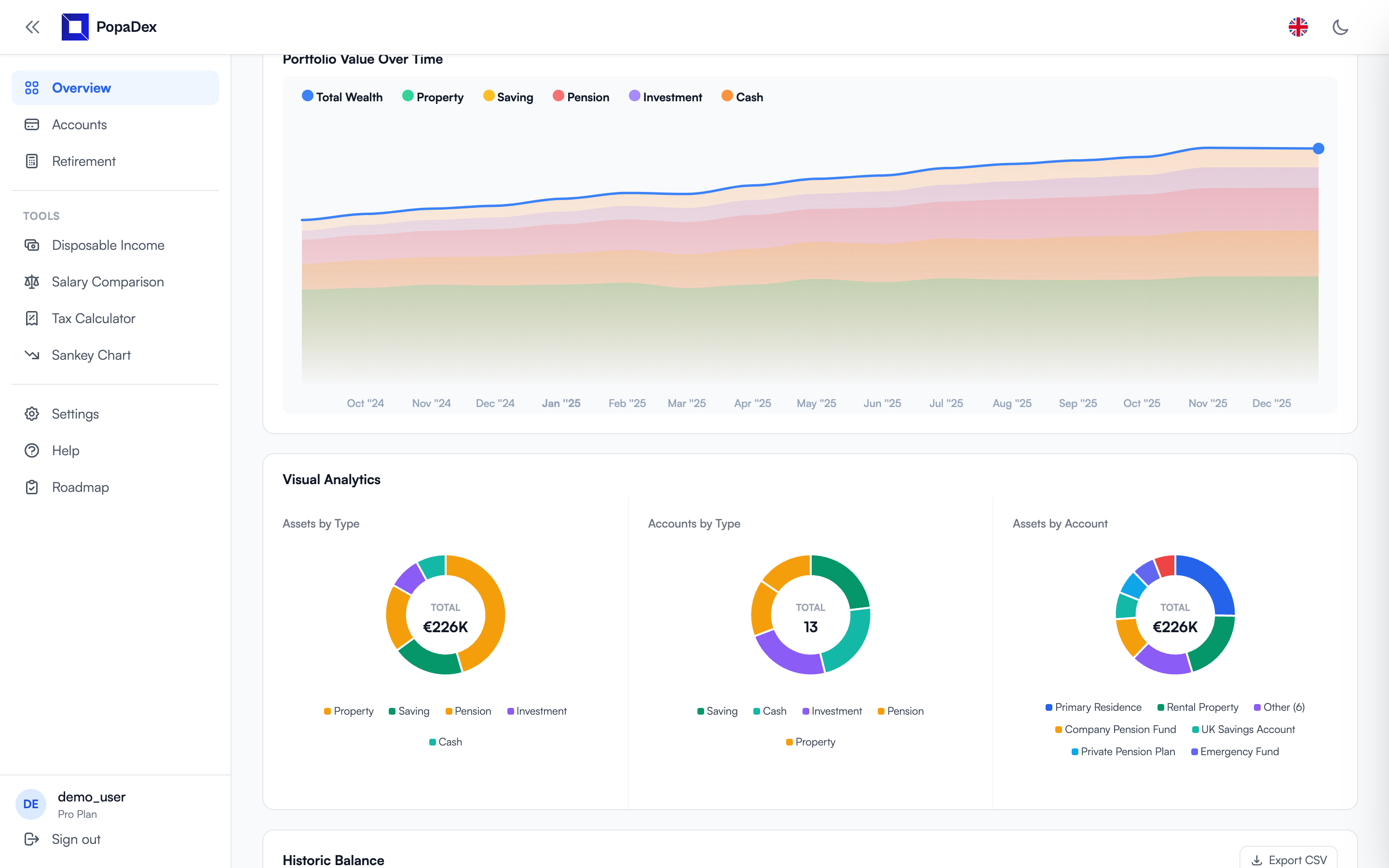
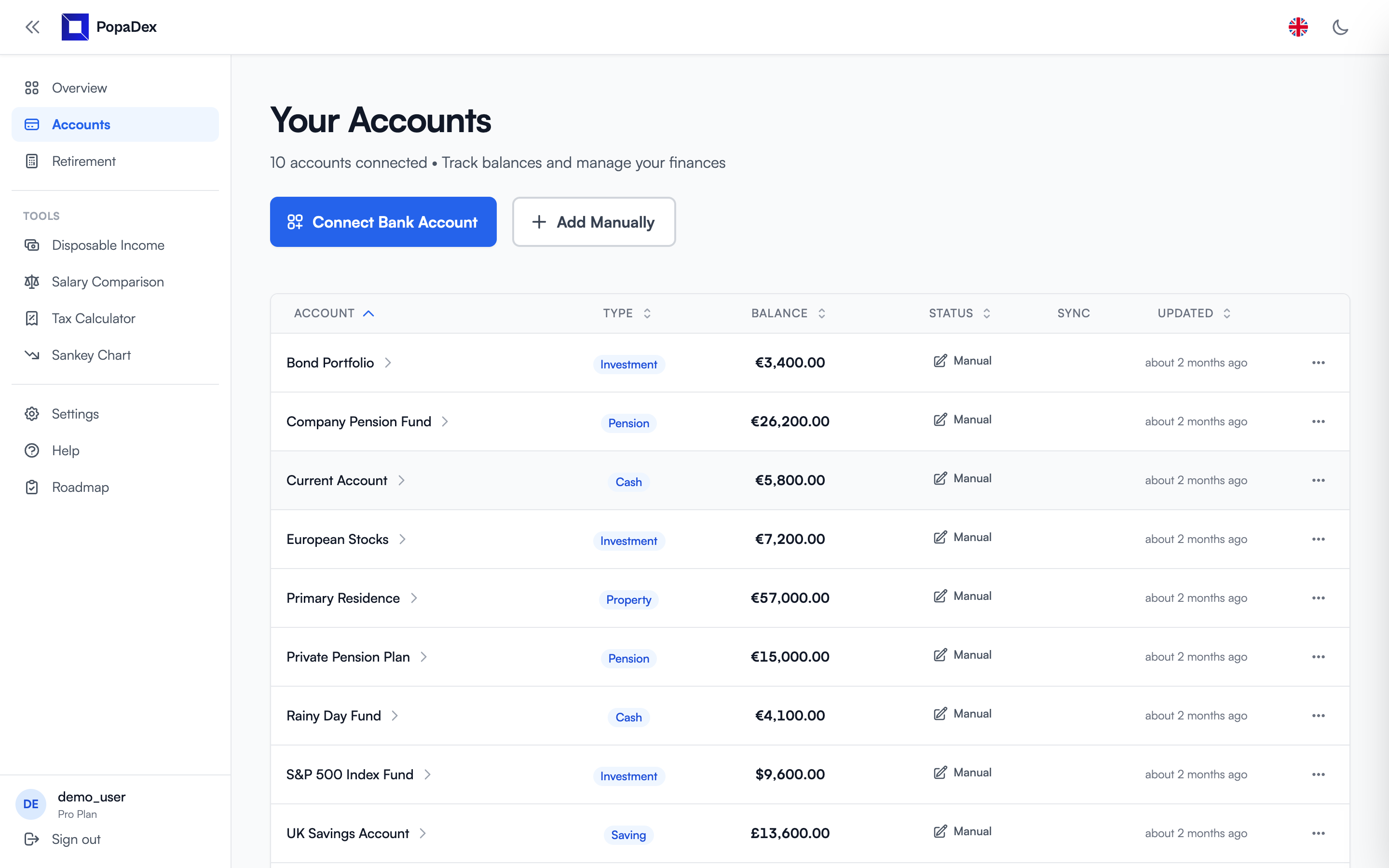
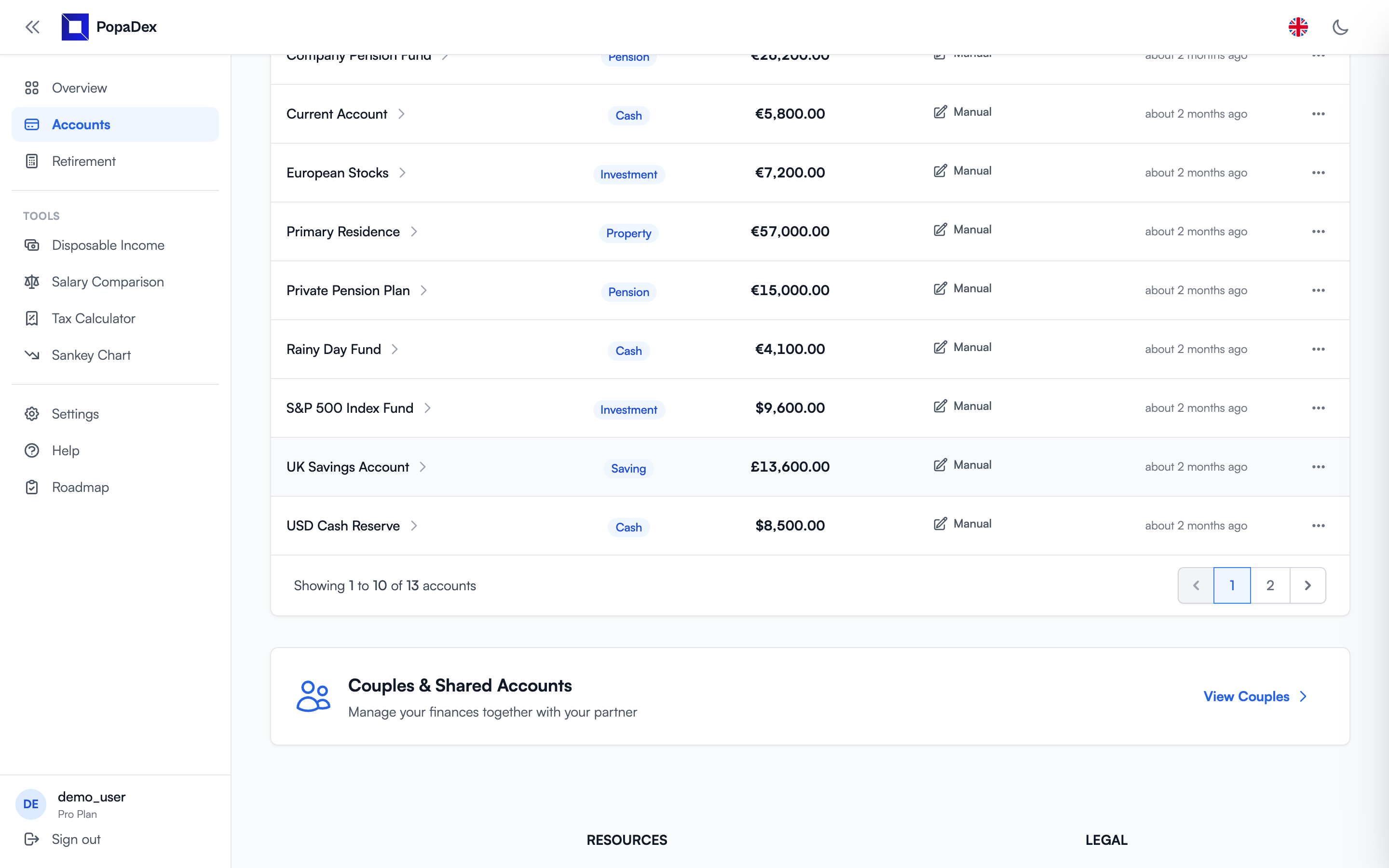
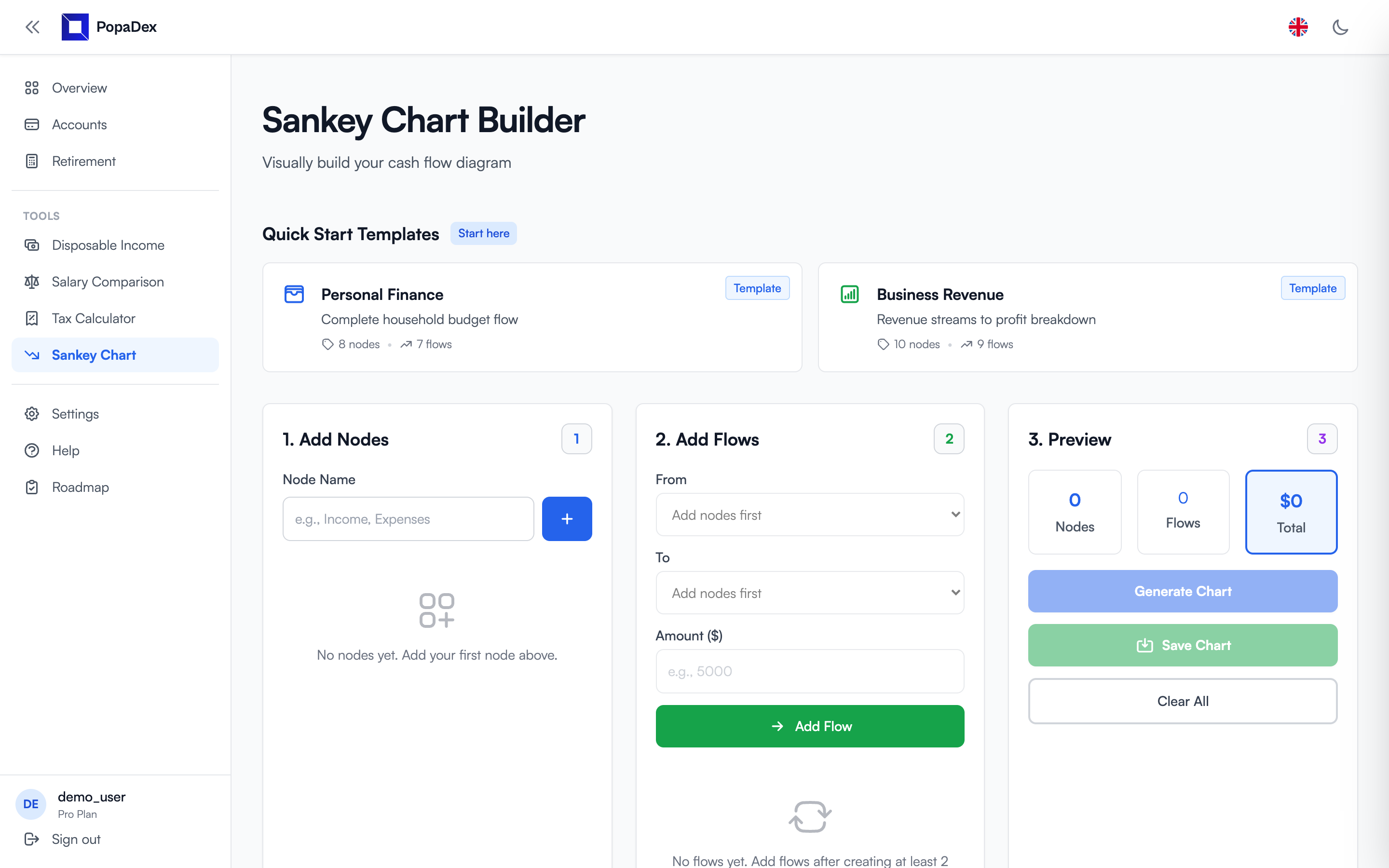
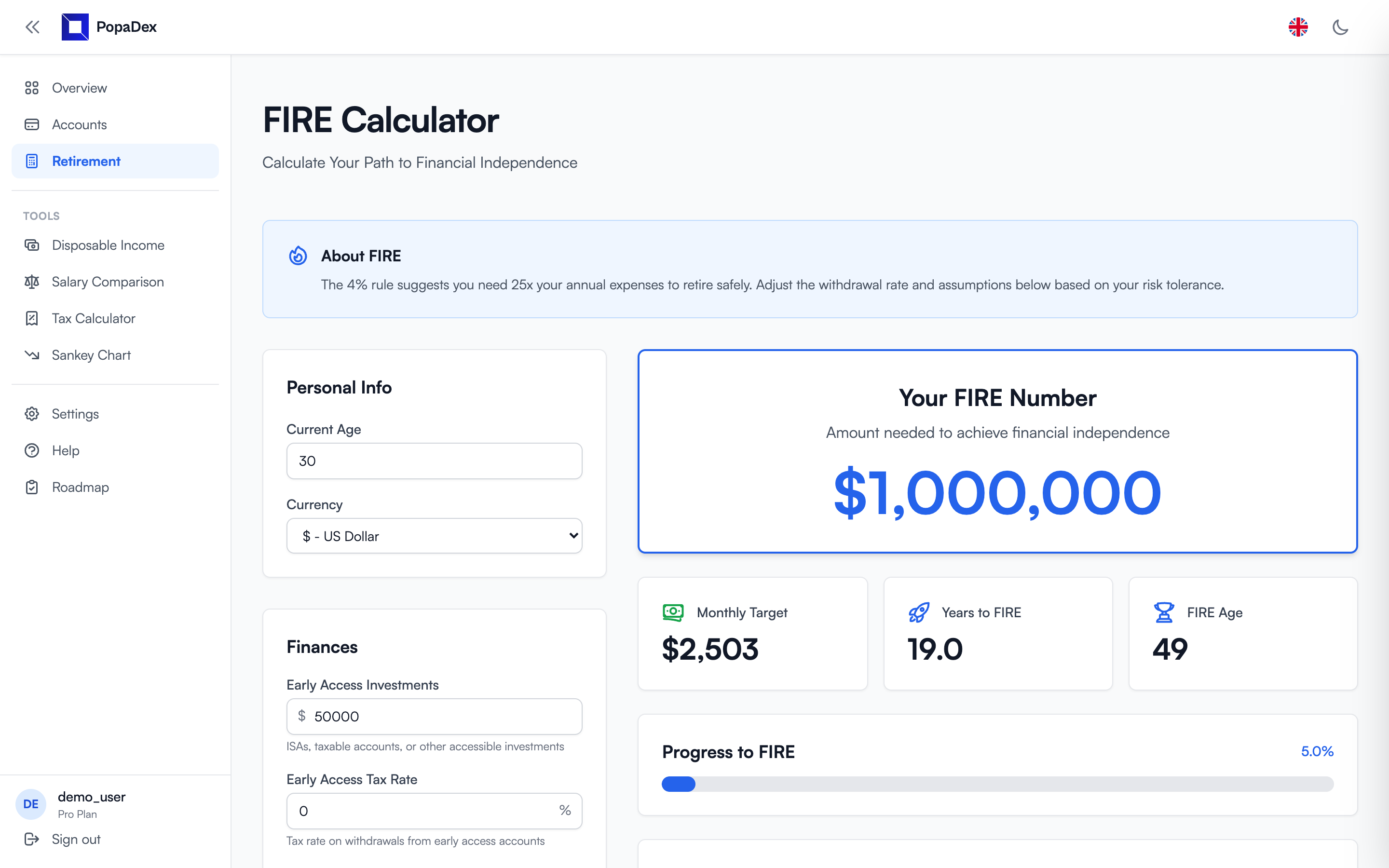
Complete balance sheet
Track what you own and what you owe
A useful net worth app should cover the whole balance sheet, not just the accounts one bank happens to show.
How it works
From scattered balances to one number
Start with one account
Save a manual balance and check it against your statement. Then add the remaining assets and debts before treating the total as your complete net worth.
Choose a base currency
Use one consistent currency on Standard. Premium keeps original currencies beside a converted total in the currency you use for planning.
Review the trend
Use dated history, asset allocation, liabilities, and FIRE tools to understand what changed and why.
Choose a spreadsheet when
You want an occasional private snapshot
- • You update only a few times per year.
- • Every value is entered manually.
- • Offline storage matters more than automation.
Choose an app when
You want history without rebuilding the file
- • Your accounts span several institutions or countries.
- • You want optional updates where a supported connection is available.
- • You need one dashboard for assets, debts, currencies, and trends.
Choose by use case
The right tracker depends on your financial life
Multiple currencies
See accounts in their original currencies and one converted total.
Expats
Combine current-country accounts with savings, property, and pensions back home.
Comparing apps
Compare free and paid trackers by sync, privacy, price, and use case.
Investment portfolios
Separate holding-level portfolio analysis from the broader household balance sheet.
Replacing Mint
Choose a replacement based on budgeting, net worth, investments, or international support.
Couples and households
Use separate logins to review selected shared account records.
Financial independence
Connect net worth to your FIRE number, progress, and estimated date.
Digital nomads
Keep a portable dated balance sheet across locations and currencies.
Switching tools
Preserve the archive and reconcile a current snapshot safely.
Net worth tracker questions
What is the best way to track net worth?
Use one consistent system that includes every asset and liability and keeps dated history. A spreadsheet works for occasional updates; an app is better for aggregation, currency conversion, and repeatable history.
Is PopaDex a free net worth tracker?
Yes. Standard supports manual tracking at no charge in one consistent currency. Premium costs €5 per month or €50 per year when billed annually and adds optional connections at supported institutions and ongoing multi-currency records.
What should I include?
Include checking, savings, investments, retirement accounts, pensions, property, business interests, and other assets. Subtract mortgages, cards, student loans, and other debts. Use the free net worth calculator for a private one-time snapshot.
Can I track more than one currency?
Premium supports ongoing records in original currencies and converts them into a chosen base currency. Use the free Standard plan with one consistent currency.
Can I use PopaDex without linking a bank?
Yes. The free Standard plan supports manual accounts, so a bank connection is optional. If you later use a Premium connection at a supported institution, review the provider, permissions, and revocation path using our bank-linking safety checklist.
Know what you own, what you owe, and how it is changing
Start with manual tracking for free. Premium adds optional updates where the exact institution and account type are supported.