
Product research and financial education from the PopaDex team.
Published · Updated
Best Financial Management Software for Individuals (2026)
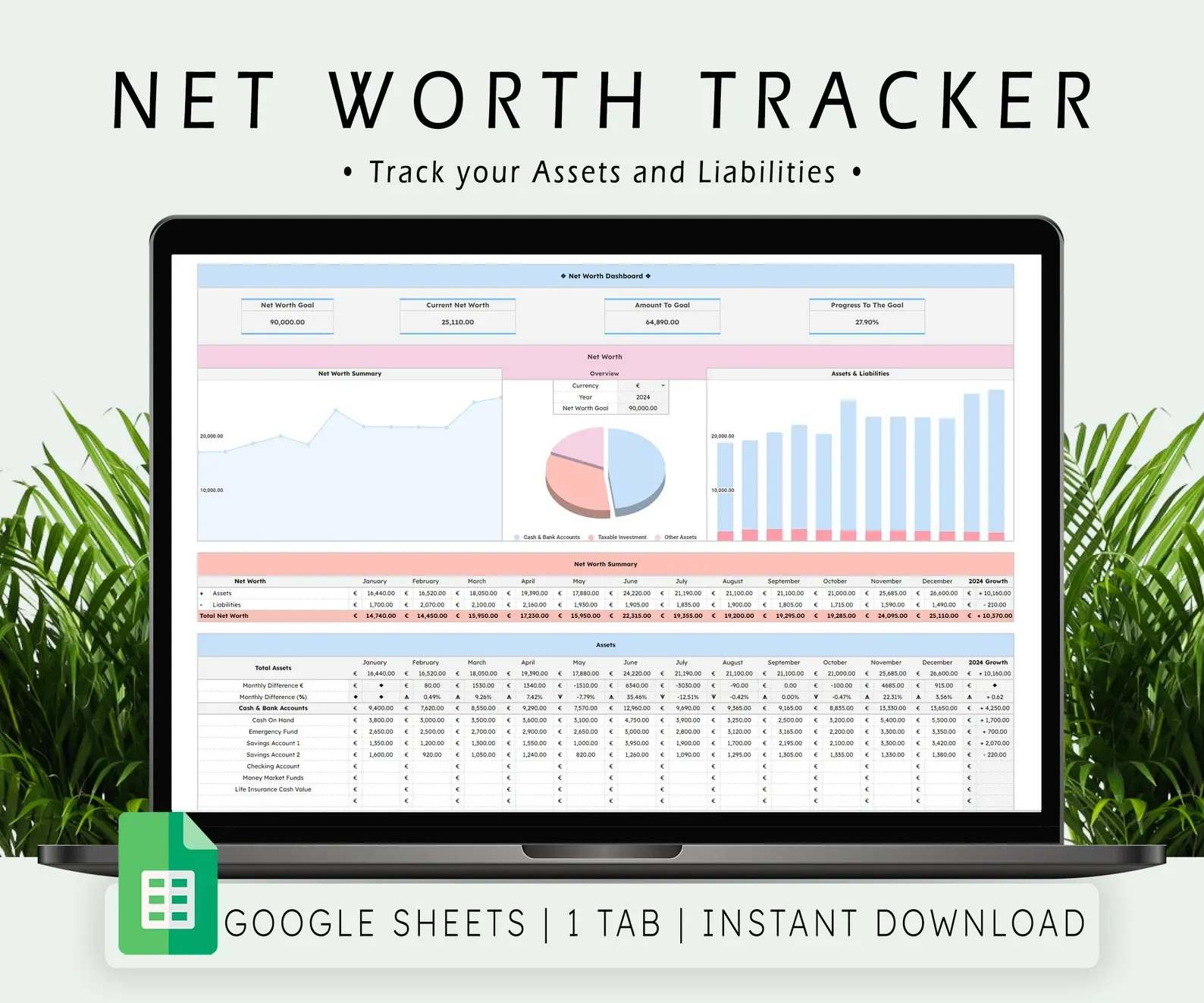
The best financial management software depends on what you need to manage. Use PopaDex for net worth and multi-currency accounts, YNAB for hands-on budgeting, Monarch for a US or Canadian household dashboard, Quicken Simplifi for US cash-flow planning, Tiller for automated spreadsheets, PocketSmith for long-range forecasting, and Empower for free US investment monitoring.
Business owners should make a separate decision about bookkeeping. QuickBooks and Xero are accounting systems; they are usually too much software for a household that only wants a budget or net-worth view.
Households deciding between a financial dashboard, robo-advisor and paid advice should use the narrower wealth management app comparison. Those services have different permissions and fee models even when search results group them together.
Disclosure: PopaDex is our product. We state that conflict plainly, link to official product and pricing pages, and include cases where another tool is the better choice. Pricing was checked on 1 September 2026 and can change.
Net-worth-first software
Use PopaDex when the job is seeing what you own and owe
Track accounts, investments, property, other assets, and liabilities in one reporting currency. Start with manual tracking or add compatible connections on Premium.
Quick comparison
| Software | Best for | Price checked 1 Sep 2026 | Main limitation |
|---|---|---|---|
| PopaDex | Net worth, expats, multi-currency assets | Free manual plan; Premium from EUR 5/month | Not a daily budgeting or accounting app |
| YNAB | Active, zero-based budgeting | $109/year or $14.99/month; 34-day trial | One currency per spending plan |
| Monarch | US/Canada household budgeting and collaboration | Paid subscription; one-week trial | Geographic focus and no permanent free tier |
| Quicken Simplifi | US spending plans and cash-flow projections | Annual subscription; introductory offers vary | US-focused and no free trial |
| Tiller | Google Sheets and Excel automation | $99/year after a 30-day trial | Requires comfort with spreadsheets |
| PocketSmith | Forecasting and international budgeting | Limited free plan; paid plans from AUD 9.99/month billed annually | More setup and higher tiers for many bank feeds |
| Empower Personal Dashboard | Free US investment and retirement overview | Free dashboard | US-focused; connected users may be offered advisory services |
| GnuCash | Local desktop accounting and detailed registers | Free and open source | Steep learning curve; no managed cloud experience |
Personal finance software, money management app, or accounting system?
These labels overlap in search results, but the buying decisions are different:
- A personal finance or money management app is usually a web or mobile product for household budgets, transactions, goals, investments, or net worth.
- Desktop personal finance software emphasizes local files, registers, reports, and imports. Quicken Classic and GnuCash are examples of this workflow.
- Business accounting software is for formal books, invoices, reconciliation, financial statements, tax workflows, and accountant access.
This page compares the first two categories for individuals. It mentions accounting only to help households avoid buying a business system for a personal-finance job. If price must be zero or you specifically want open-source, desktop, self-hosted, or manual software, use the free personal finance software comparison instead.
How we evaluated the tools
This comparison uses the same questions for every product:
- What is the product’s primary job?
- Is it personal finance software or business accounting software?
- Can a user start free, trial it, or get a refund?
- How does it import data: bank feed, file, manual entry, or spreadsheet feed?
- Does it support couples, multiple currencies, investments, or forecasting?
- Can the user export data and leave?
- Which important job does it not do?
We checked public product documentation and official pricing pages. We did not test every bank connection or mobile platform. Connection reliability is institution-specific, so confirm your required accounts before subscribing.
Pick the job before the vendor
Net worth and multi-currency accounts
Choose software that records assets and liabilities, preserves native currencies, and produces one household reporting view. Budget categories are secondary here. PopaDex and PocketSmith are the most relevant products in this comparison.
Budgeting and spending control
Choose a system you will use several times a week. YNAB has a defined method and asks you to assign available money. Monarch and Quicken Simplifi automate more of the dashboard and cash-flow work.
Investment monitoring
Look for allocation, performance, fees, and retirement projections. Empower is useful for US-linked accounts. A dedicated portfolio tool may be better than a general finance app when tax lots and performance attribution matter.
Spreadsheet control
Tiller sends data into Google Sheets or Excel. GnuCash is not a spreadsheet, but it appeals to a similar user who wants local records and detailed control. Both ask more of the user than a guided mobile app.
Business accounting
Use accounting software when you need invoices, reconciliation, a chart of accounts, profit-and-loss statements, payroll integrations, or accountant access. Start with the self-employed expense tracker comparison if you are a freelancer. Move to QuickBooks, Xero, or another accounting platform when bookkeeping requirements justify it.
PopaDex: best for net worth across currencies
PopaDex is a personal net-worth tracker. It combines bank and investment accounts, property, other assets, and liabilities in one view. Manual accounts are available on the free plan; Premium adds connections to compatible institutions and additional analysis.
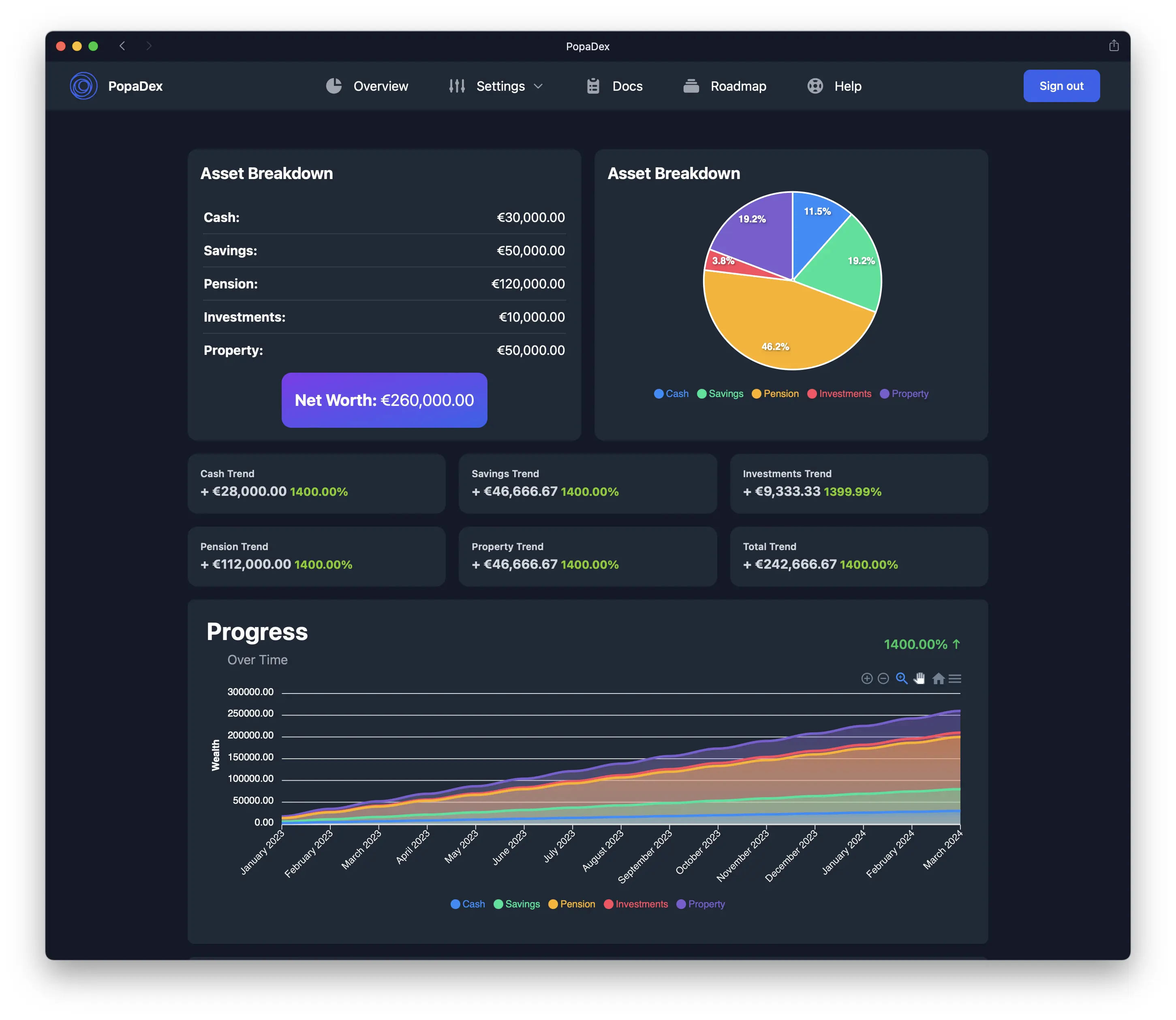
The product is useful when a normal budgeting app cannot represent accounts and assets spread across countries. It supports 12+ currencies and keeps manual entry available when an institution does not connect.
Choose PopaDex if:
- net worth is the primary metric;
- you hold assets or debts in several currencies;
- property, pensions, private assets, or manual accounts matter;
- you want a household balance-sheet view.
Choose something else if you need receipt capture, invoicing, transaction-level bookkeeping, or envelope budgeting.
See the live PopaDex demo or read the net worth tracker guide.
YNAB: best for hands-on budgeting
YNAB is built around an active budgeting method. Users assign available money to categories, record or import spending, and adjust the plan as priorities change. Its official pricing is $109/year or $14.99/month, with a 34-day trial for direct signups.
YNAB says direct import supports selected US, Canadian, UK, and EU banks. It also states that one spending plan cannot combine multiple currencies. File-based import is the fallback.
Choose YNAB if you want a defined weekly budgeting habit. Skip it if the main problem is consolidating multi-currency net worth or producing formal accounts.
Check YNAB pricing and regional limits.
Monarch: best for a collaborative North American dashboard
Monarch combines transactions, budgets, goals, investments, reports, and household collaboration. It is a practical Mint replacement for users who want one paid application rather than a collection of tools.
Its current pricing page presents paid plans and a one-week trial. Because tiers, promotions, and renewal pricing can change, verify the checkout total rather than relying on a coupon quoted in a comparison article.
Choose Monarch if you live in the US or Canada and want budgeting plus a shared dashboard. International users should verify regional availability and each institution before migrating.
Check Monarch’s current plans or read our Monarch Money alternative for Europe.
Quicken Simplifi: best for US cash-flow planning
Quicken Simplifi is a web and mobile personal-finance app for spending, savings, investments, reports, and projected cash flow. Its Spending Plan separates income, bills, planned spending, other spending, and goals so users can see what remains for the month.
Quicken’s official help states that Simplifi requires an annual subscription, does not offer a free trial, and offers a 30-day refund window. Introductory prices change, so check both the first-year charge and renewal price.
Choose Simplifi for a US-focused cash-flow view with automatic account imports. Quicken Classic is the separate desktop product for users who need reconciliation and deeper tax-oriented registers.
Check Quicken’s current plans.
Tiller: best for automated spreadsheets
Tiller feeds transaction and balance data into Google Sheets and Microsoft Excel. Users can keep formulas, custom tabs, and reporting logic while avoiding fully manual imports.
Tiller lists a 30-day trial followed by $99/year. It is a good fit for users who already know how they want their spreadsheet to work. It is a poor fit for someone who wants an app to decide the workflow.
Check Tiller pricing or compare PopaDex versus Tiller.
PocketSmith: best for long-range forecasting
PocketSmith combines budgeting, a financial calendar, cash-flow forecasting, net worth, and multi-currency reporting. The free plan is limited to two accounts and a six-month projection. Its paid plans extend bank feeds, dashboards, accounts, budgets, and forecast horizons.
The official pricing page currently lists paid plans in Australian dollars starting at AUD 9.99/month when billed annually. Users in other countries should check the currency and tax shown at checkout.
Choose PocketSmith if forecasts and transaction-level budgeting matter as much as net worth. Choose PopaDex if you want a simpler net-worth-first product at a lower subscription price.
Check PocketSmith plans or read the PocketSmith alternative comparison.
Empower: best free US investment overview
Empower’s Personal Dashboard links US financial accounts and provides spending, portfolio, retirement, fee, and net-worth tools at no charge. Empower also operates an advisory business, and connected users may receive offers for wealth-management services.
Choose Empower if you have compatible US accounts and want free investment and retirement analysis. It is not designed as an international multi-currency tracker.
Review Empower’s free tools or compare PopaDex versus Empower.
GnuCash: best free desktop ledger
GnuCash is free, open-source desktop software for personal and small-business accounting. It supports double-entry bookkeeping, investment accounts, reports, scheduled transactions, and file imports.
Choose it if you want local software and accounting control. Expect a steeper setup and learning curve than a browser-based dashboard. For more no-cost options, use the free personal finance software comparison.
What to verify before subscribing
- Search the vendor’s connection directory for your exact institution and account type.
- Download a sample export or confirm the available export formats.
- Check first-year, renewal, tax, and app-store pricing.
- Confirm whether a partner needs a separate subscription.
- Decide how manual assets, pensions, property, and private investments will be represented.
- Read the privacy and security documentation for connected-account access.
- Test the cancellation path before importing years of history.
Financial management software FAQ
What is the best personal finance software?
Choose by job. PopaDex fits net worth and multi-currency accounts; YNAB fits hands-on budgeting; Monarch fits a US or Canadian household dashboard; Quicken Simplifi fits US cash-flow planning; Tiller fits spreadsheet users; PocketSmith fits forecasting; Empower fits free US investment monitoring.
What is the difference between personal finance and accounting software?
Personal finance software helps an individual or household budget, track net worth, monitor investments, or forecast cash. Accounting software maintains formal business records and supports reconciliation, invoicing, financial statements, and tax workflows.
Is free financial management software good enough?
Yes, when you are willing to enter or import records yourself. Paid software earns its keep when automation, bank feeds, shared access, forecasting, or support saves enough time to justify the subscription.
Which financial management software works internationally?
PopaDex and PocketSmith are designed around multi-currency use. Bank-feed availability still varies by institution and country. Verify your exact accounts and keep a manual or file-import fallback.
Choose the narrowest tool that works
Track net worth without buying an accounting system
PopaDex is built for the balance-sheet job: accounts, assets, debts, currencies, and progress. Start manually, then add compatible connections if they save you time.